
I haven’t updated for almost half a month. I have been dealing with other trivial matters this month.
A few days ago, I heard the experts recommend using Pi in Nature SKILL’s Agent communication group.
I heard this is the best Agent tool.
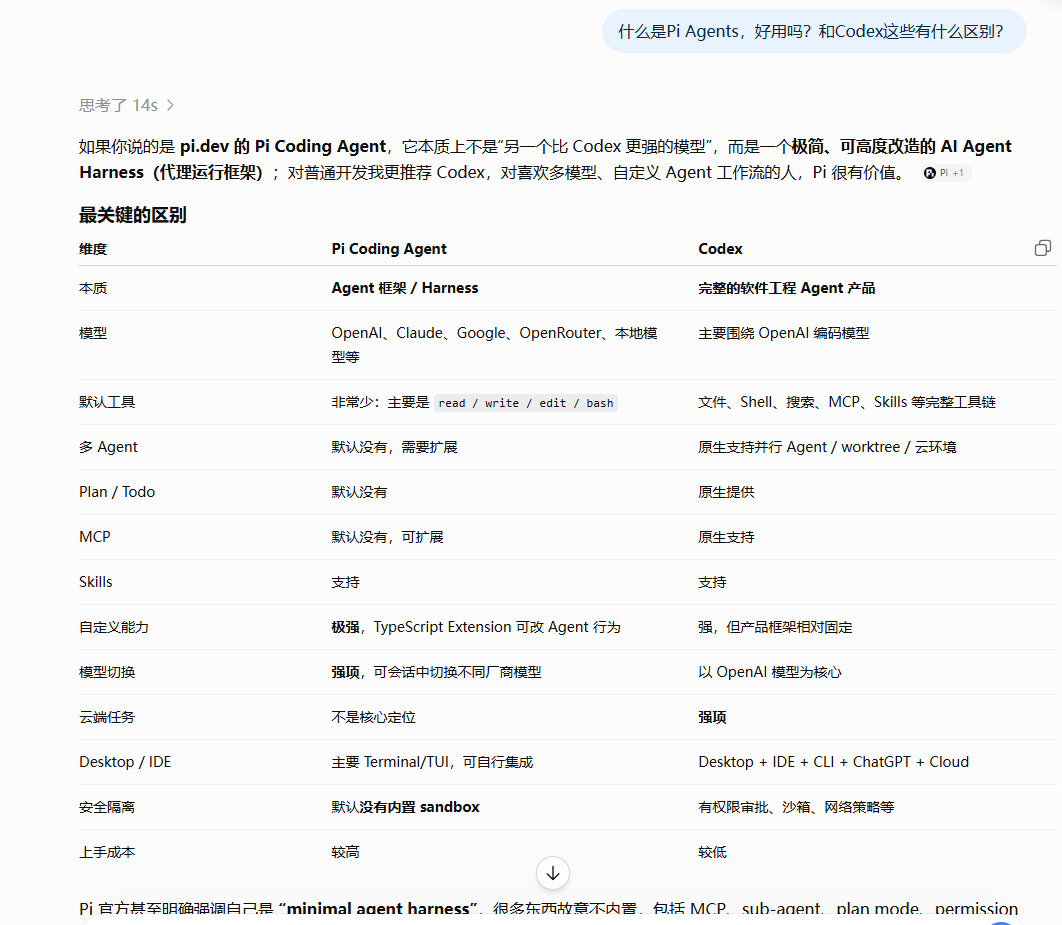
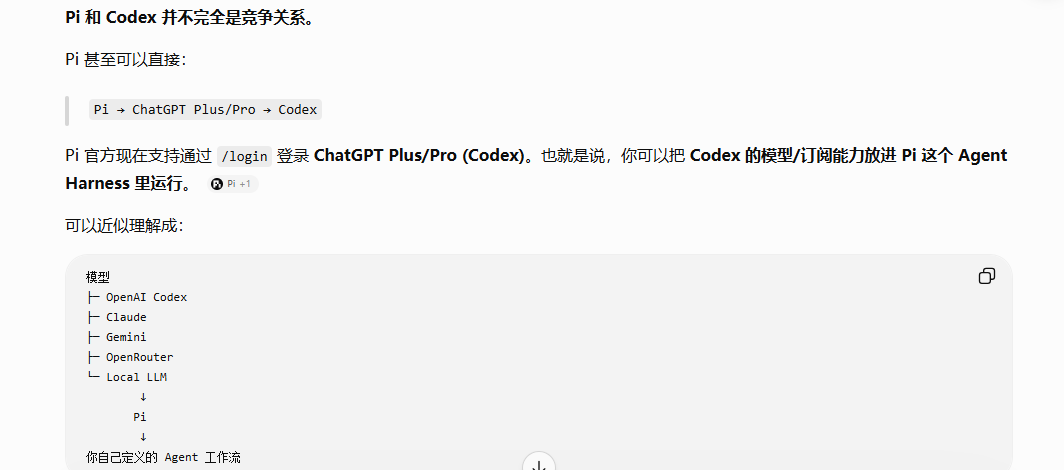
This was the first time I heard about it. Out of curiosity, I asked Codex
He told me that Pi is a minimalist and highly adaptable AI Agent Harness
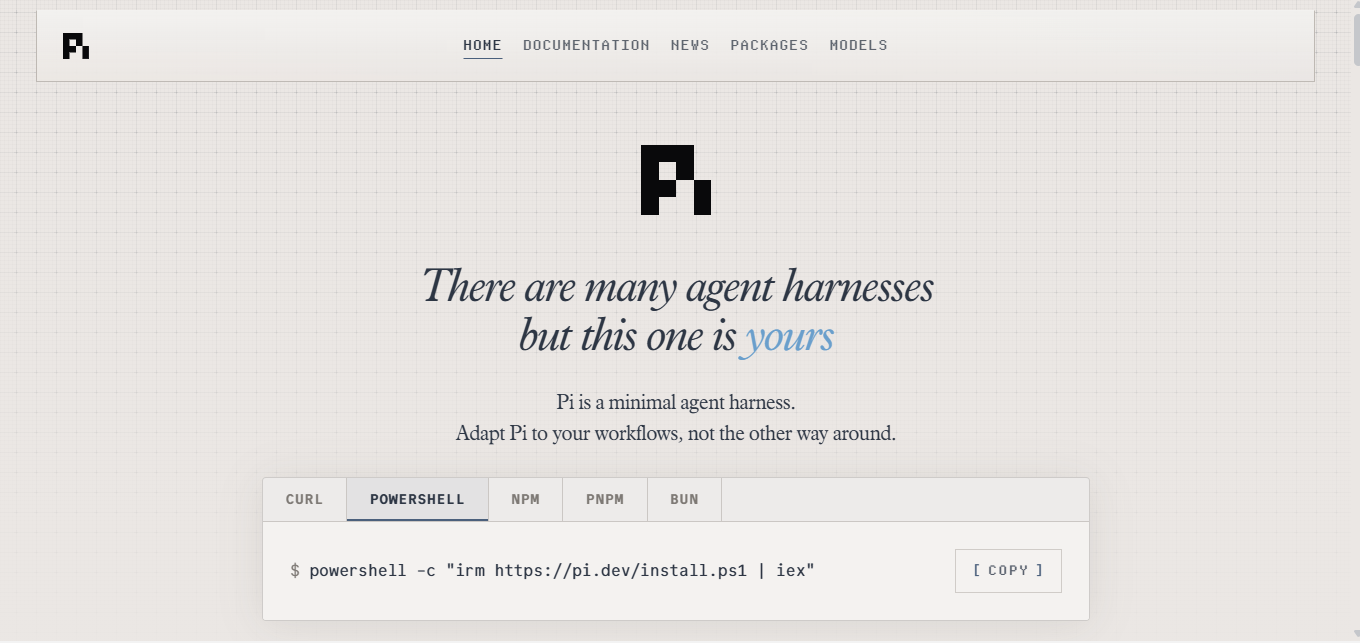
Official website address: https://pi.dev/
If any brothers and sisters have learned about the recently popular DeepSeek Harness
It will definitely feel very familiar. Yes, that’s right, it can be understood as a mature version of DeepSeek Harness.
It encapsulates the complex Agent workflow into a minimalist configuration, but retains flexible transformation elements at the bottom, making it particularly easy to use. Compared with Codex's "black box" interaction, Pi is more like a Swiss Army Knife - you can put together whatever you want, and it already has a Lego base.
I remember there is such a formula describing
Agent=model+harness
In Pi, you can build your own model and harness at will to form your own Agent system
Since Codex is a programming-oriented tool, it is very inconvenient for me who often switch back and forth between different work scenarios.
Different work scenarios require loading the corresponding SKILL (skills) and plugin (plug-ins)
Humanizer, qu-ai-wei, edge-tts, ppt-master are needed for content creation.
Academic-scholar-SKILL, nature-SKILL and ai4scholar are required for scientific research work.
If you want to switch at any time, it is very inconvenient in codex. SKILL and plug-ins are all loaded by default and cannot be loaded on demand.
DeepSeek harness (dsh) and Pi can perfectly solve this problem
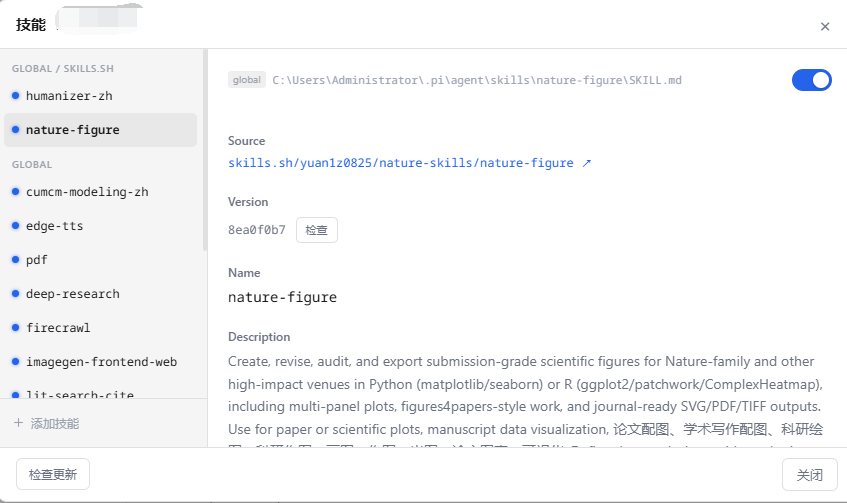
Just turn off and activate the skills you don’t want to use.
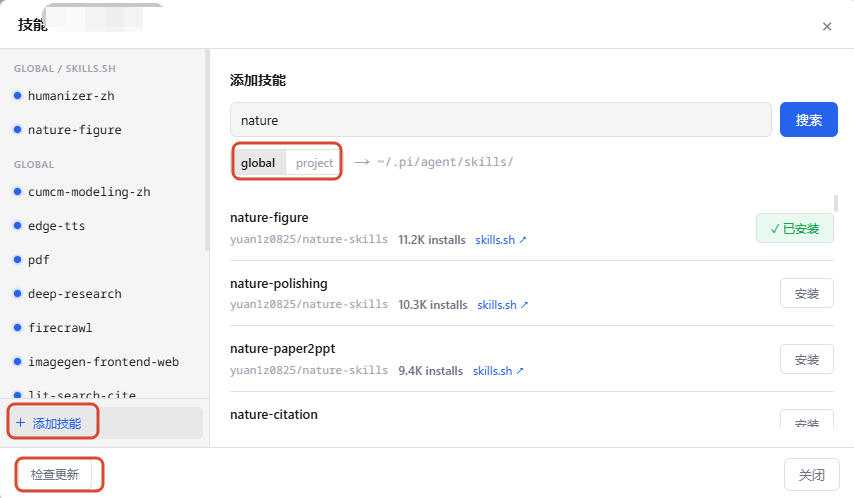
Just search for the skills you want to install or update directly. The installation location can be freely determined by global installation or project-level installation.
Most of the old fans who follow me are brothers and sisters who are interested in scientific research.
Here I will give you some useful scientific research skills for Amway. Just search for them.
Pi, like opencode, can be connected to major domestic and foreign model providers, including OpenAI subscription, Claude, Gemini, etc.
Plug-ins are also freely assembled and unplugged
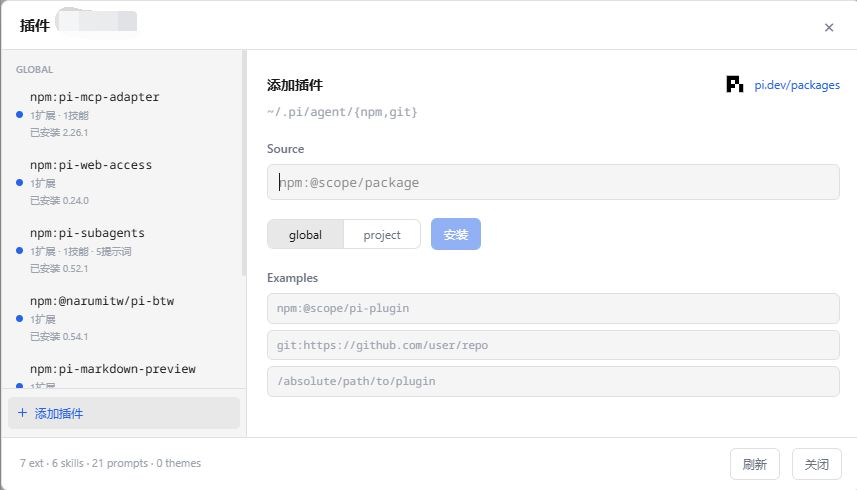
Here I recommend a few plug-ins that must be installed and used for scientific research friends.
Let’s talk briefly
mentioned above
pi-mcp-adapter allows Pi to start the MCP server on demandpi-web-access provides Pi with networking capabilitiespi-subagents can turn Pi into a multi-agent working form, and sub-agents can isolate context to make work execution more efficient.rpiv-todo Responsible for long-term task status management, allowing Pi to have real-time task progress query like CodexThere are not many plug-ins for scientific research. Here I recommend a few common ones.
Extension | Scientific research purposes |
pi-zotero | Zotero search, BibTeX, notes, PDF annotations |
@wienerberliner/pi-arxiv | arXiv search, save the full text of the paper as markdown |
@siva-sub/pi-docparser | PDF/DOCX/PPTX/XLSX parsing, OCR |
pi-web-research | Multi-source in-depth web research |
pi-deep-research | Force multiple rounds of search and evidence cross-validation |
pi-jupyter | Jupyter Notebook Preview |
Other useful plug-ins for developers:
Plug-in address:
By the way, I forgot to explain how to install the Pi first.
The installation is also very simple and can be used in China with one click.
Open your computer terminal, press and hold WIn+R, and then the command line window will pop up

Enter powershell, an installation command:

When the installation option appears, tap the letter y on the keyboard
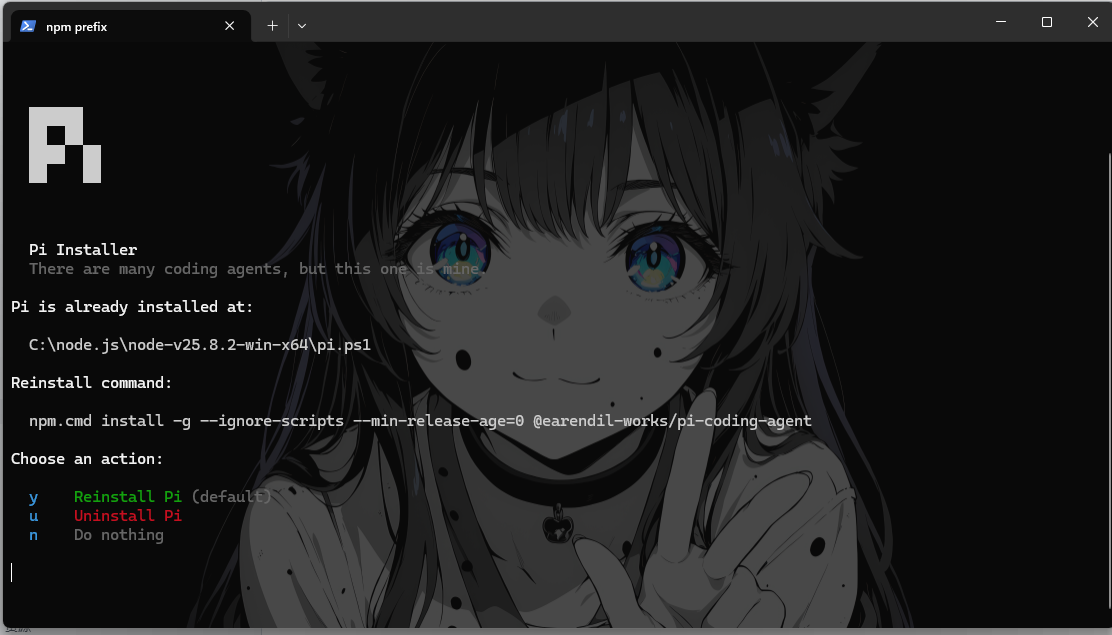
Then switch the terminal back to cmd

Enter first
npm install -g @agegr/pi-web@latest, providing a web version of PiFor novices, the web version will be more convenient to use, and it is also very convenient to add models and SKILL.
Finally restart: enter -
pi-web and then press Enter to automatically open the browser page
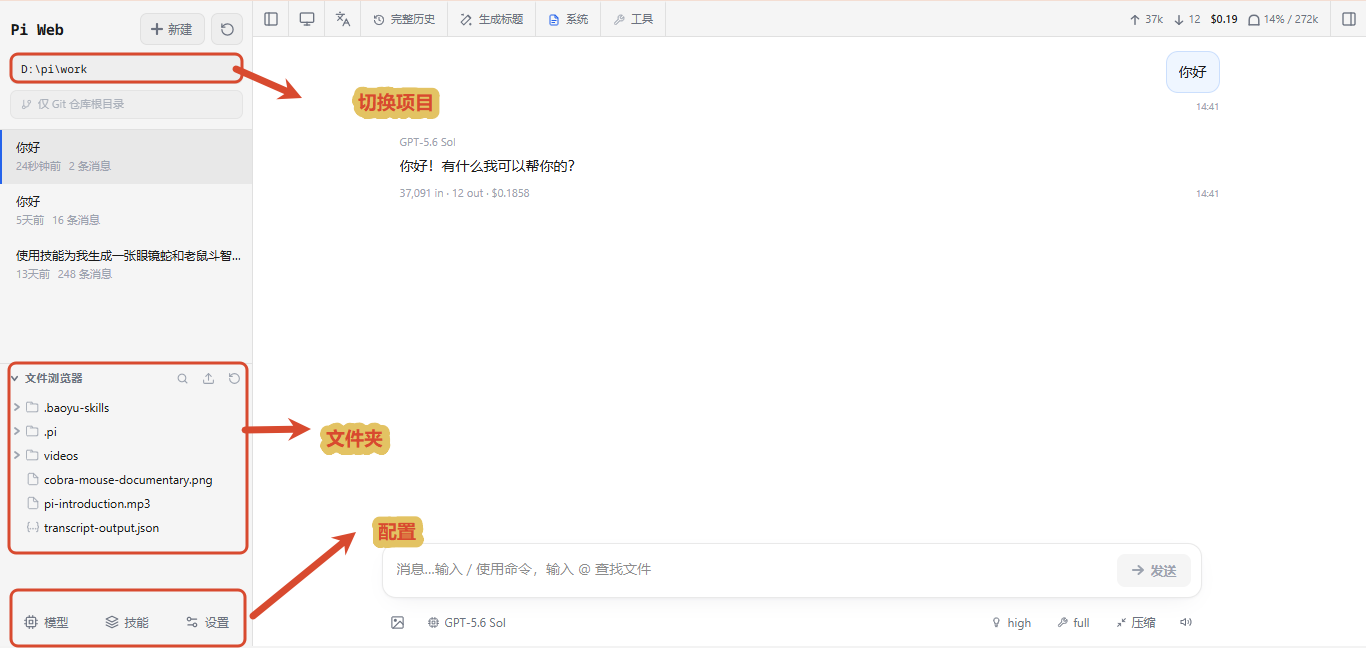
Open the settings and add the model provider first
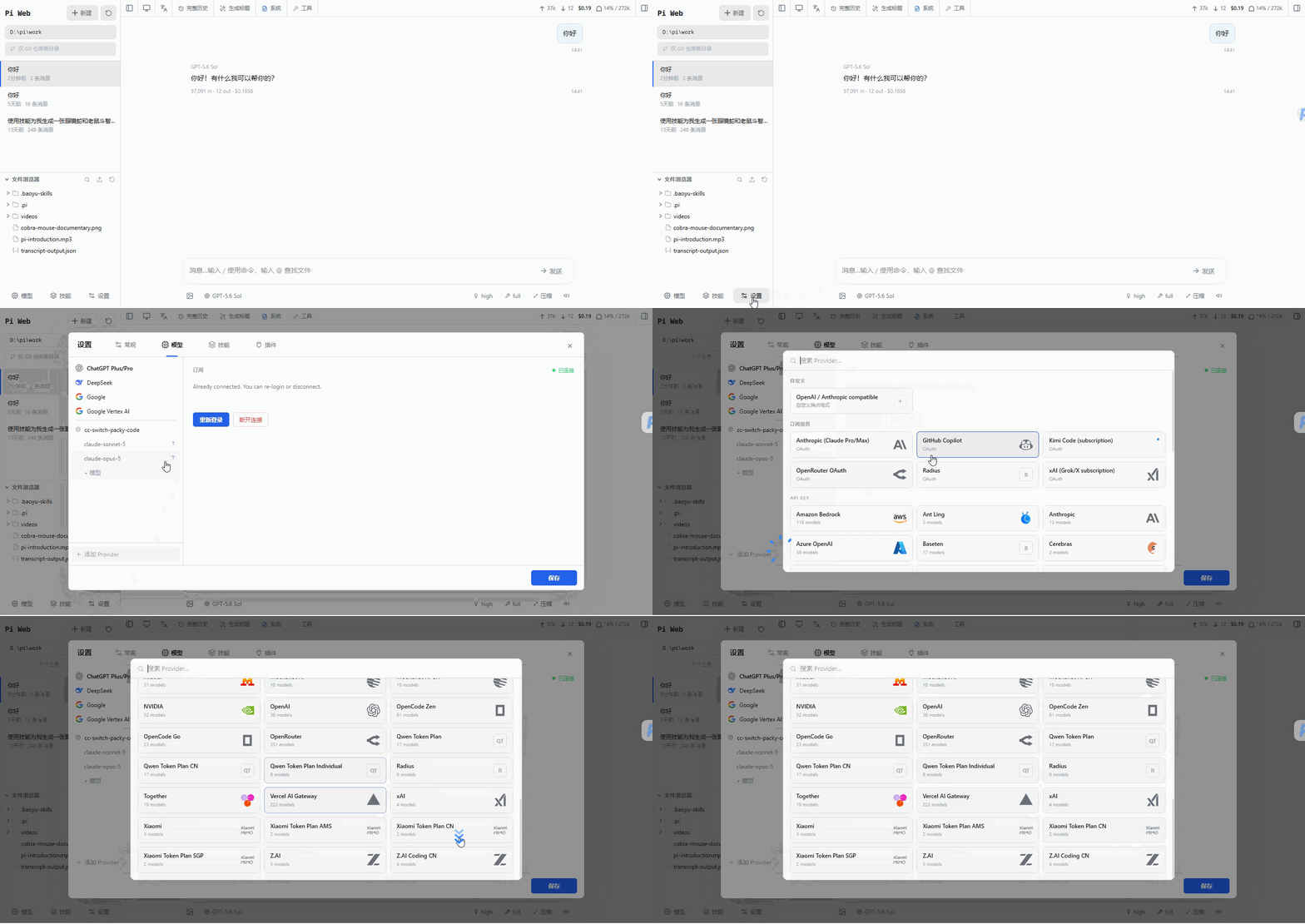
Here you can configure your Codex account, using the same model as your Codex
I compared it and found that starting Codex here is faster than the original Codex APP and the work efficiency is higher.
It may be because there are not as many built-in underlying system prompt words as Codex.
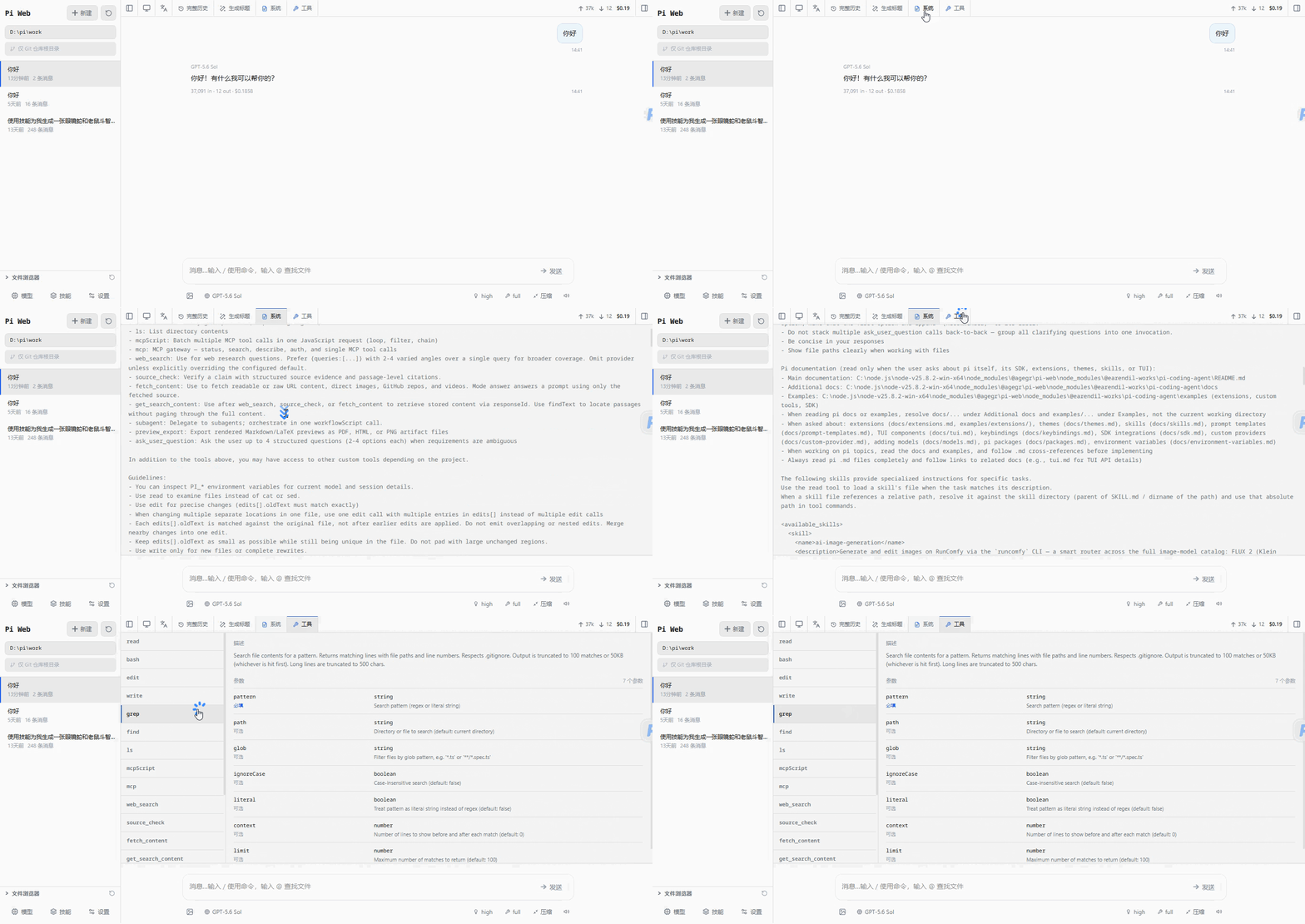
You can modify and view the system prompt words here and add tools.
Pi~Dao Zhi Jian
Loads with minimalist prompts and tools, providing a higher cache rate for the model
This also explains why it is better to use Agent tools such as Codex and DeepSeek here instead of Claude Code.
Moreover, the dialogue record positioning switching is very smooth. Once the context of Codex is too long, it will simply freeze.
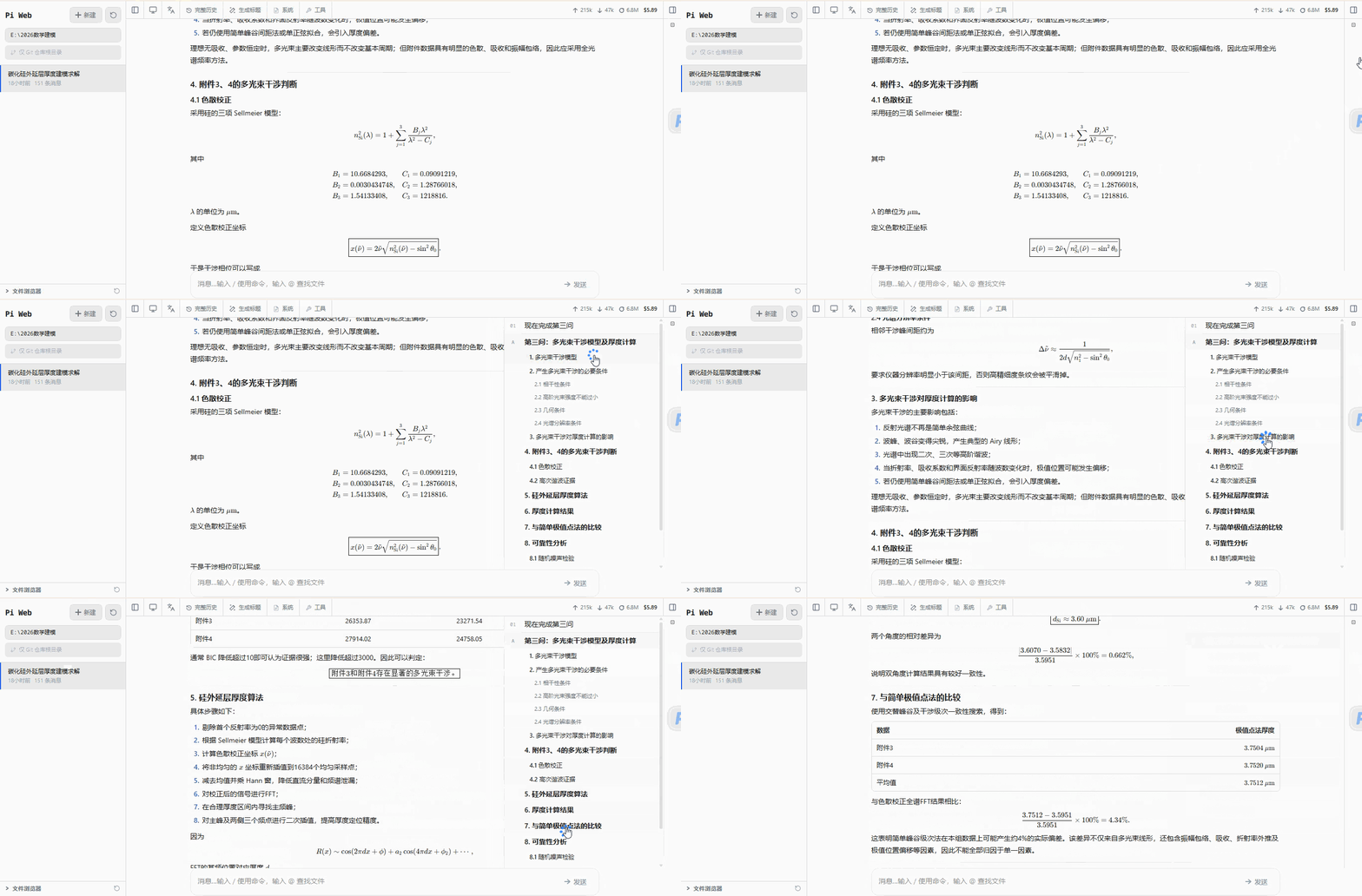
Codex if you want to switch the working directory. I had to wait a long time for it to load before it came out.
Pi is silky smooth. Only after using it do you know how good π is!
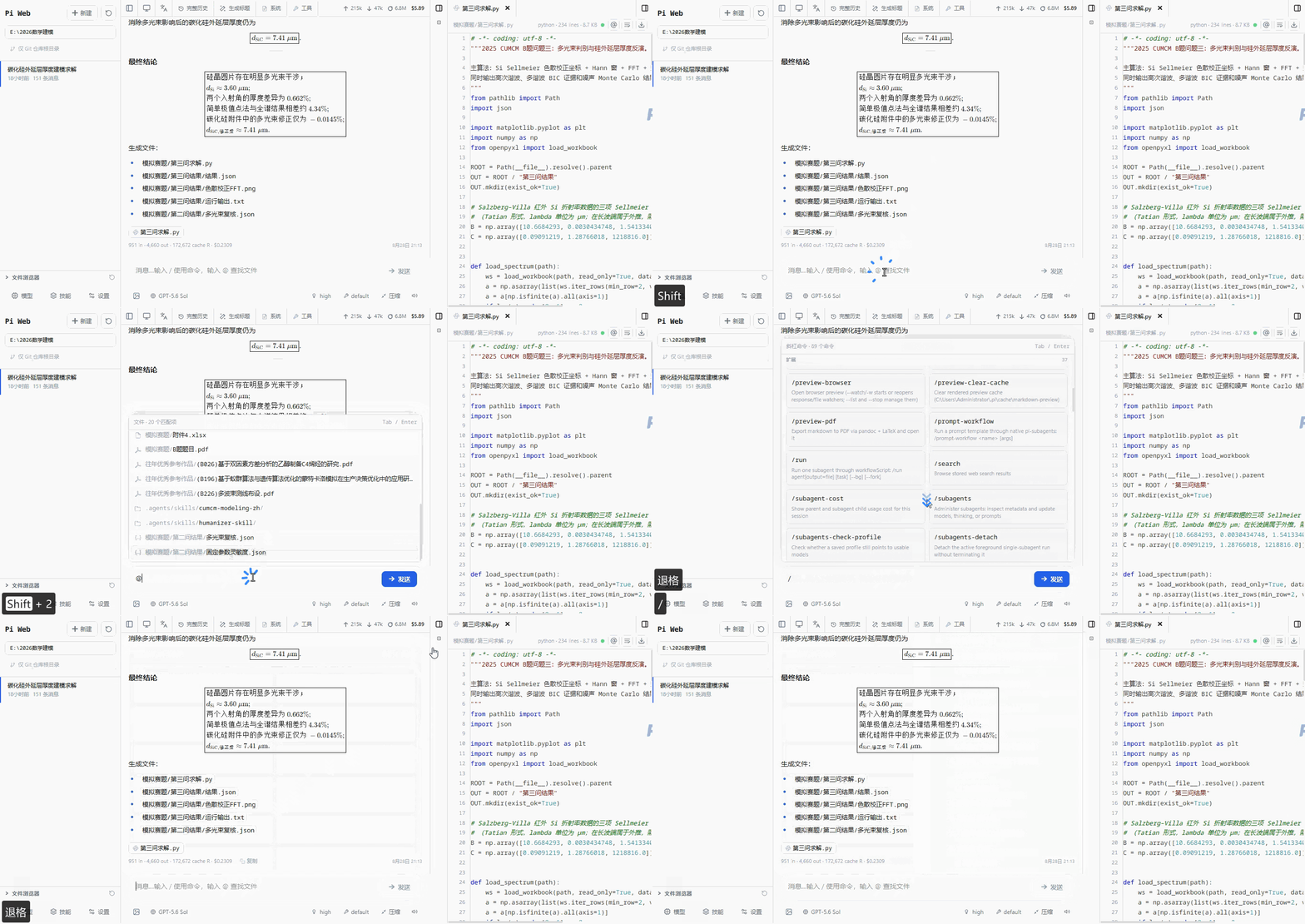
If your model is strong enough, I believe it will have the best effect when used in Pi.
There are not too many things that constrain the model's own capabilities.
I didn’t expect that it took me so long to find out
The Agent tool that researchers should master first is actually it
Pi, as its name implies
π~contains infinite possibilities
The above is the tool I want to introduce in this issue
I am Sanmu, thank you for reading, see you next time!
- Author:Sanmu
- URL:https://luffysite.top/article/2026-08-28
- Copyright:All articles in this blog, except for special statements, adopt BY-NC-SA agreement. Please indicate the source!
Relate Posts