
1. Preparation before starting
1. ChatGPT desktop application
Install the new version of ChatGPT desktop application (previously called Codex, now merged)
Windows installation in Microsoft Store
Both Mac and Win users can access:
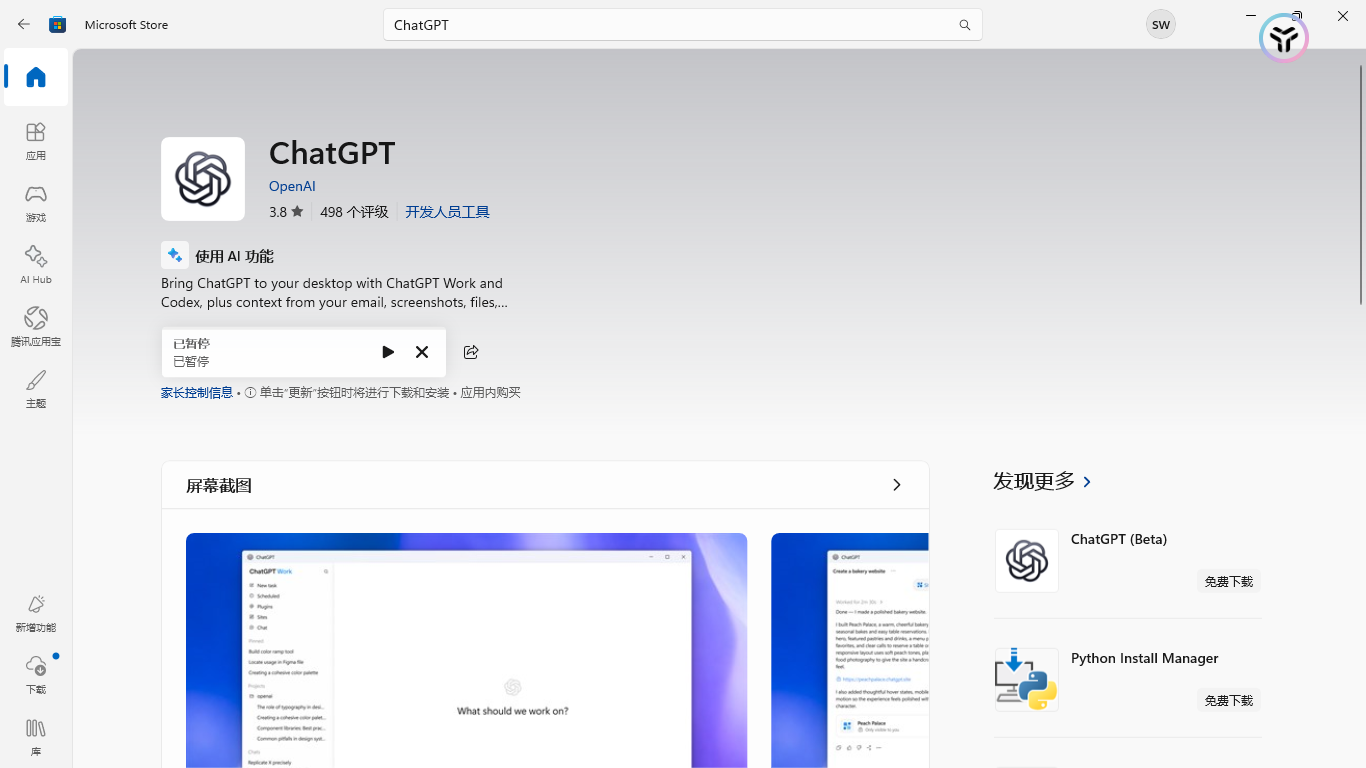
If the domestic environment cannot access it, you can try to decompress the Codex install installation package through my compressed package.
2. CC Switch
This article recommends using CC Switch 3.16.1 or higher, it is recommended to install the latest stable version directly.
Version 3.16.0 starts to support converting Codex’s Responses API requests into Chat Completions requests used by DeepSeek and other suppliers; there is no need to combine it with other software such as Codex++
Open the official warehouse homepage:
Or directly visit the home page of the installation package and select the latest version to install:
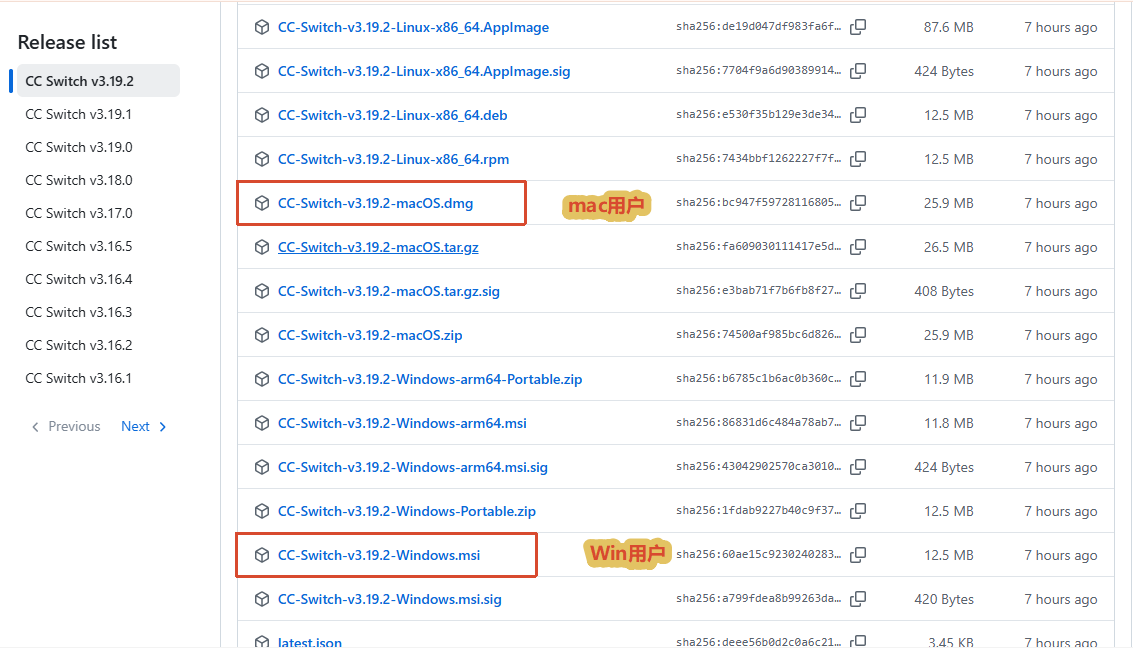
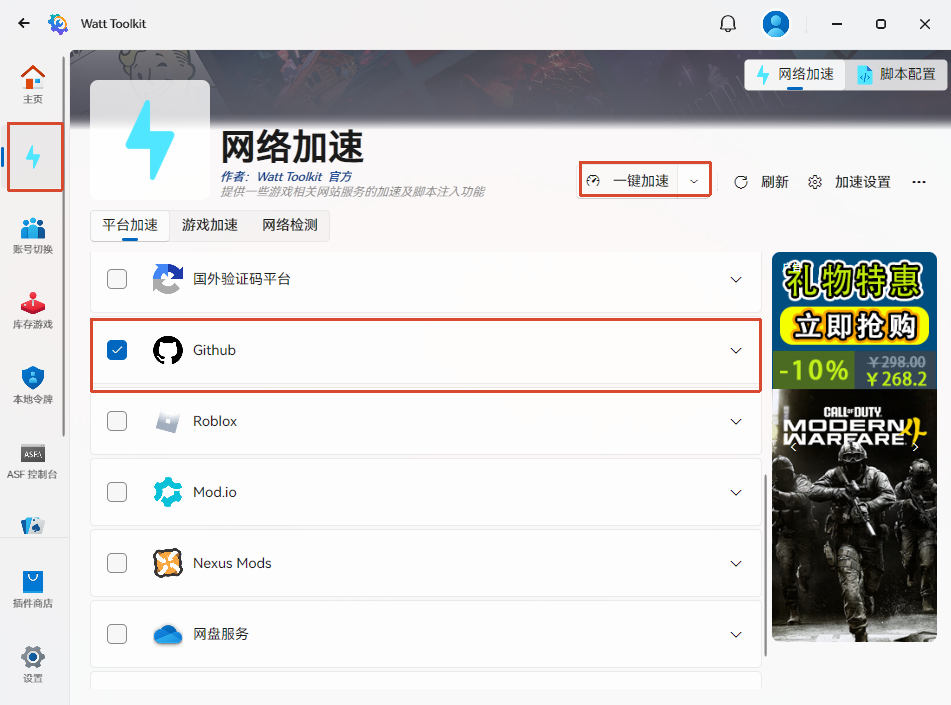
If domestic network problems cause slow loading, you can download the following Watt Toolit software to speed it up (GitHub)
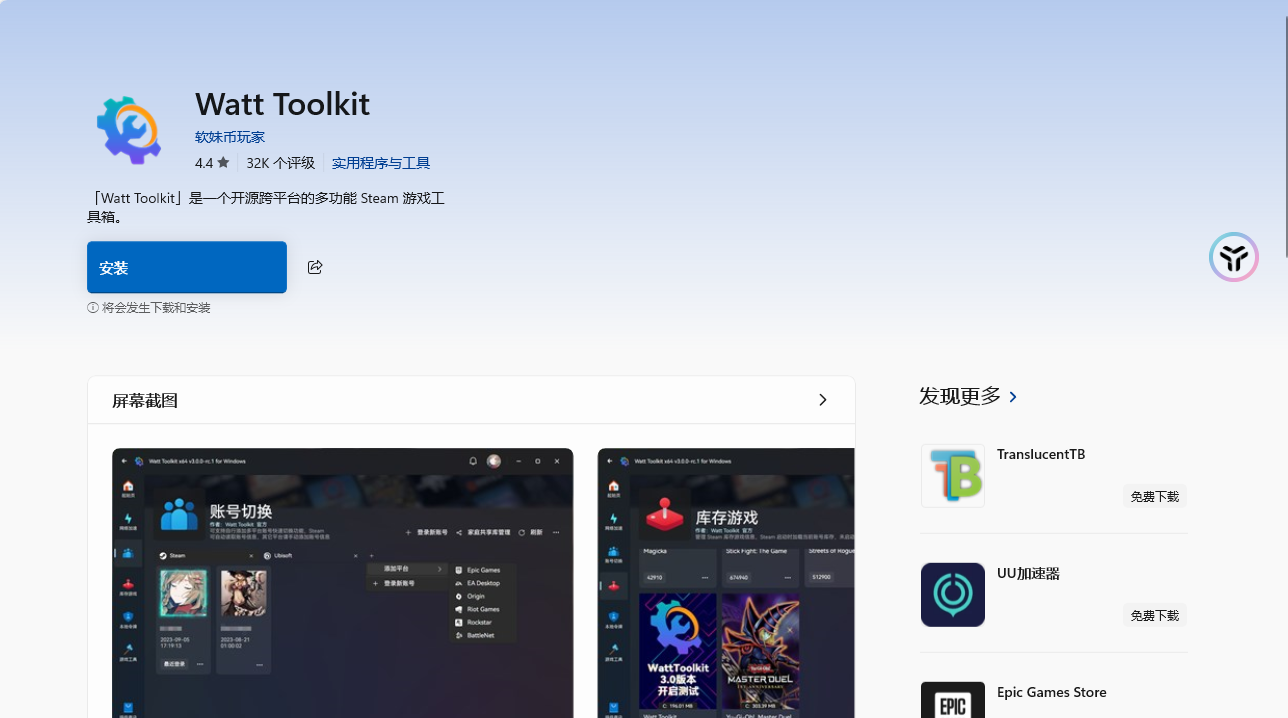
After installation, you can enable accelerated access to GitHub for free without registration.
After the installation is complete, just open CC Switch
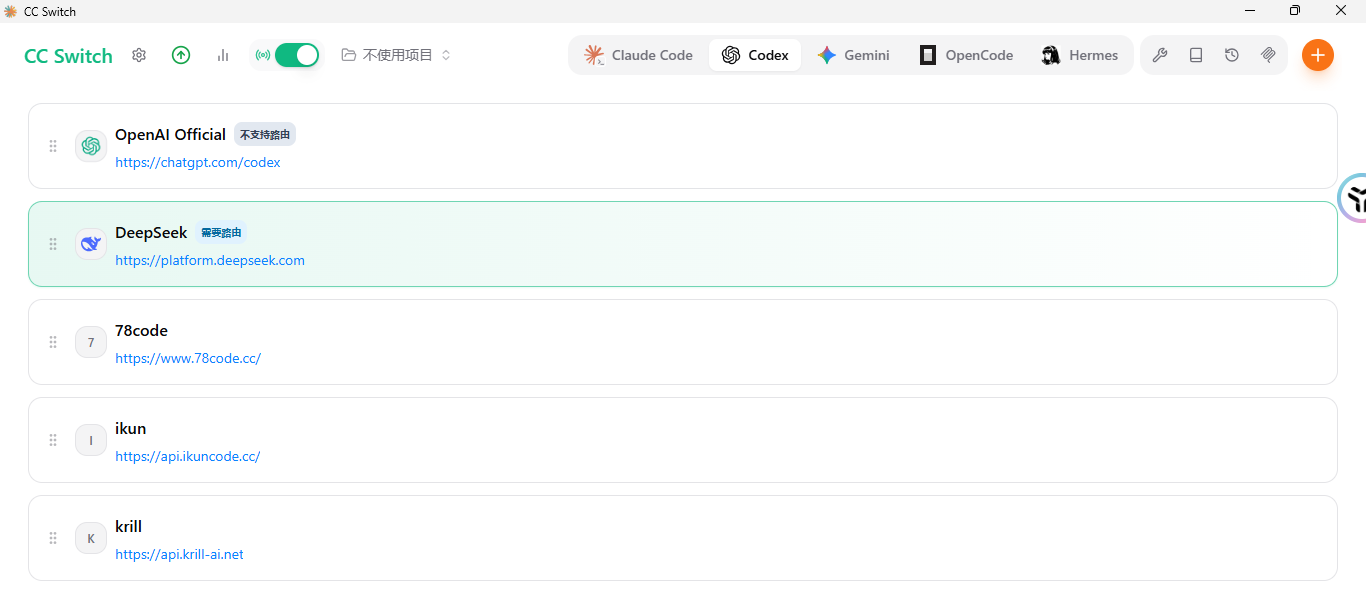
The initial entry is blank because clients such as DeepSeek have not been configured yet (the configuration will be explained later)
3. DeepSeek API Key
Here we need to use the Codex client tool to use the DeepSeek model. We need to go to DeepSeek first.Open platform Get DeepSeek API Key
API Key acquisition address:
You need to create an API Key in the DeepSeek API console and ensure that the account has an available balance. API calls are billed based on actual token usage.
4. Zotero
Prepare the desktop version of zotero. If you don’t have it, you can download it from the official website.
2. Start configuration
1. Add DeepSeek supplier in CC Switch
After verifying personal information on the DeepSeek open platform, create an API Key and fill in the name as you wish.
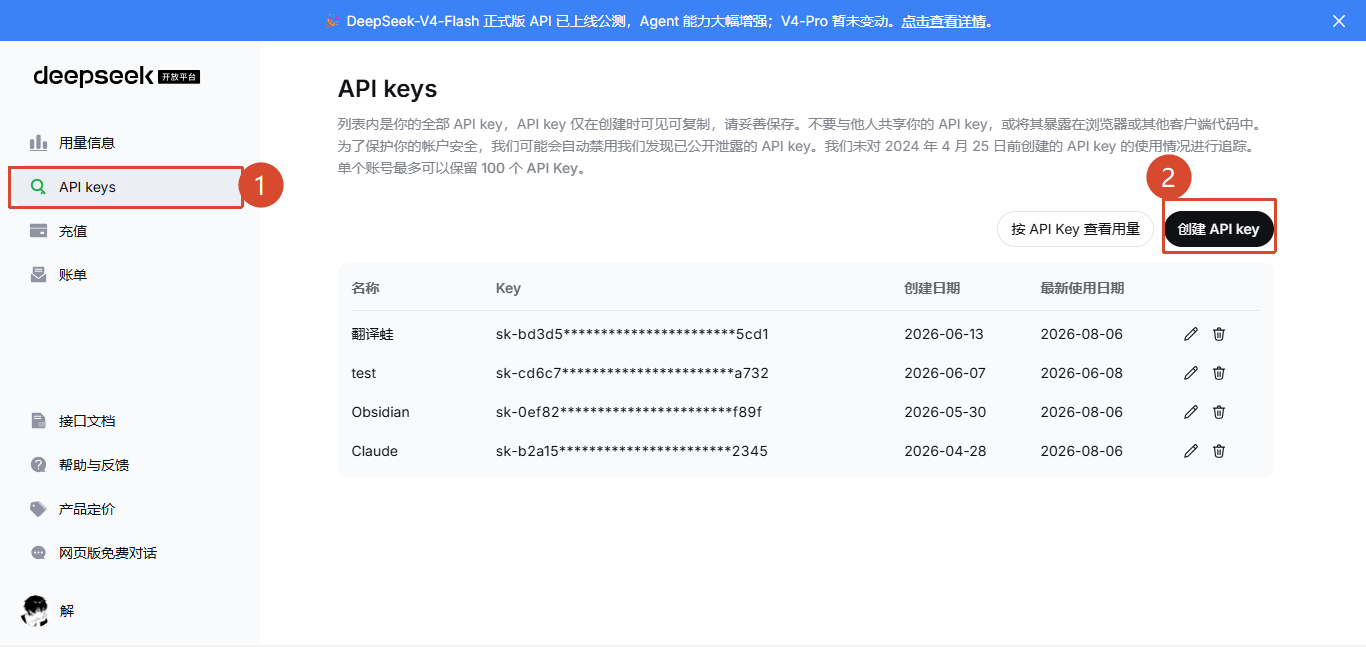
The API Key will only appear once, remember to copy it and save it somewhere else, and don’t leak it!
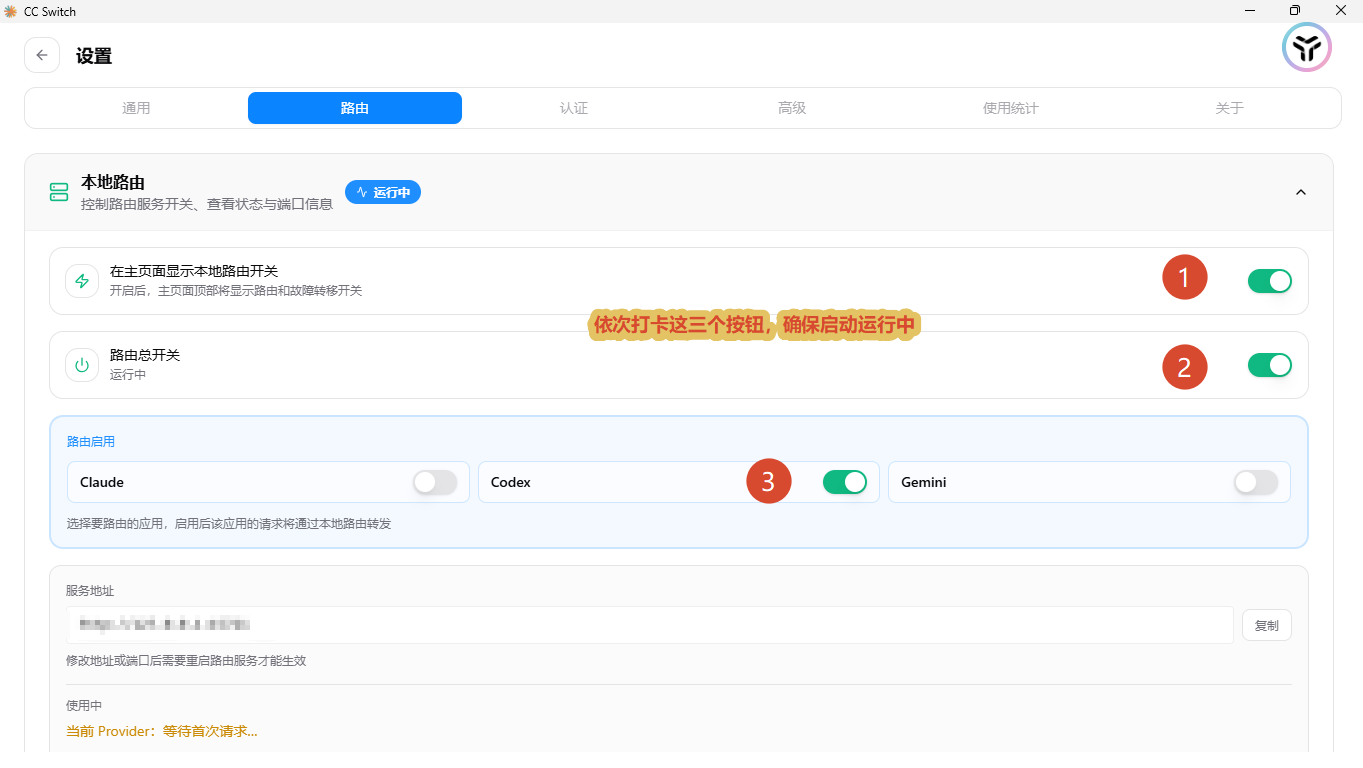
Back to CC Switch, click the gear ⚙️ icon in the upper left corner at the top to open settings
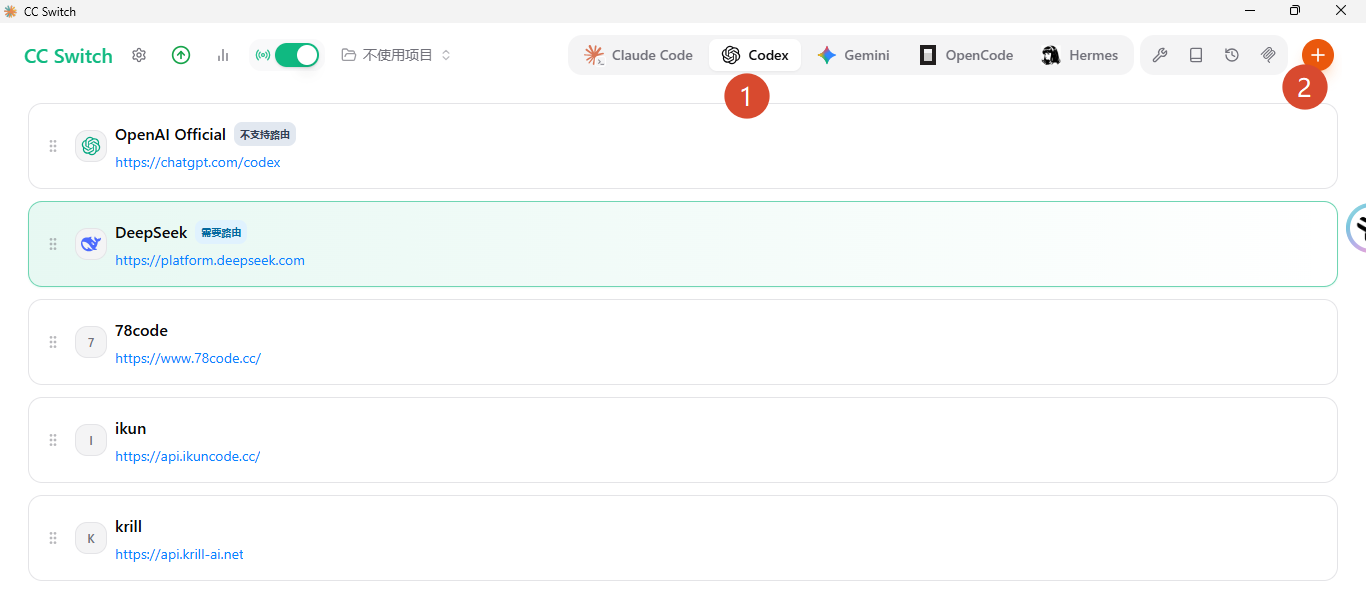
Return to the homepage, select Codex, click the plus sign in the upper right corner to add a new supplier.
Find DeepSeek
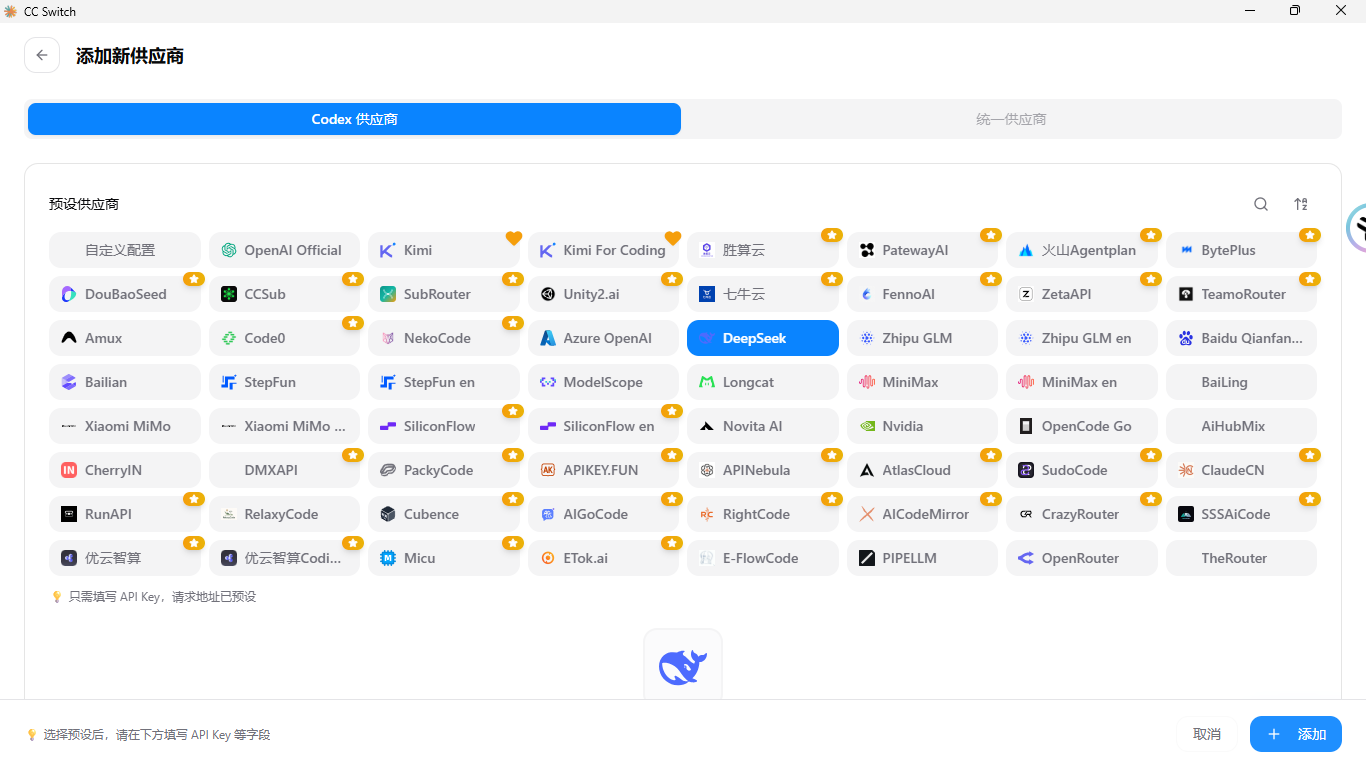
Then fill in your own DeepSeek API Key.
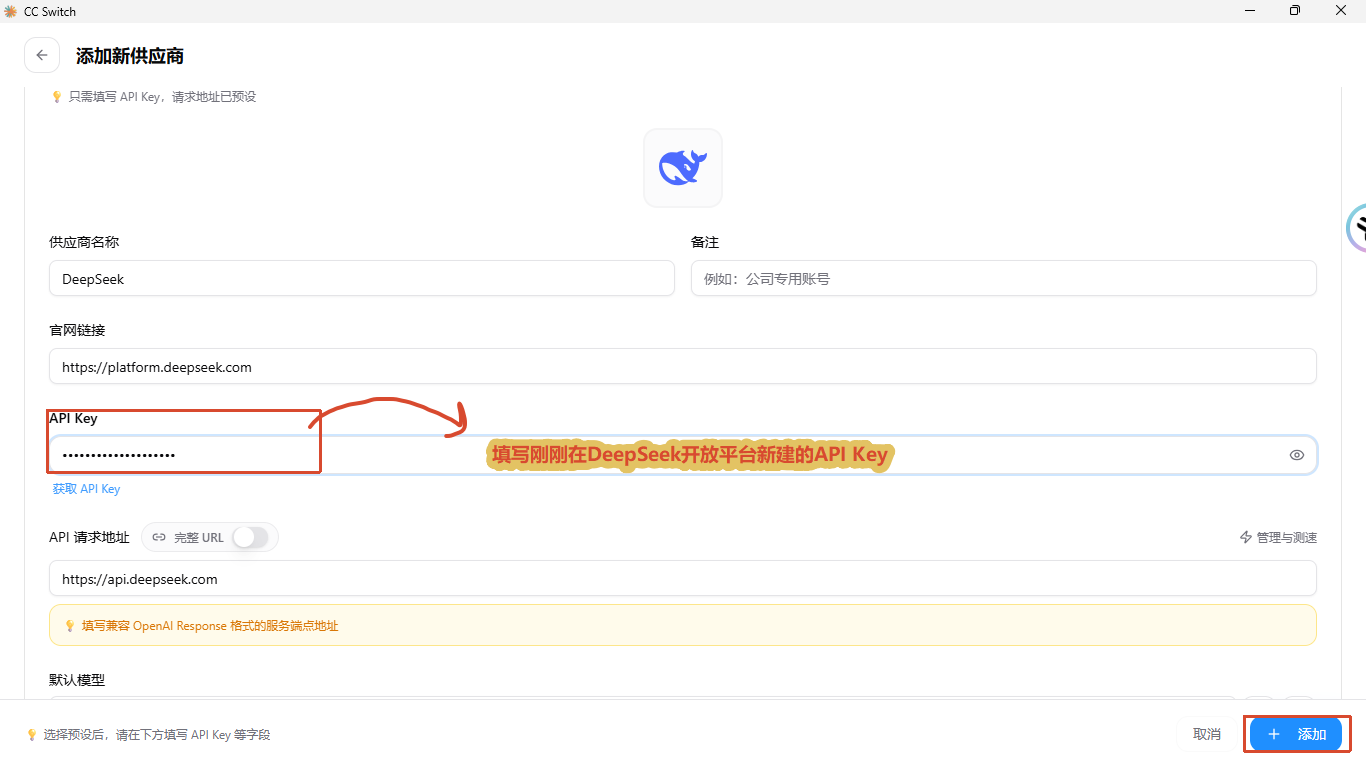
Try to keep other configurations at default values and then add them.
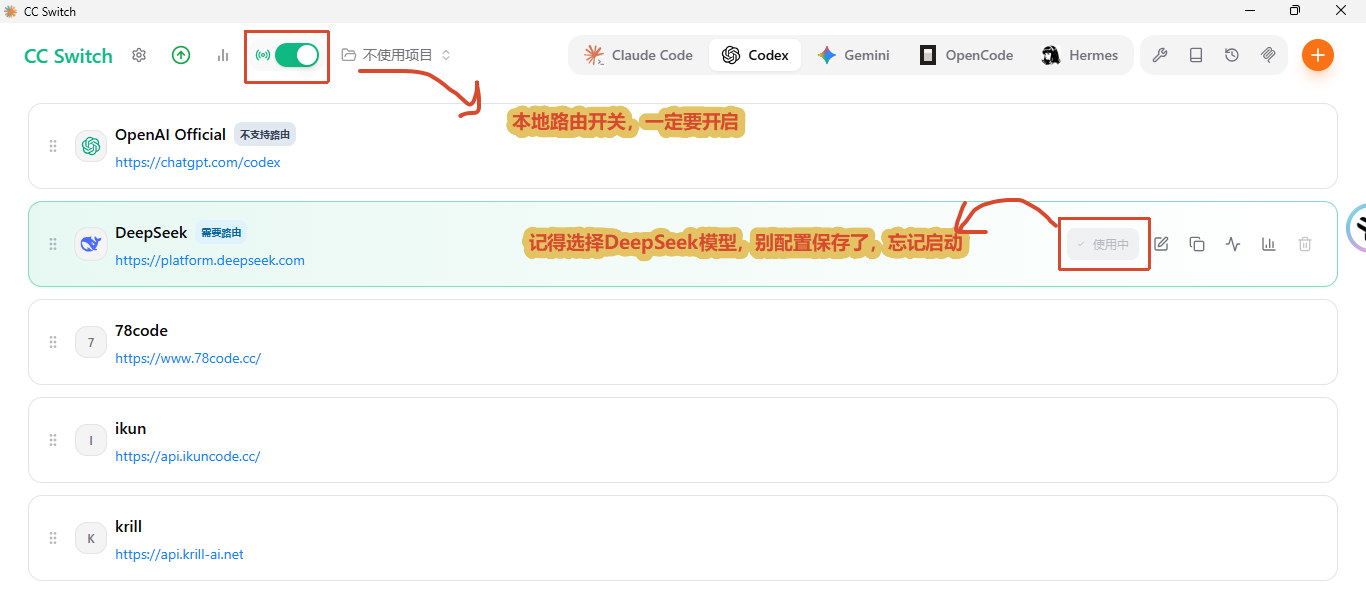
DeepSeek officially provides an OpenAI Chat Completions compatible interface, while Codex mainly sends requests according to the OpenAI Responses API. The request body, streaming events and tool call formats of the two protocols are different, so I need to enable local routing to take over requests sent locally using Codex and replies sent by DeepSeek
Therefore Make sure that the icon in the upper left corner of the homepage is turned on, and make sure that the DeepSeek model that is turned on is selected.
2. Open the Codex client
Start Codex APP. If it is already enabled, you need to restart the client after DeepSeek is configured and started.
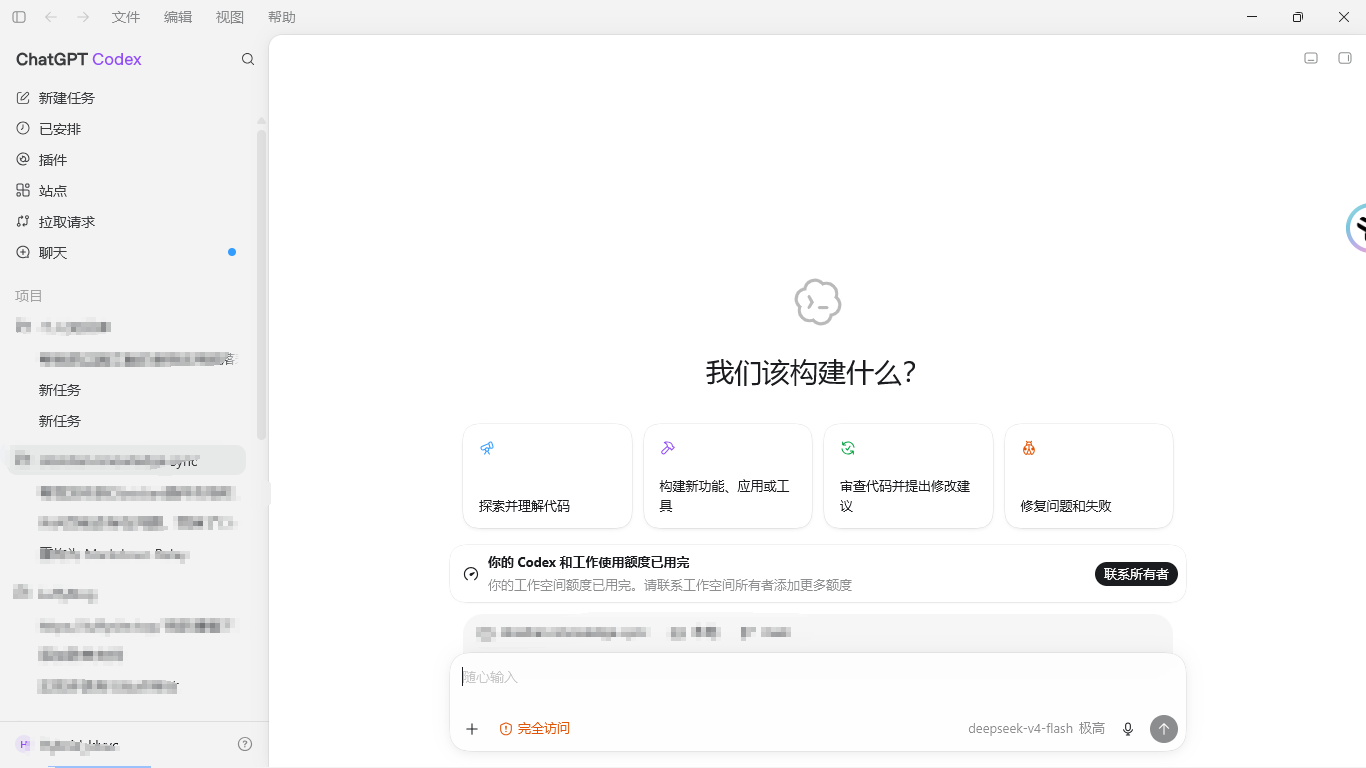
If there is no problem with the previous operation, you can directly open the access normally.
Then click on the left column plug-in and search
Zotero, just install it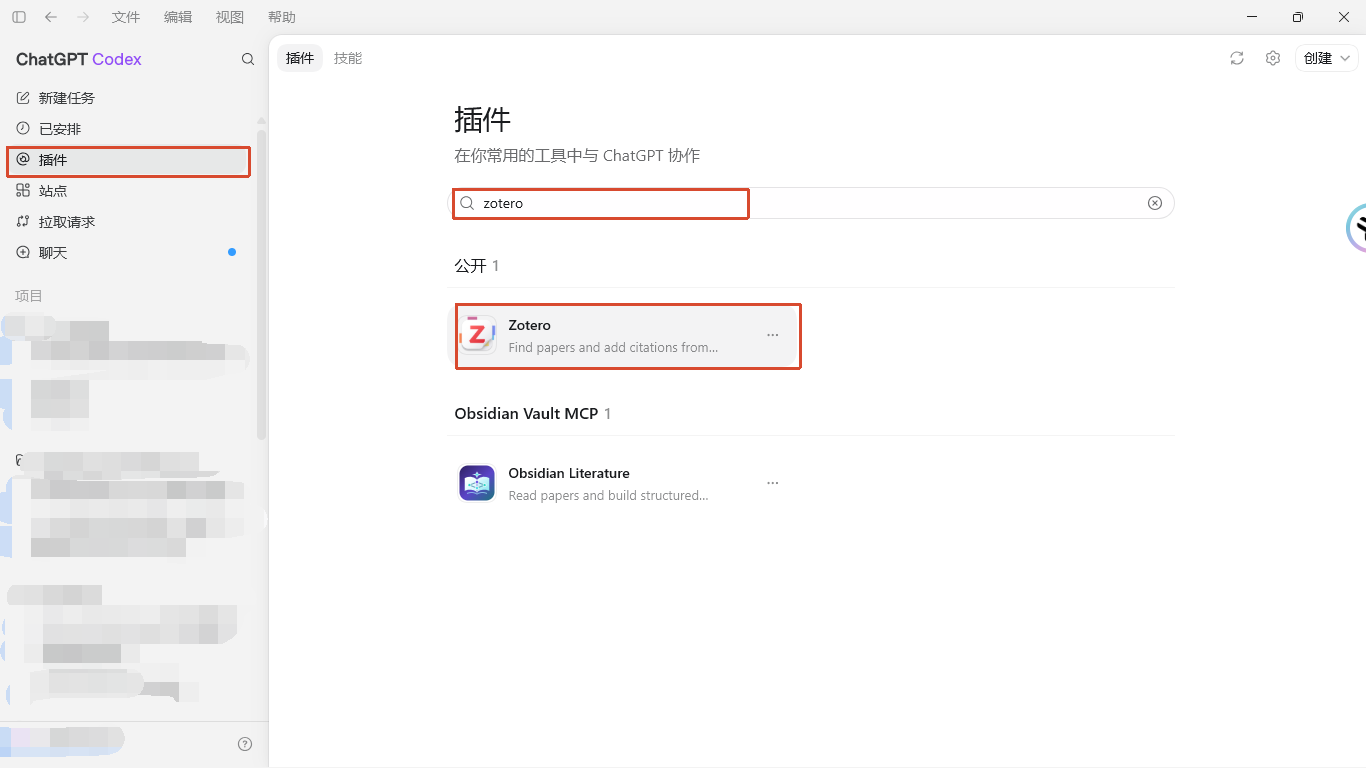
After completing this step, the entire process has been completed.
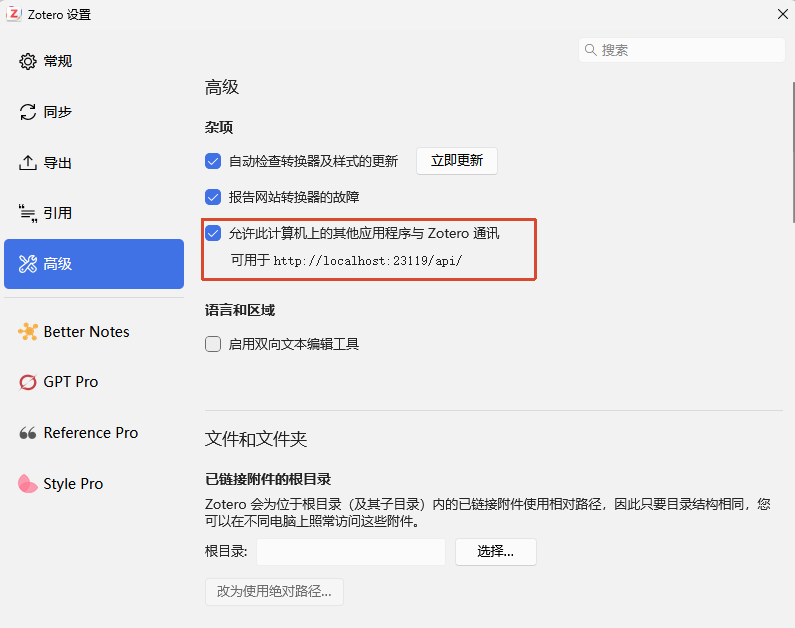
To be on the safe side, you can open Zotero's settings. Turning on this option will expose zotero documents to Codex for access. DeepSeek can also indirectly read zotero documents.
Use demo
Enter directly at the beginning of the dialog box
@zotero , just quote the plug-in, select the top one
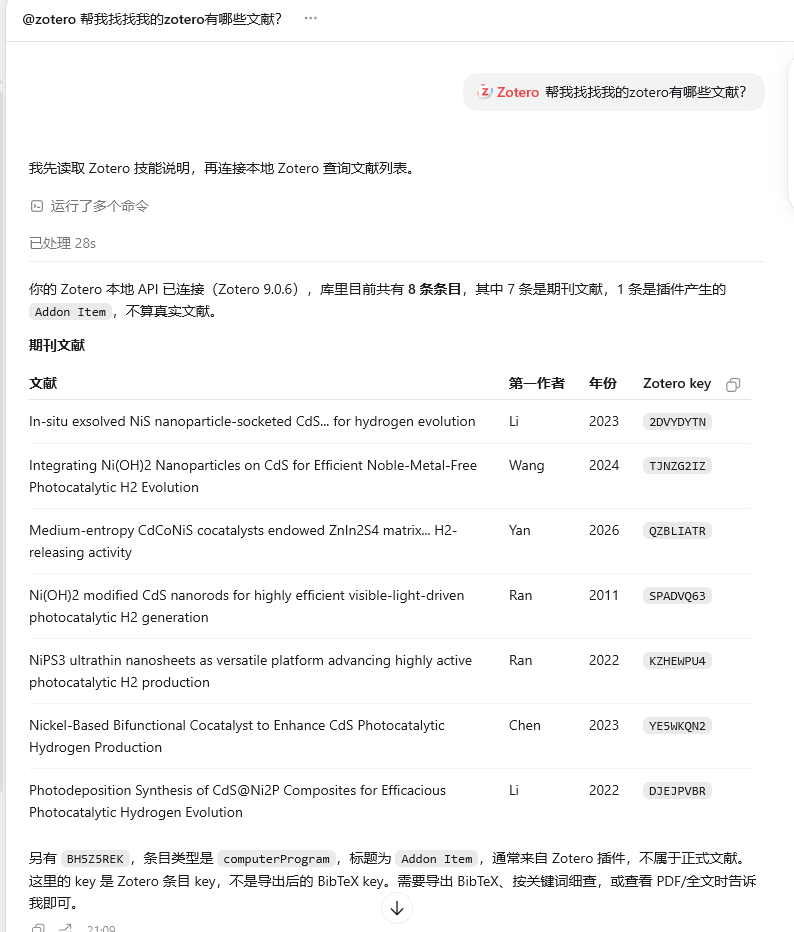
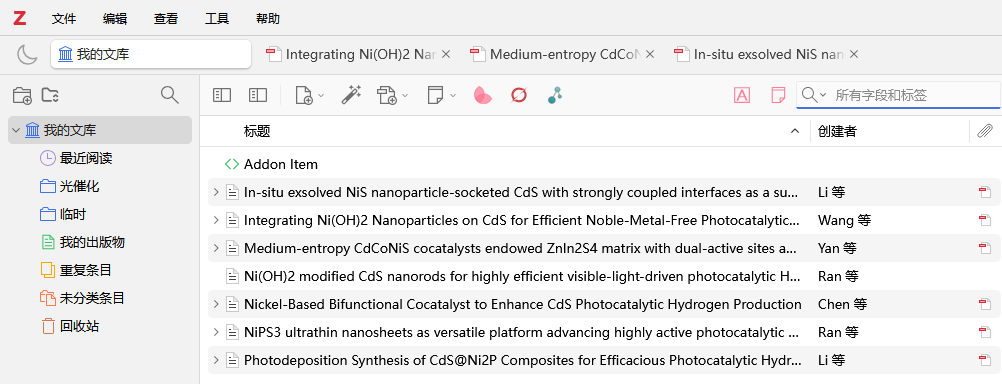
Same as the actual zotero literature information
In this way, DeepSeek can directly read the documents in your Zotero, including PDF annotations, notes, and everything else it can read! ! !
Of course, reading only the literature is still too limited. Can it help me organize my notes, form a literature matrix and literature review?
Of course! ! !
It can be used with the scientific research Skills developed by other big guys. This is a prompt word for guidance on large models.
Tell him how to read documents, analyze document structure and content, how to match factual evidence, and how to find documents
In short, many scientific research SKILLs have been open sourced on the Internet (especially GitHub).
I also compiled some SKILLs for scientific research
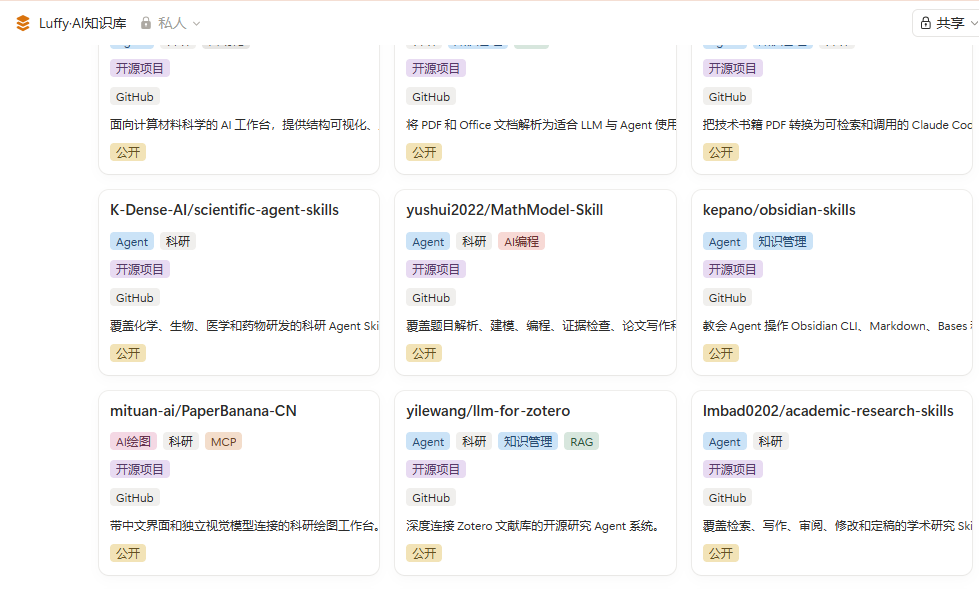
If you are interested, please send me a message
But how to use it?
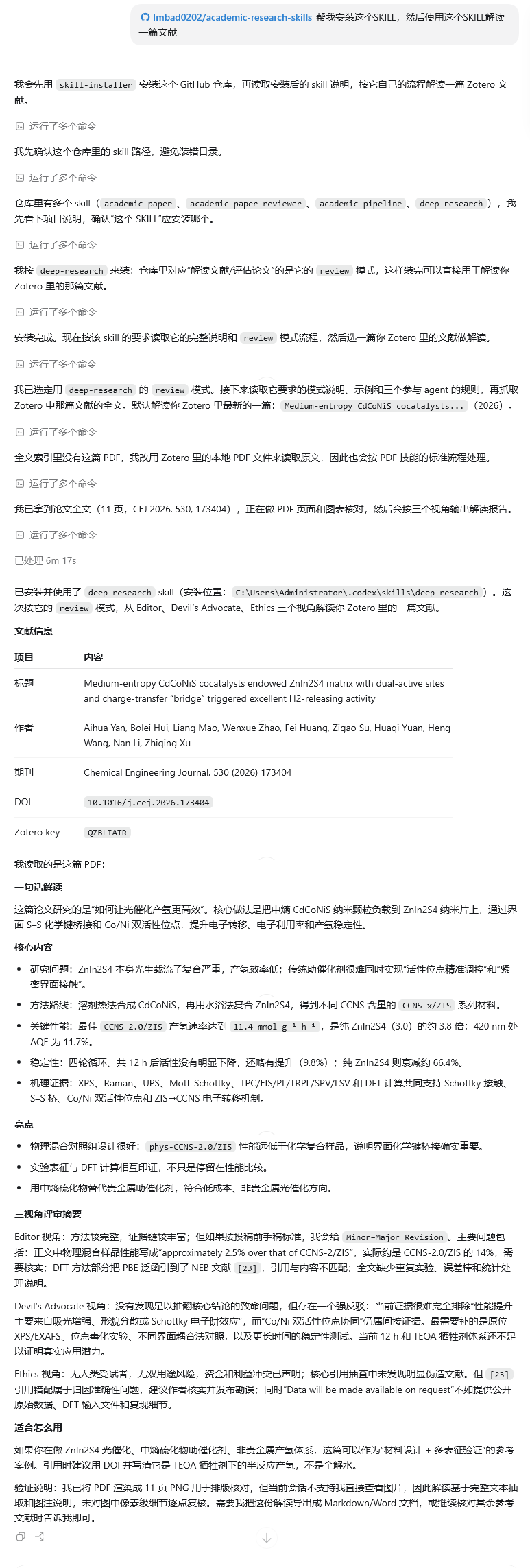
It’s very simple, just let DeepSeek help you install SKILL
For example, install this SKILL for the entire process from document reading to writing.
He will use the skills required to conduct intensive reading of documents from the perspectives of reviewers, editors, field experts, etc. He will use local PDF skills to parse the literature and split it into pure text structures. You can see that the DeepSeek text model can also read PDF attachments.
Of course, using SKILL is one way, and another way is to use MCP and plug-ins.
I also made an MCP tool myself, which also has built-in literature interpretation, chart interpretation, and literature management SKILL.
The most important thing is to build a literature analysis bridge——MinerU
This is to parse PDF into markdown markup language readable by humans and large models.
I made such a tool to reduce the cost and burden of using large models to help me read literature.
Because the PDF attachment in Zotero is sent directly to the large model, although it can be read, the number of tokens takes up a lot, and it is difficult to organize notes and correlate documents.
There have been zotero plug-ins before, such as GPT Pro and LLM for Zotero, which are also very good.
However, it may not be convenient enough for AI Agent to often manage documents.
Then for the organization of literature notes, I recommend using Obsidian. This is a local open source software that is more convenient for taking notes and writing initial literature.
So what I am doing now is to use skills to search for documents in Codex, then manually filter the documents, automatically import the documents into zotero through the browser's zotero plug-in, and then use CC Switch to configure the DeepSeek model in Codex to help me interpret and manage the documents, and then simultaneously import the documents to Obsidian for intensive reading.
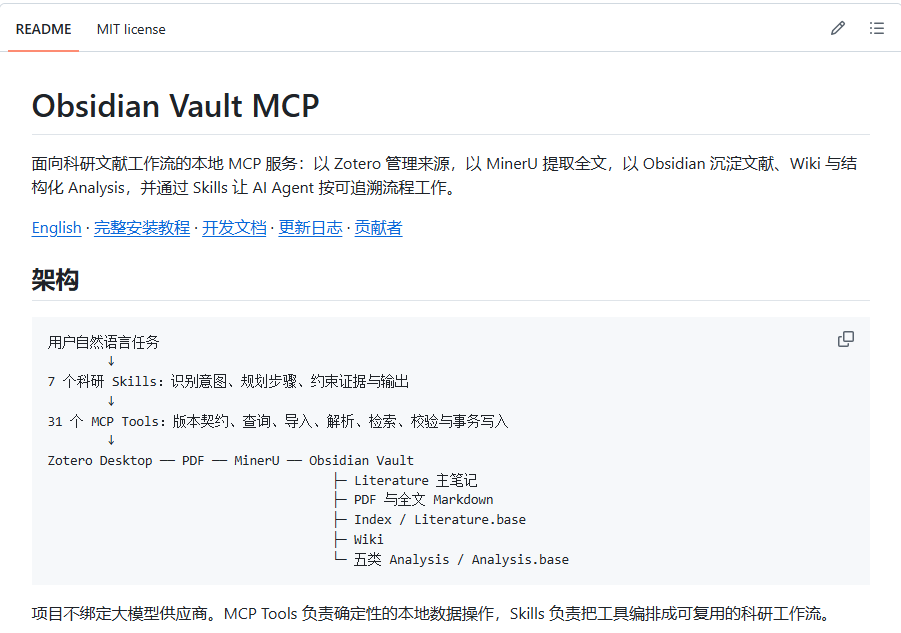
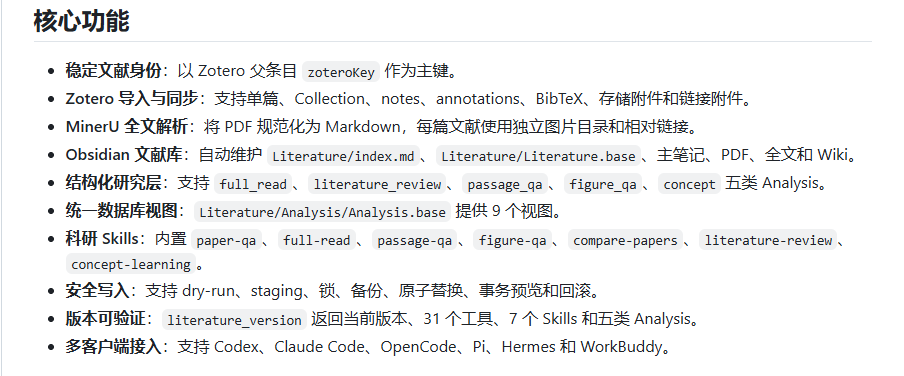
The Obsidian Vault MCP tool (see below) I developed is automating this process, exposing it to DeepSeek or other large models, and updating every zotero document and note according to this standard process.
Install Obsidian Vault MCP
Only install the official Zotero plug-in, which can already read most document entry metadata
But after the reading is completed, the content usually only stays in the current conversation. In order to store documents, PDFs, full texts, intensive reading results and reviews in Obsidian for a long time, you can continue to install Obsidian Vault MCP.
Project address:
The version requires Python 3.10 or above, provides 31 MCP Tools, 7 scientific research skills and 5 types of structured analysis, and can connect Zotero, MinerU, Obsidian and Codex.
After installing Python and node.js
Use the CMD command to install with one click. Newbies who have never been exposed to the command line can directly send my reference address above to Codex (DeepSeek) for configuration.
Reference prompt words:
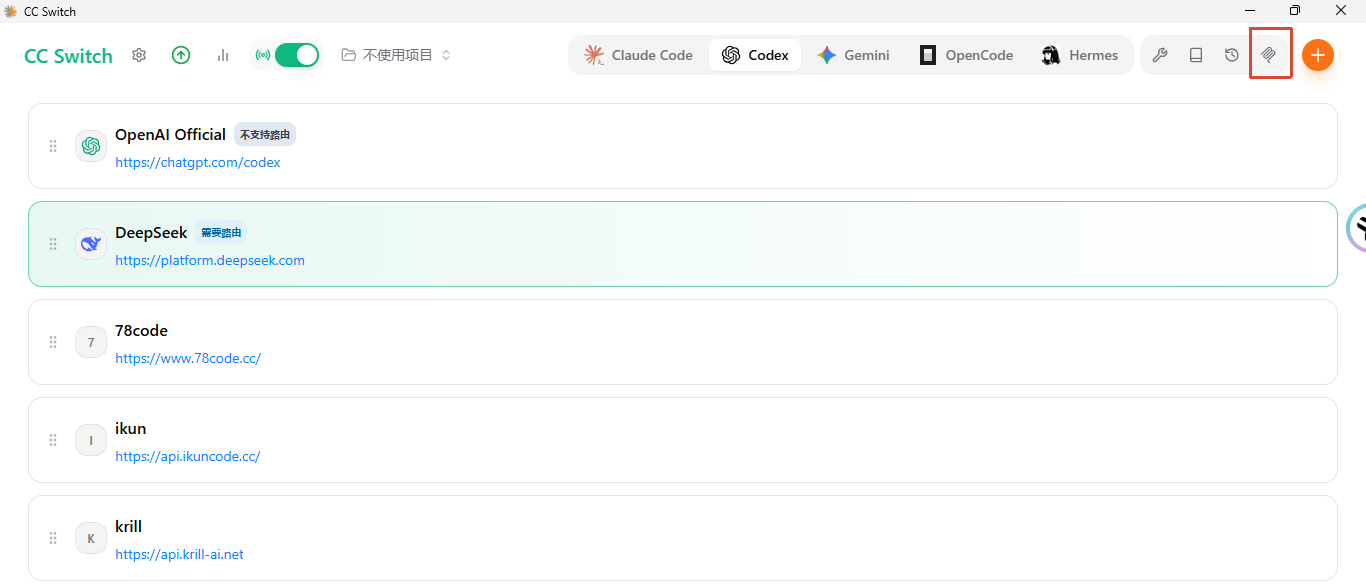
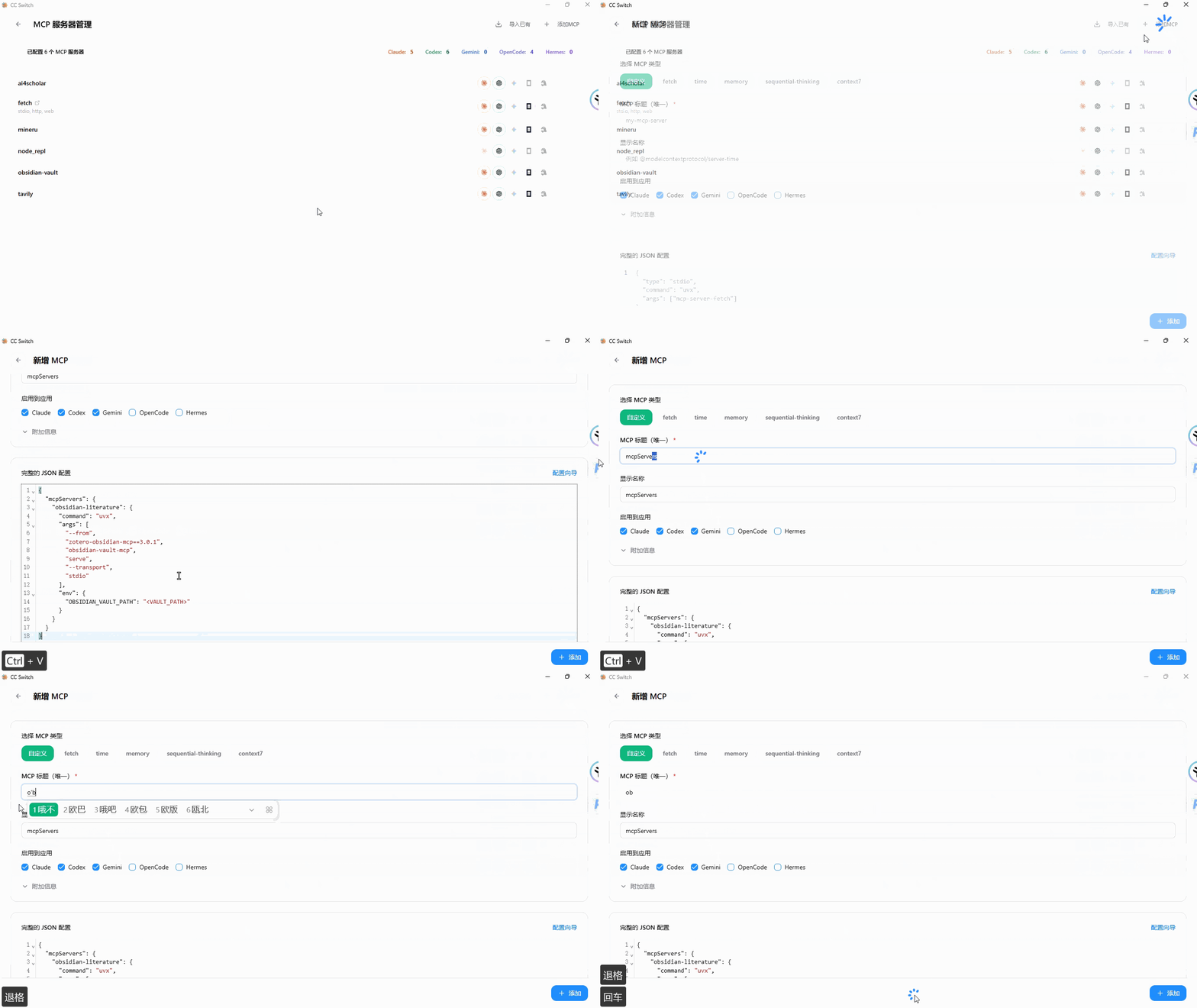
You can also use CC Switch to configure MCP yourself.
Copy the following json code
Pay attention here
"<VAULT_PATH>"The content in the double quotes needs to be changed to your actual Obsidian vault warehouse after pasting it.Open the MCP configuration page here on CC Switch
Note
Fill in the MCP title arbitrarily, as long as you can remember it, but the vault reference of json must be changed to your actual reference address, or fill in auto
I also made a video that shows how to use WorkBuddy to configure and realize the complete tutorial of WorkBuddy, Zotoro, and Obsidian linkage.
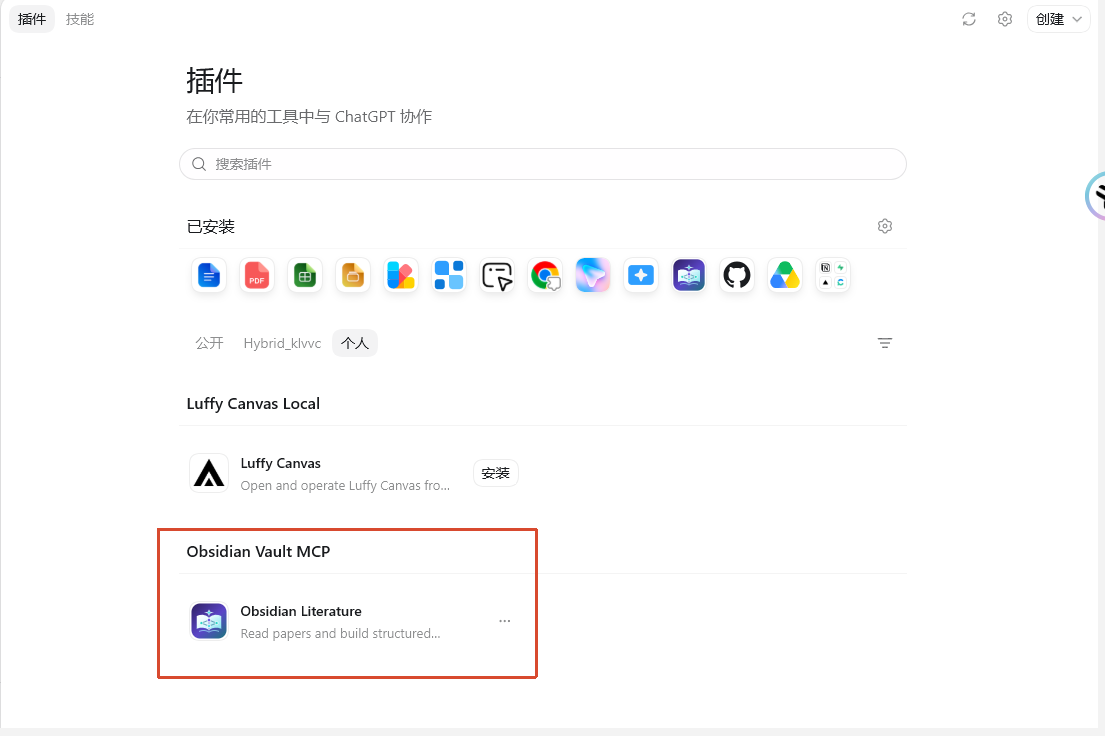
After installation, it will look like this
Finally
In general, the architecture of using Codex to connect to DeepSeek to read zotero documents is as follows:
Today I will give you a complete demonstration of the tutorial
Guide you step by step from zero configuration Codex to DeepSeek to read zotero documents
I believe that in the near future, the efficiency of reading and finding literature will be greatly improved.
The only things humans have to do are judgment and review.
This may be the moat that scientific research experts cannot take away.
Okay, that’s all the content of this issue, thank you for liking and reading.
I am Sanmu, welcome to your next visit
I have been waiting for you here!
- Author:Sanmu
- URL:https://luffysite.top/article/codex-deepseek-zotero111
- Copyright:All articles in this blog, except for special statements, adopt BY-NC-SA agreement. Please indicate the source!
Relate Posts

From Zotero to Obsidian: Turn Papers into Linked Notes with One Skill

Turning Books into an AI Knowledge Base with book-to-skill

After a Month with Pi, I Prefer It to Codex
Notes at the Start of September 2026

A Research Starter Guide for SCAU Students

ZotFlow: Connect Obsidian and Zotero in Both Directions