
To all college students, especially those from South China Agricultural University:
Hello!
Whether you are a freshman who has just entered school or a senior student who already has a direction, you will always encounter confusion on the road to scientific research.
Here we will help you to learn about illiteracy and take you from 0 to 1 to understand how to quickly start scientific research.
The full text is 3500+ words, each word was typed by hand, and it took 3 and a half hours.
Coding is not easy, I hope you will read it patiently!
Literature search
When you first join the research group, the first thing your senior brother/sister will do is to ask you to read the literature in their research field.
They may send you information, but if you want to find the literature yourself, where can you find it? How to find it?
Below I will tell you about two search methods respectively.
1. Regular manual search
First of all, every school’s electronic library is a very valuable resource that many people ignore.
Here is the school I attended for my undergraduate degree as an example
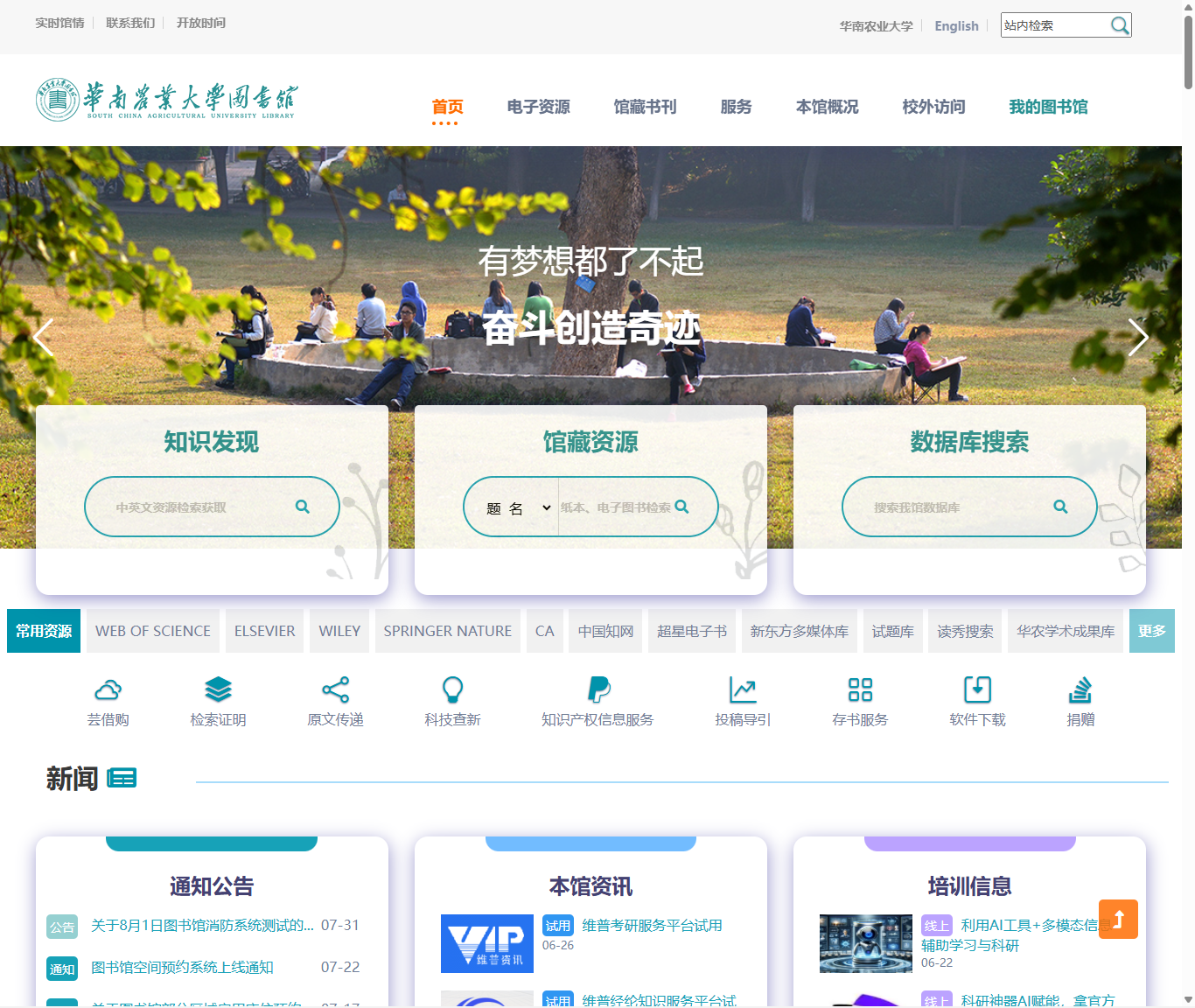
Here, you click on the electronic resources on the homepage
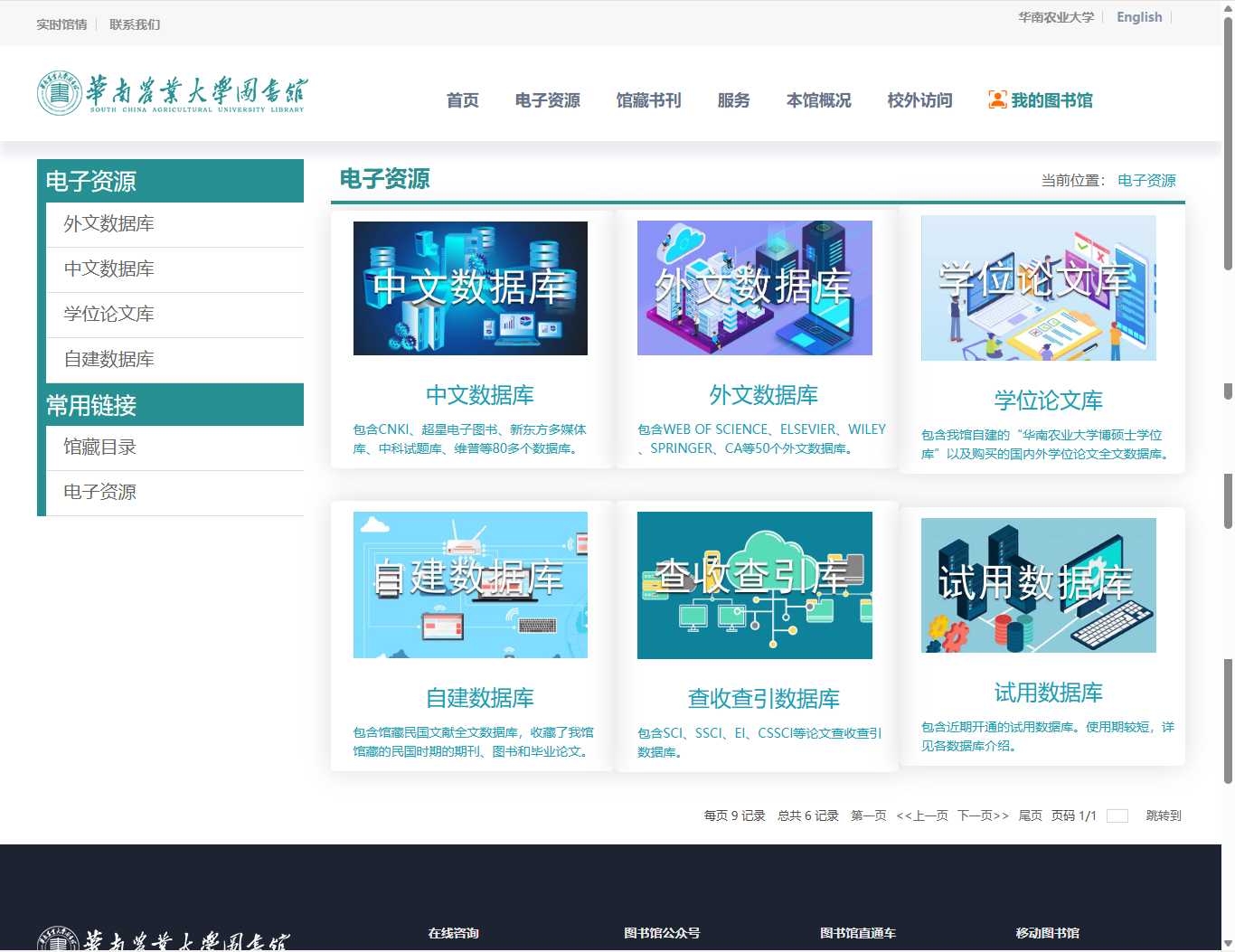
The most commonly used are Chinese databases, foreign language databases, and dissertation databases
Let’s talk about the Chinese database first
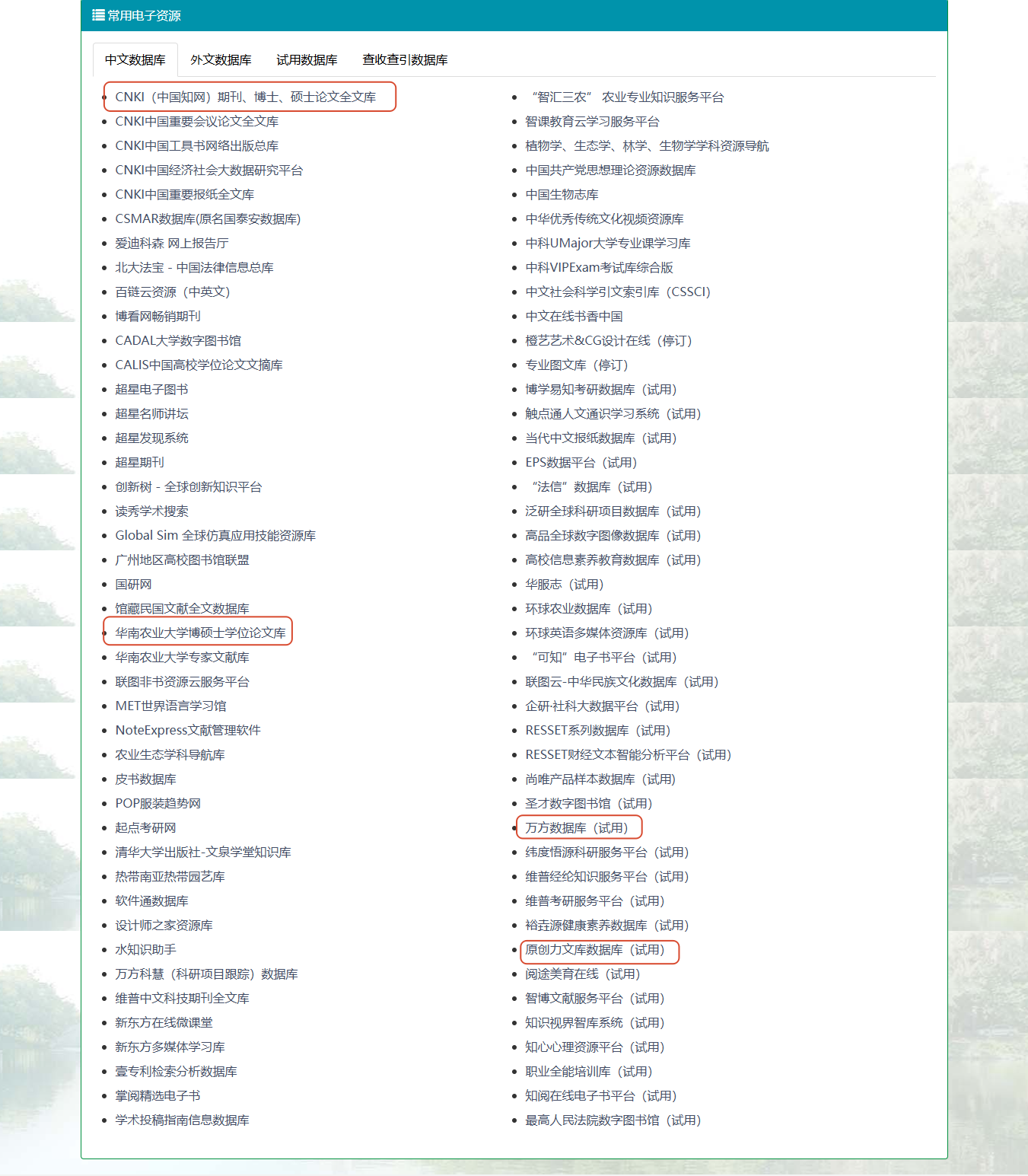
General literature search prioritization:
HowNet>School Ph.D. Thesis Database>Wanfang>Original Literature Database (Personal Opinion)
Each other major also has its own dedicated database, such as Peking University Magic for Law, CSSCI for Social Sciences, Global Agriculture for Agriculture, etc.
The database displays different statuses (trial, unsubscribed), etc., which are the purchase rights of the school. The same is true for foreign language databases.
For general literature, it is enough to use CNKI and Wanfang VIP
Here we take CNKI as an example:
Let’s first look at the login methods, which are divided into VPN and campus network.
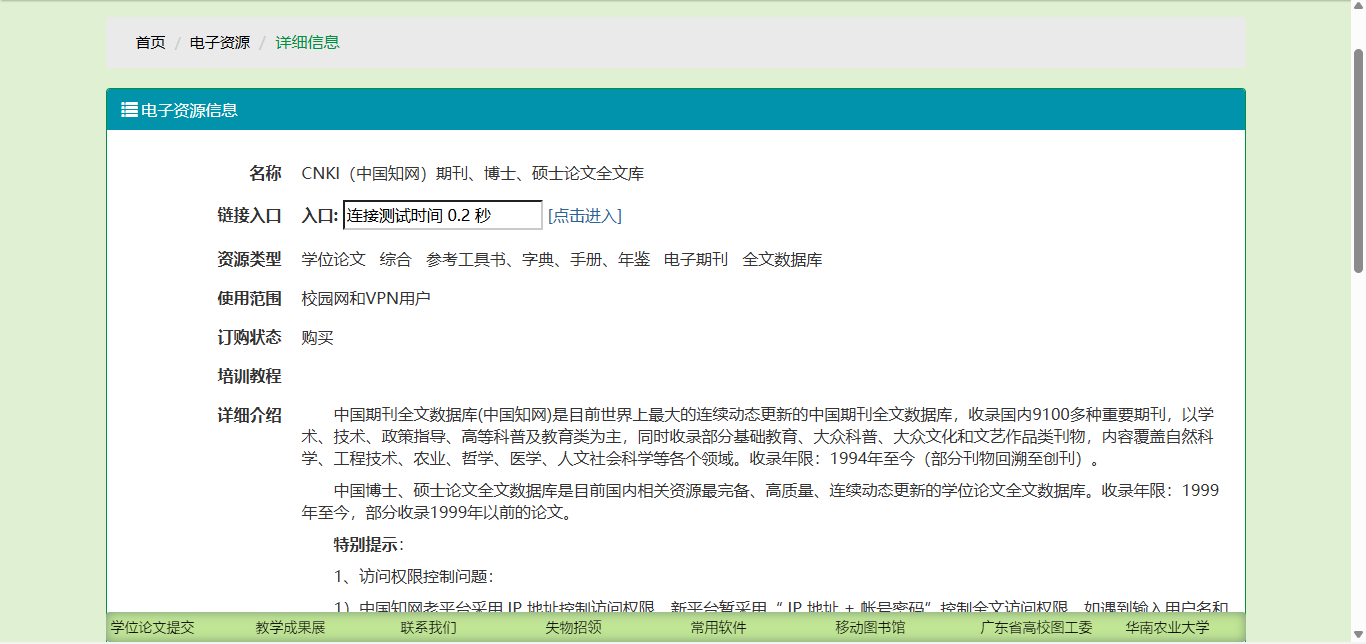
The premise is that you have purchased the school’s campus network
How to purchase a campus network?
Find your school’s unified identity authentication platform/educational administration system/portal address
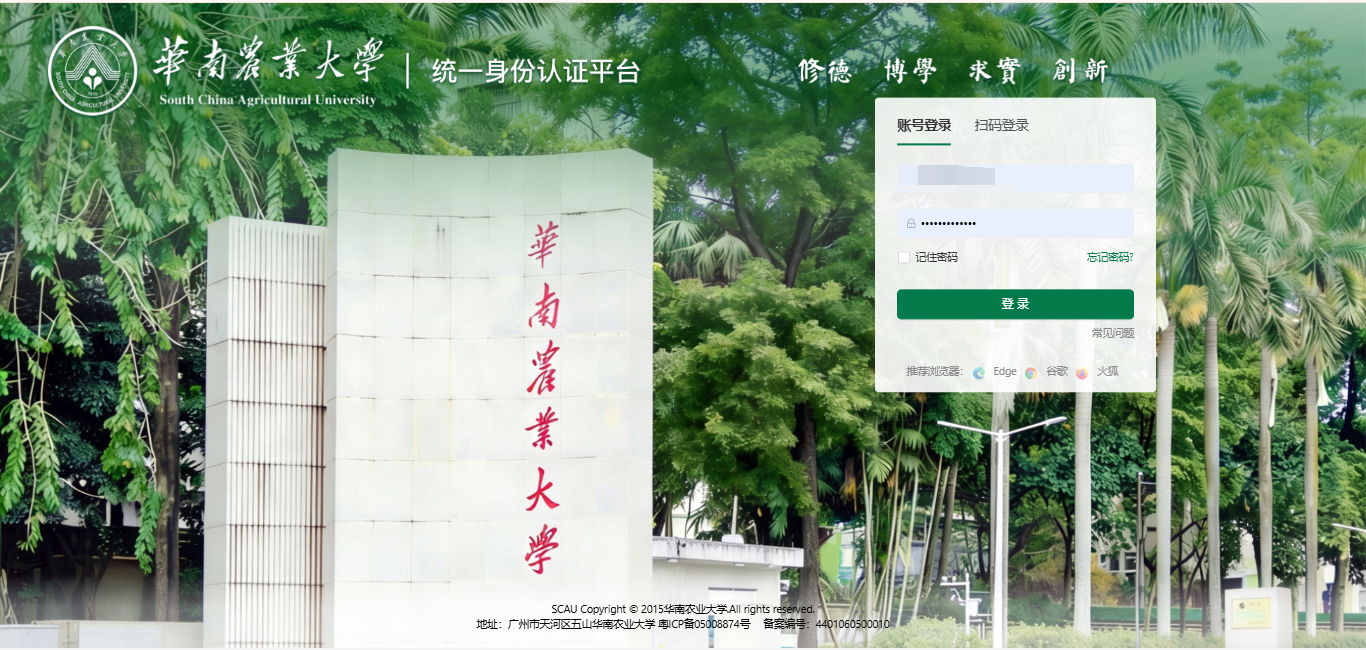
After logging in, you can find services similar to campus network account opening/payment.
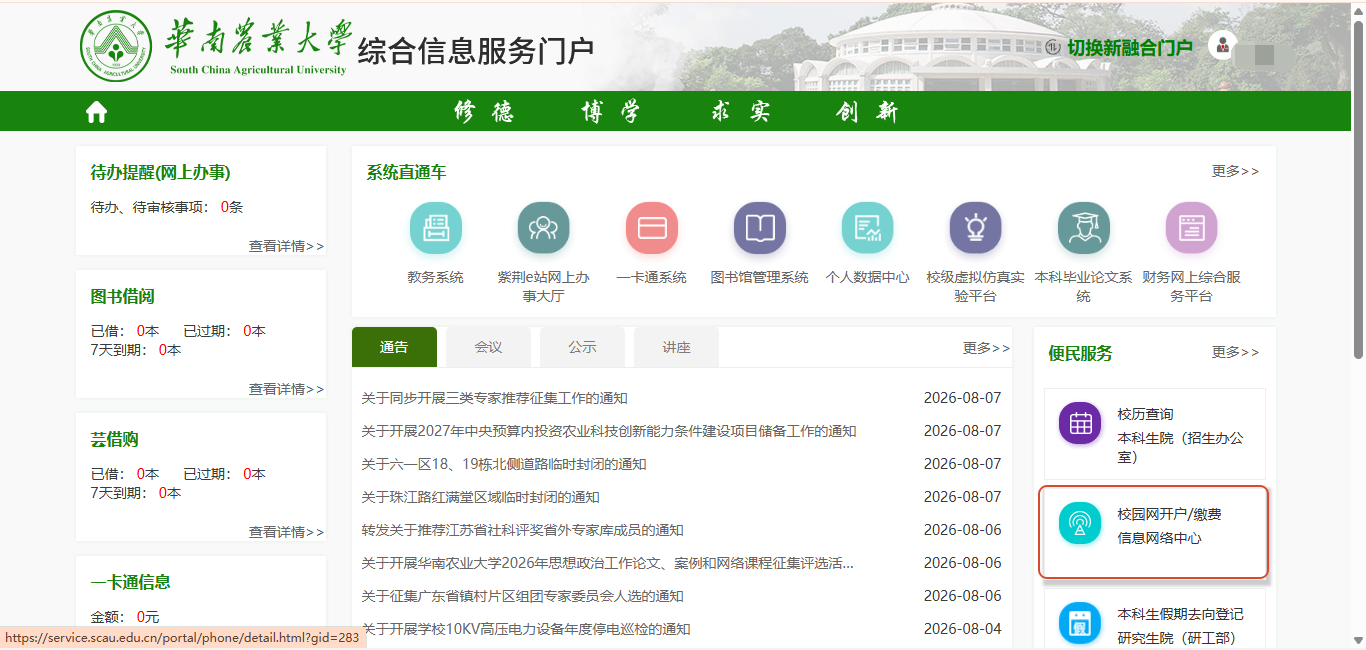
Then just go through the process. After payment, it will usually be available for use after a few days of review.
If you are in school, it will usually be connected directly automatically. Of course, sometimes you need to connect manually.
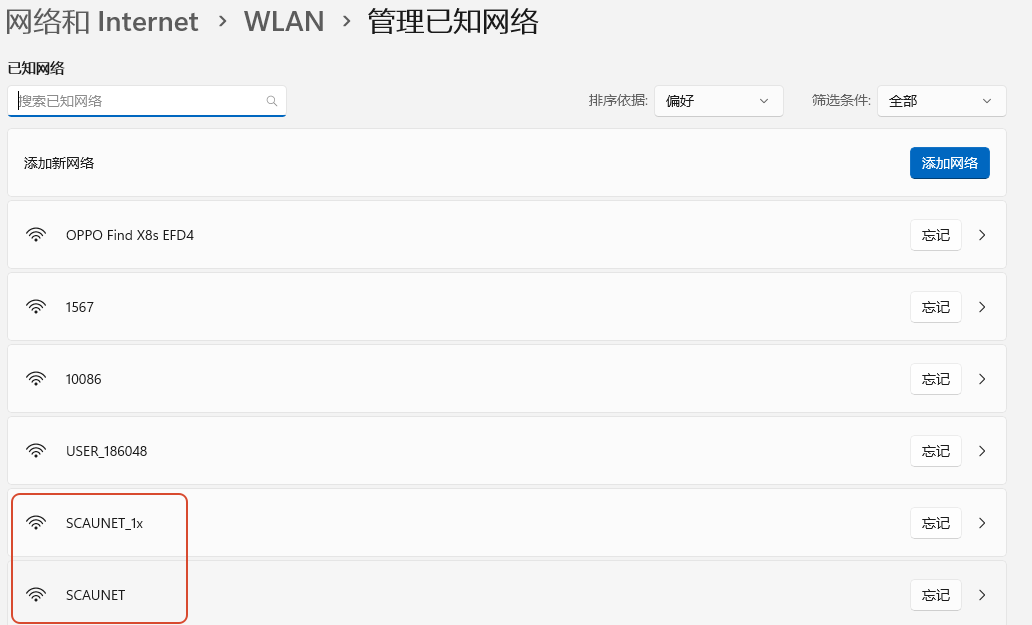
Find the logo of the school. For example, the English abbreviation of my school is SCAU. There is NET behind it to represent the network. 1x is the encryption type. The network is stable. Without 1x, you use a browser to log in. The login is fast but easy to disconnect.
In school, you can generally access CNKI directly by connecting to the campus network. The same is true for foreign language databases.
Outside the school, you need to log in through the school electronic resource platform entrance, that is, through VPN
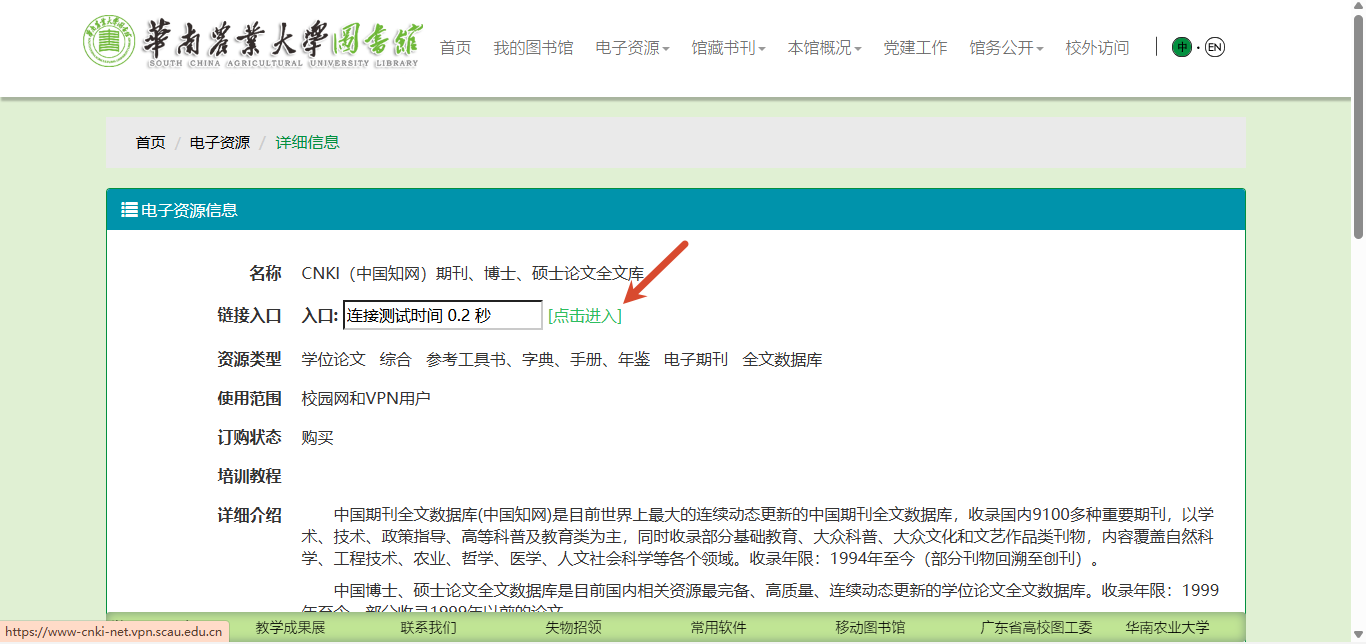
Of course, some schools such as Huanong provide VPN clients. You can also use atrust to log in to the VPN environment.
VPN is Virtual Private Network, a virtual private network
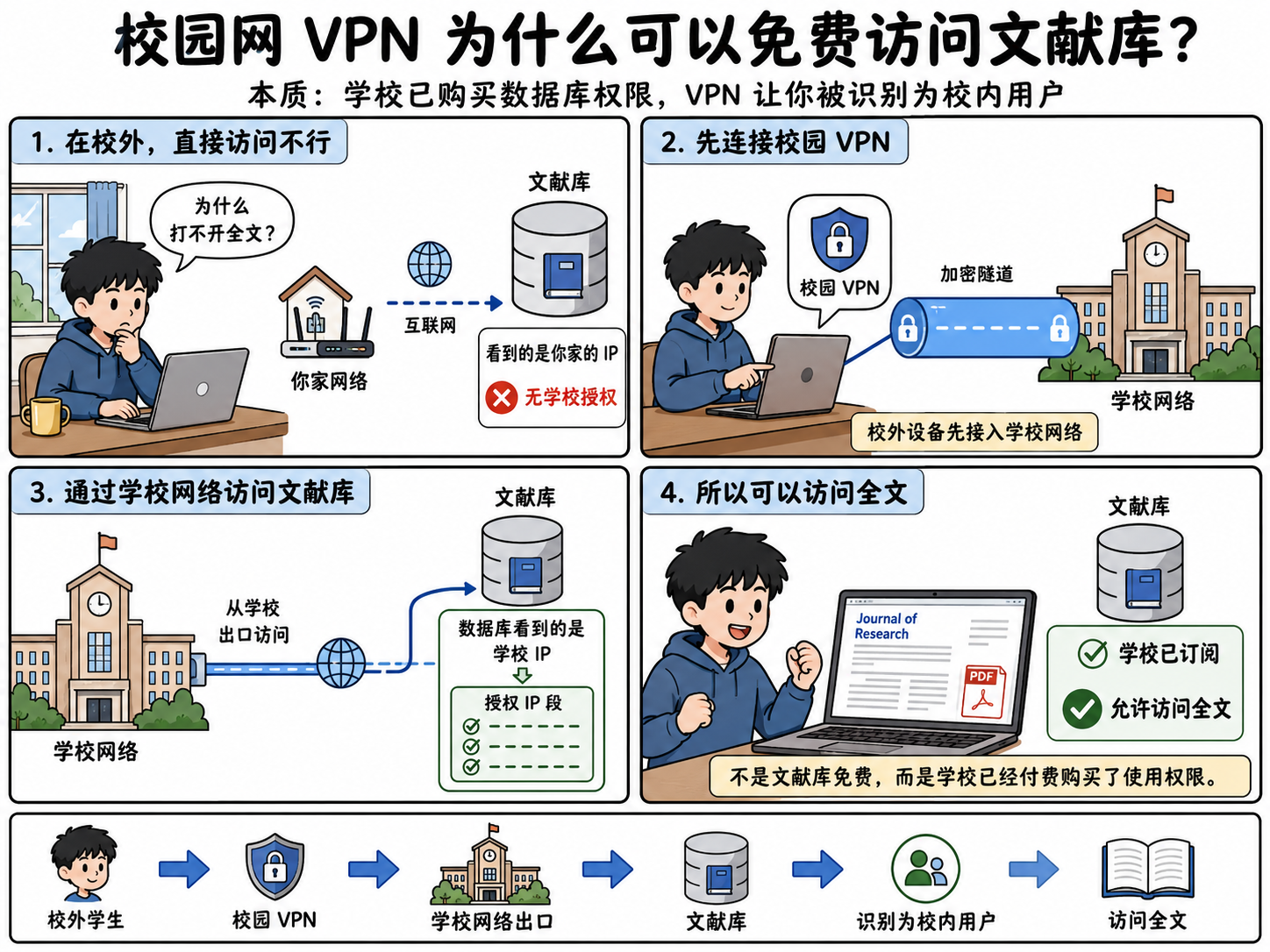
How to use it specifically? The VPN types of each school are different. You need to find the information network center of your school to view the attachment.
For example, the website of the Information Network Center of South China Agricultural University:
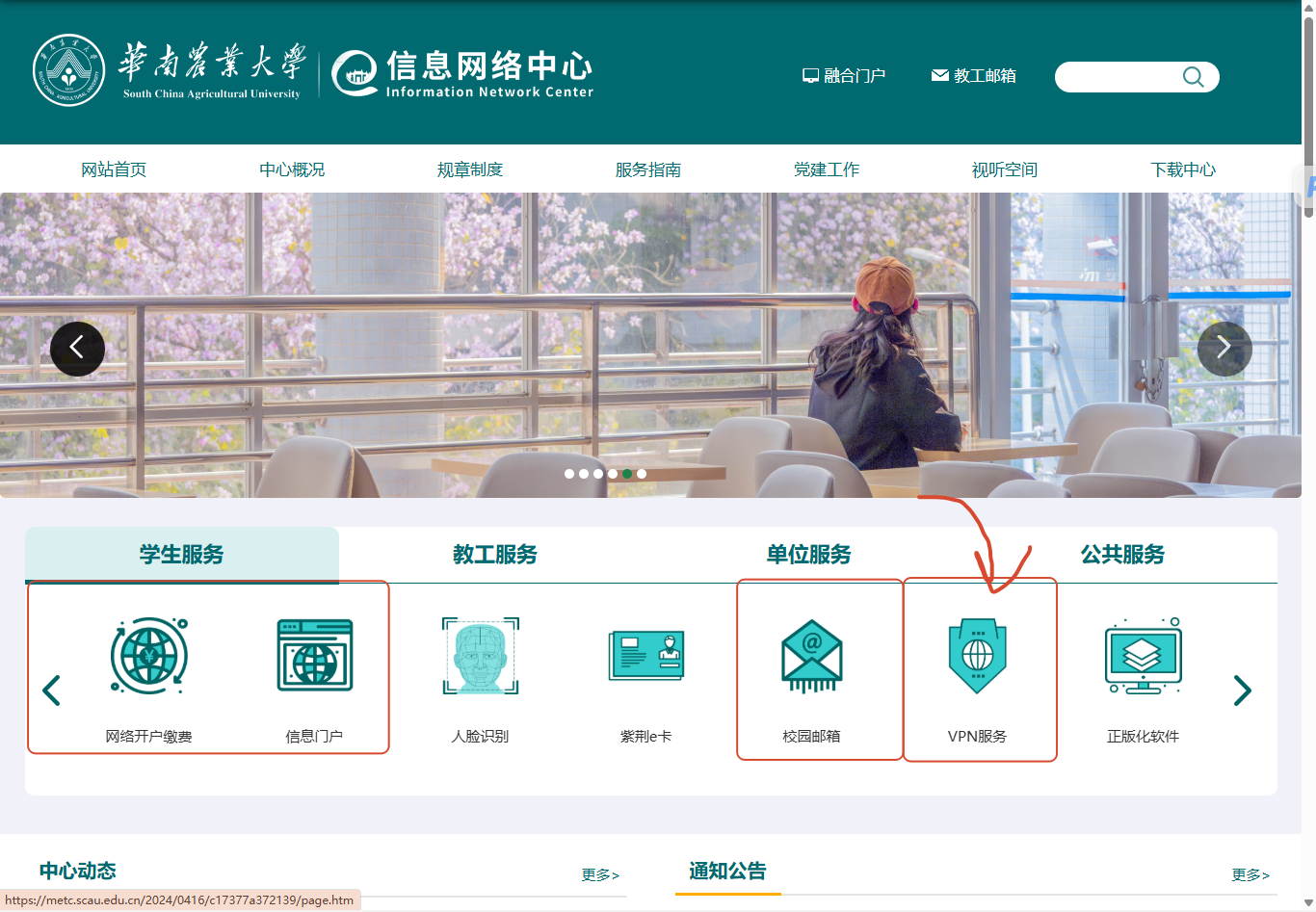
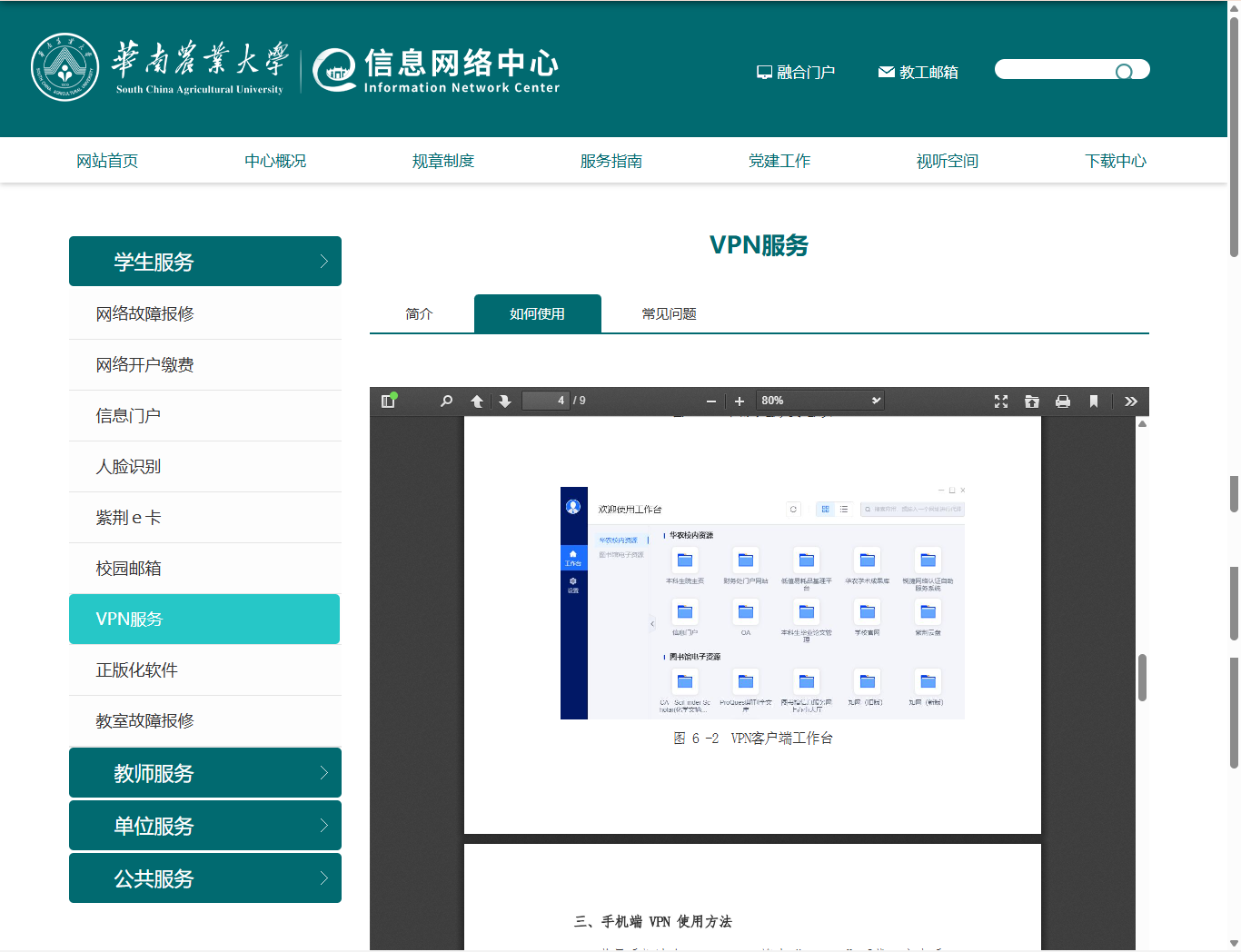
Generally, detailed tutorials will be provided on mobile phones and PCs.
After the network problem is solved, you can have smooth access to Chinese databases such as CNKI and foreign databases such as Web of Science.
Here, the Chinese database literature retrieval takes CNKI as an example:
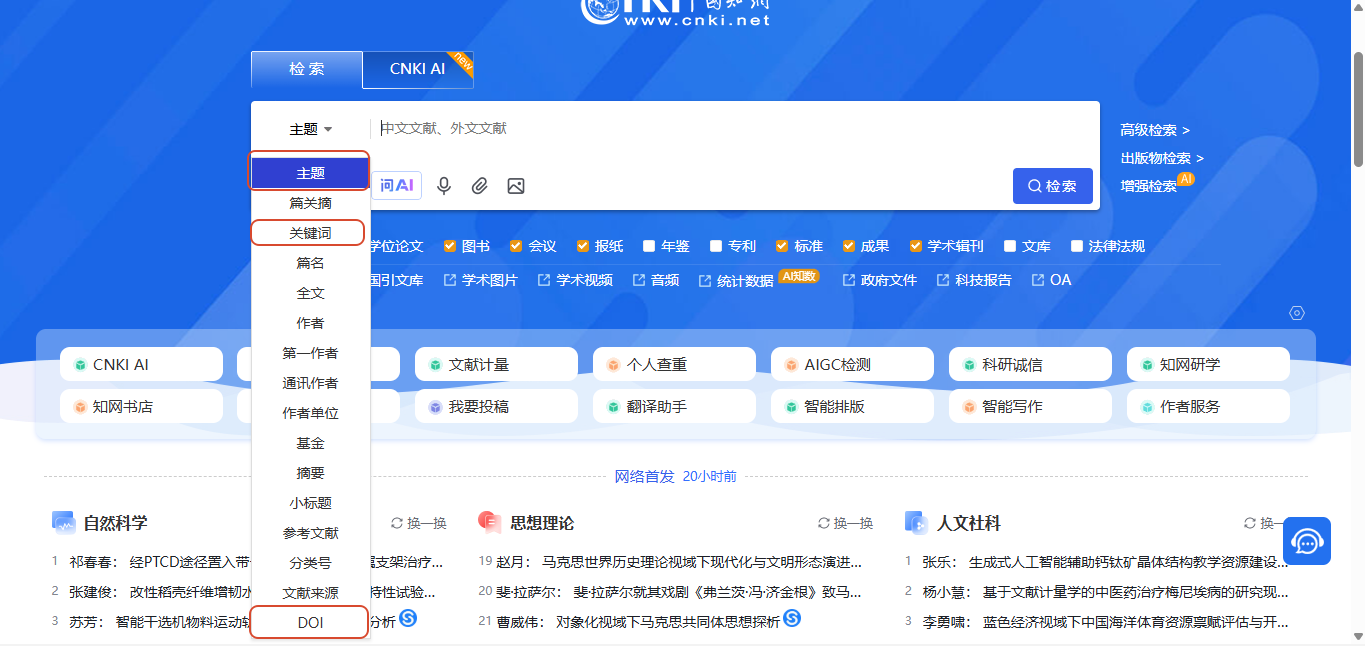
There are three commonly used search methods, search by subject, keyword, and DOI
There is an advanced search on the right. Enter your keywords or subject words in the search box. You can use logical operators (such as AND, OR) to combine multiple words to narrow the scope.
There are some differences between the advanced search terms of CNKI and Google Scholar
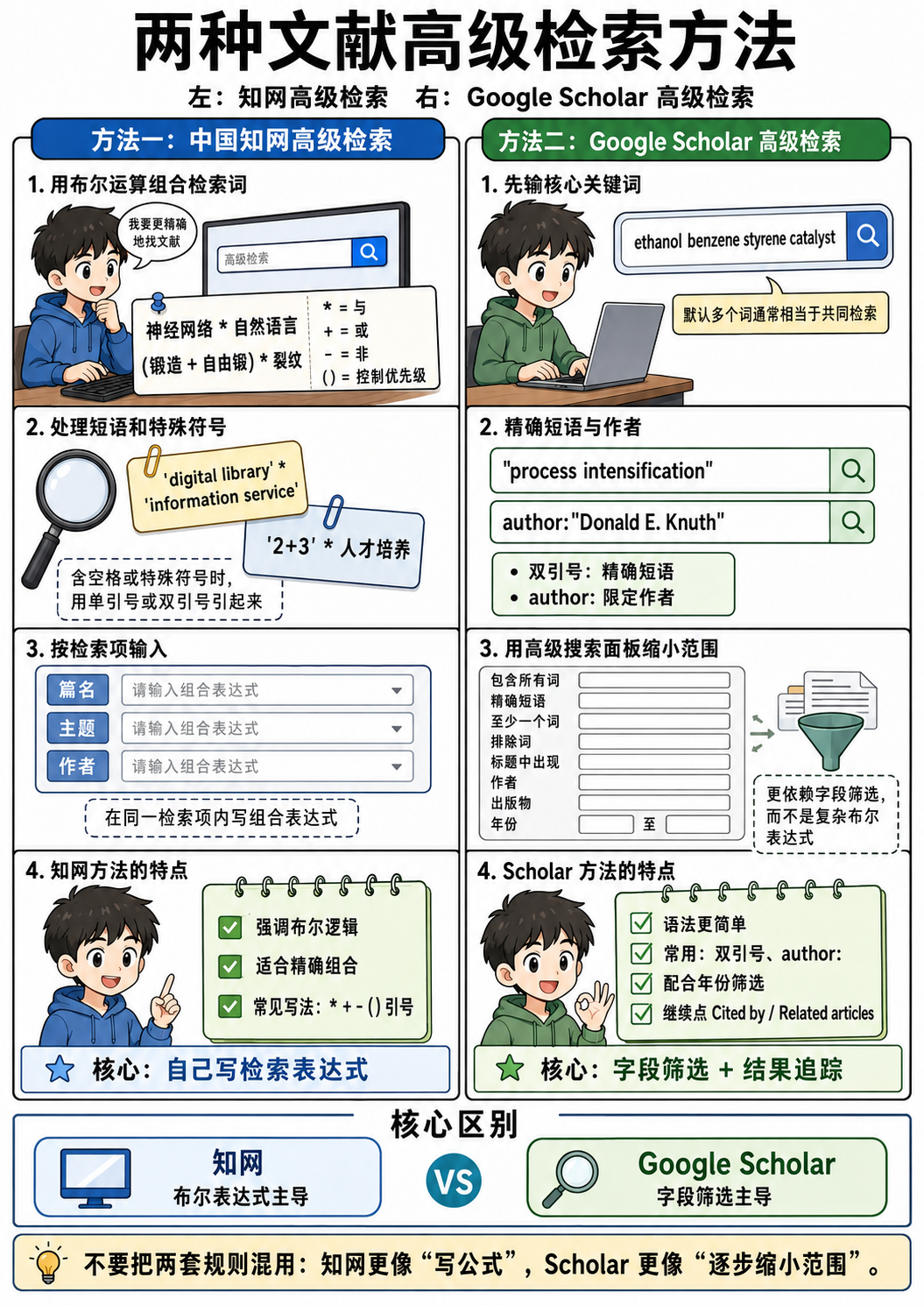
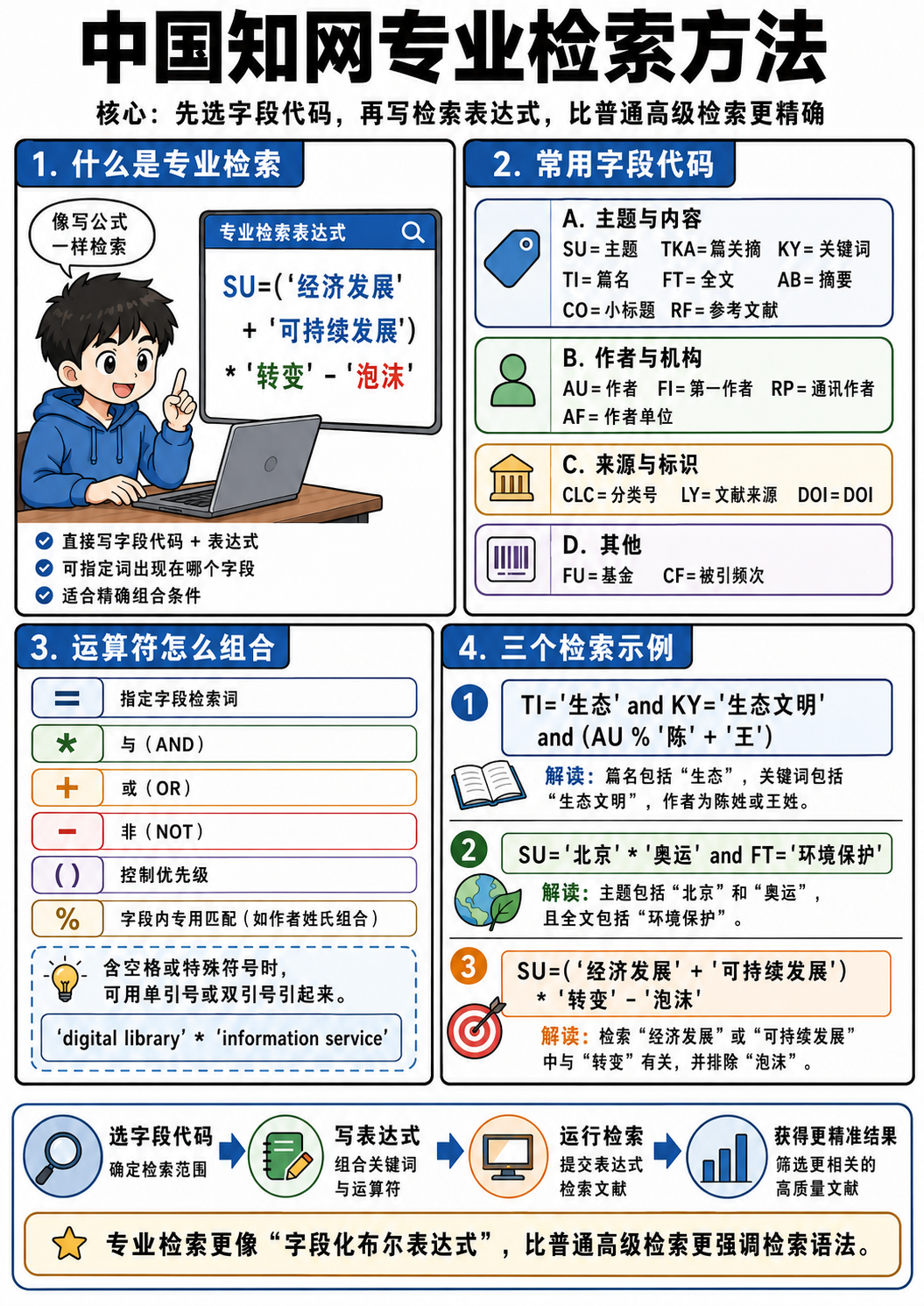
Of course, I recommend using professional search
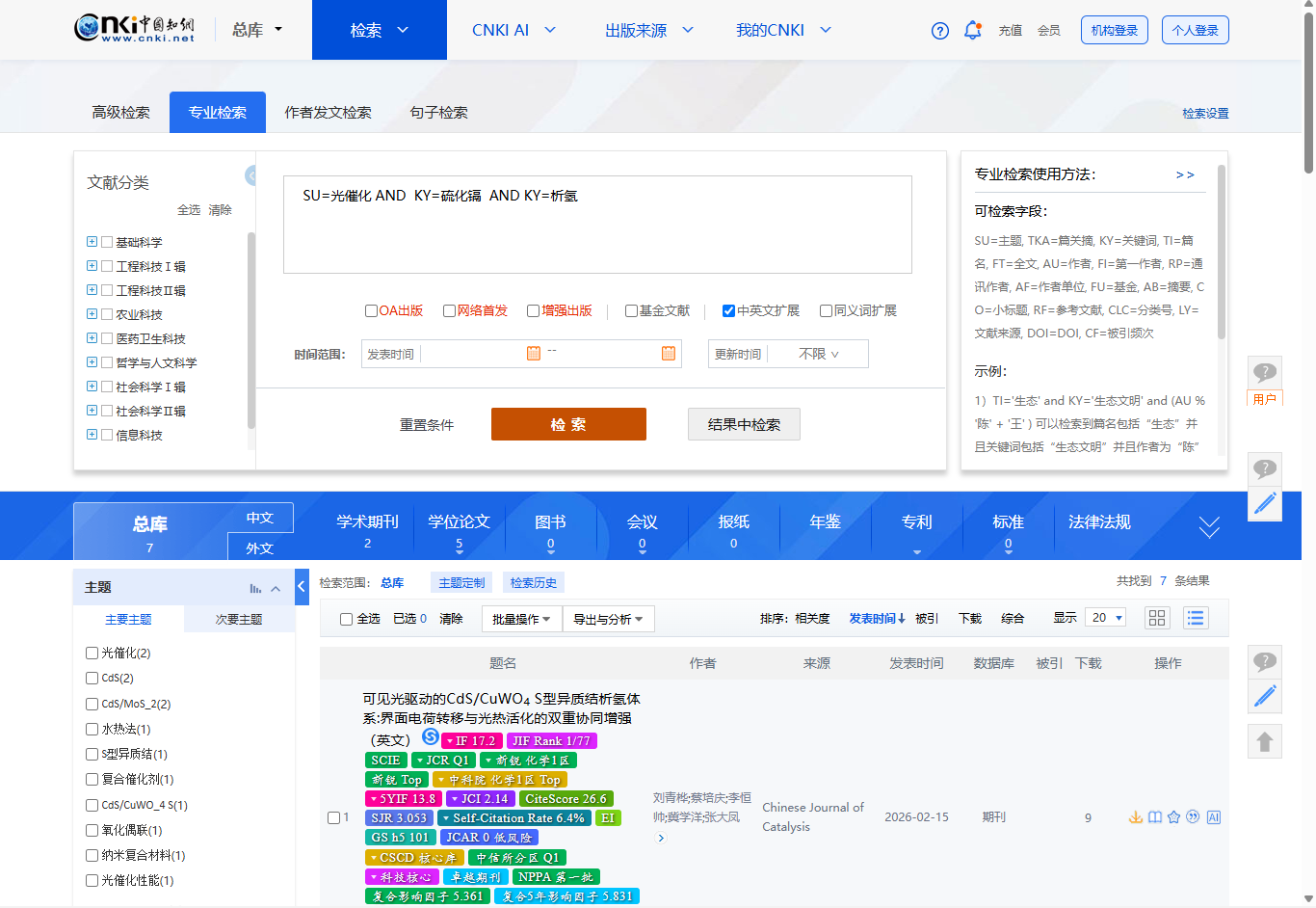
The professional search method of CNKI is as follows:
Priority will be given to those with the last 3-5 years for literature, and PhD candidates for thesis.
The gold content is generally: dissertation>journal>conference and patent
Document types are generally divided into research papers and review papers.
In the early stages of a field, we usually read review papers first, and then we can read research papers after we have a general understanding of our own professional field. They usually solve a specific problem and provide new methods.
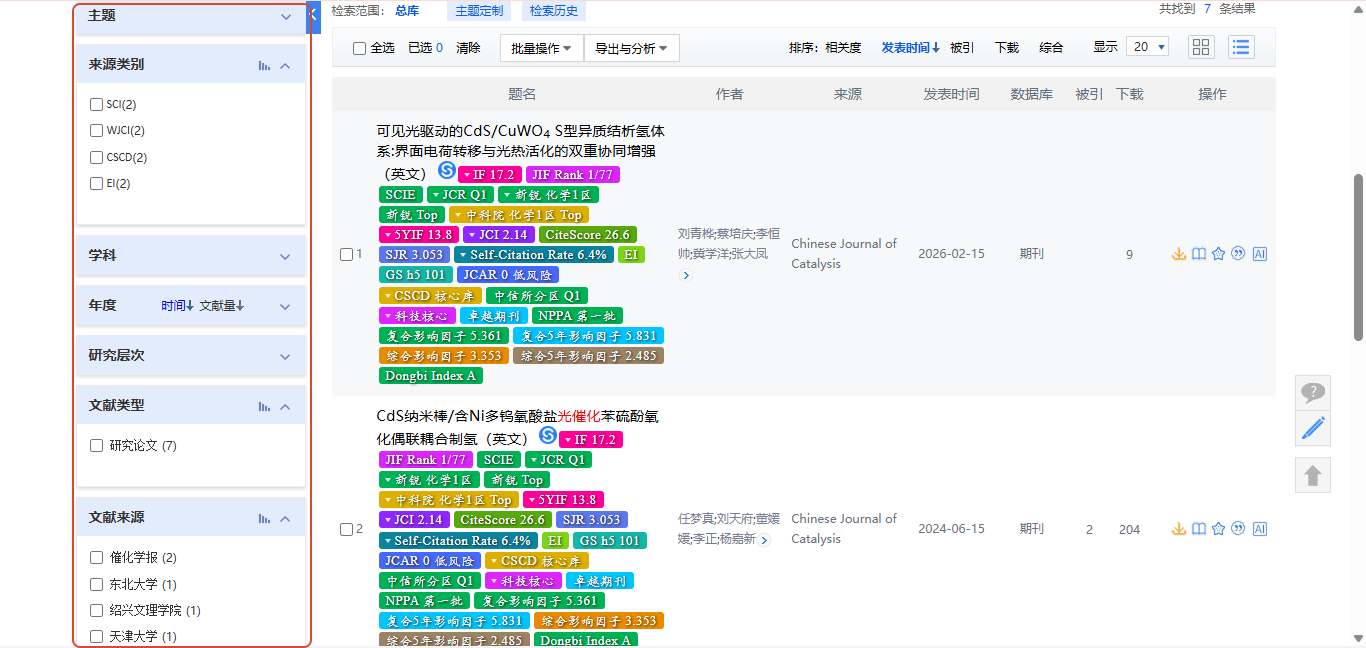
On the left, you can filter according to different types, and you can comprehensively judge the quality of the literature based on indicators such as IF, Chinese Academy of Sciences partition, and number of citations.
After talking about Chinese databases, now let’s look at foreign language databases
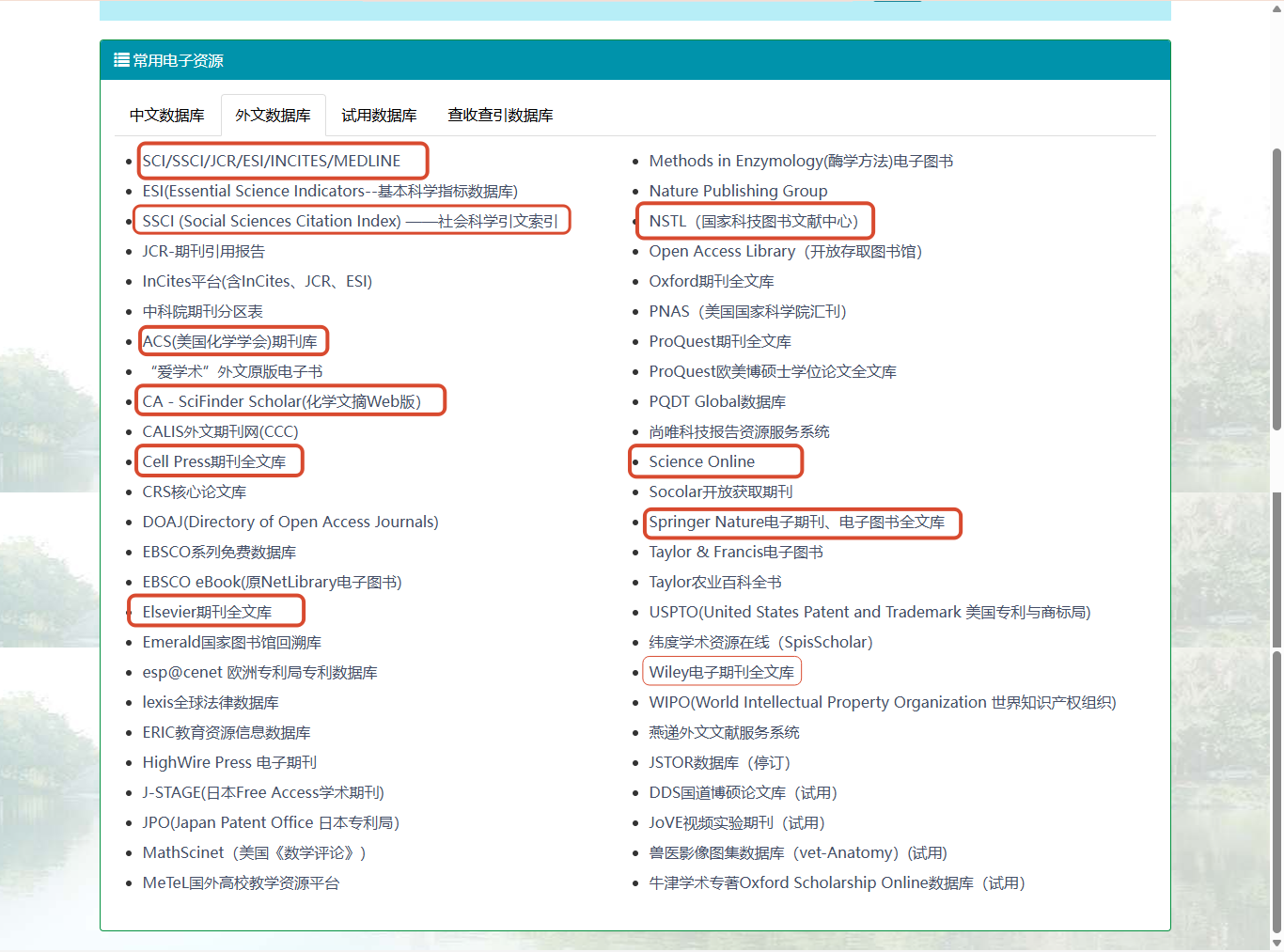
Commonly used are Elsevier, Springer, Wiley, Nature, Science, Web of Science (wos), Cell, NSTL (National Science and Technology Library and Documentation Center), Google Scholar (Google Scholar), Baidu Academic, X-mol, Keyantong, SCI-Hub
The above is a general subject literature database. In addition to the genuine Google Scholar and SCI-Hub, which require a special network environment to access, the school's campus network and VPN can unlock access rights.
There are various special databases for other disciplines. For example, there are special databases for chemistry: ACS (American Chemistry Society) American Chemical Society, CA (SciFinder Scholar) Chemical Abstracts, Reaxys (owned by Elsevier), NIST, and the Material Project database of materials, etc.
Here we take Google Scholar as an example
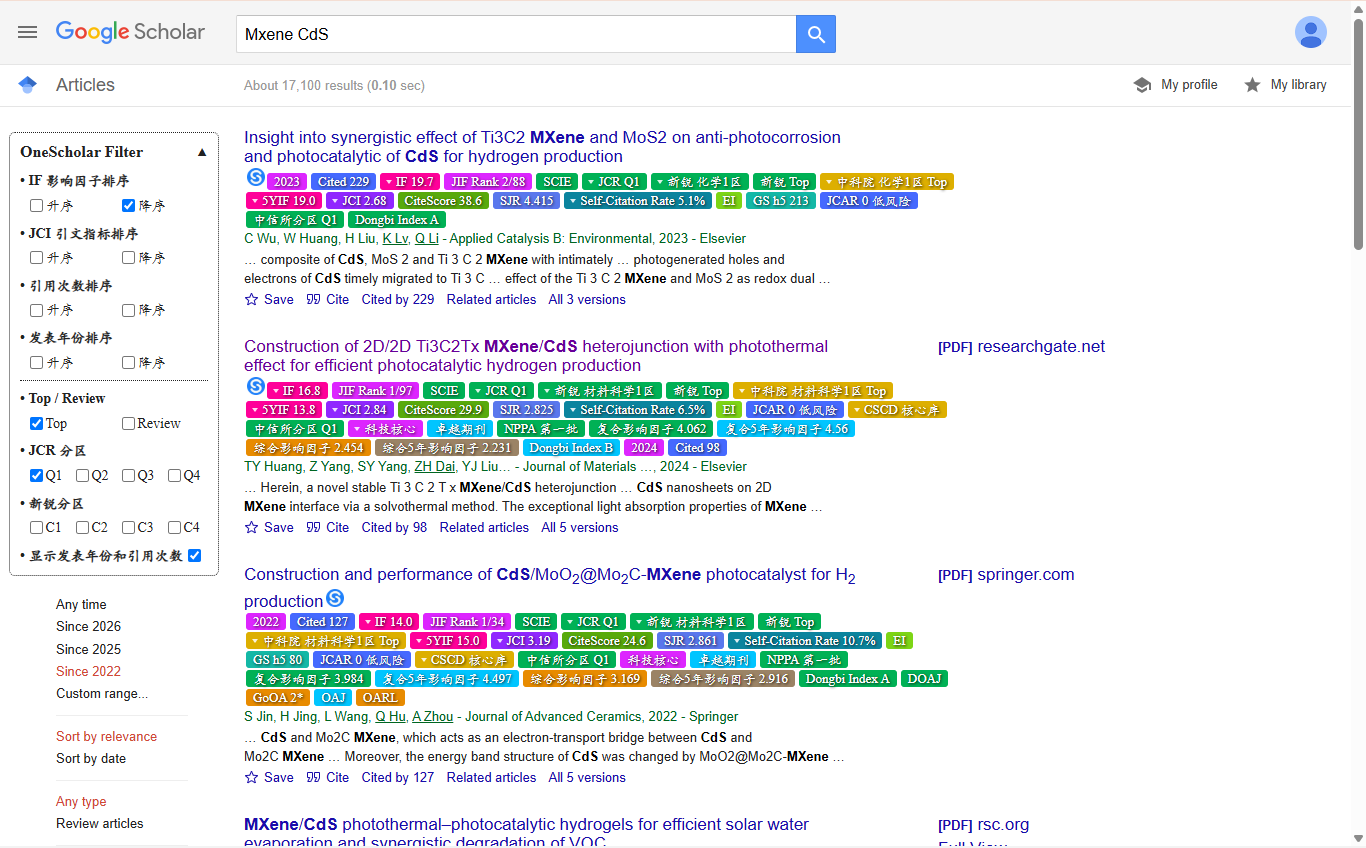
Google’s search terms are the same as described in the previous picture.
Then you can filter and sort on the left
Others are similar to regular searches on CNKI
In general, Google Scholar is suitable for foreign language databases, and CNKI is suitable for searching Chinese documents.
Everything mentioned above is a conventional way of manually retrieving documents.
The following introduces the method of AI retrieval of documents
2. AI search
AI retrieval is also a very efficient way. It is different from the direct online search of general LLM large models such as Doubao and kimi. The following content is based on the use of professional literature AI search tools
I'm too lazy to paste the link, so I just took a screenshot of my bookmark
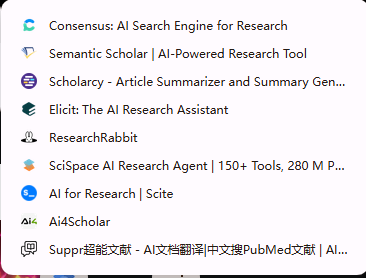
Among them, I personally rate Consensus and Elicit at the "Strong" level.
Then it is also a good method for those with developer experience to use ai4scholar and then Codex or WorkBuddy.
One advantage of using these tools is that the DOI is real, because it calls the real literature database, and uses RAG tiles for text matching to screen relevant literature.
Therefore, there will be no fabrication of documents or data.
In addition, some AIs have been able to access these AI search tools
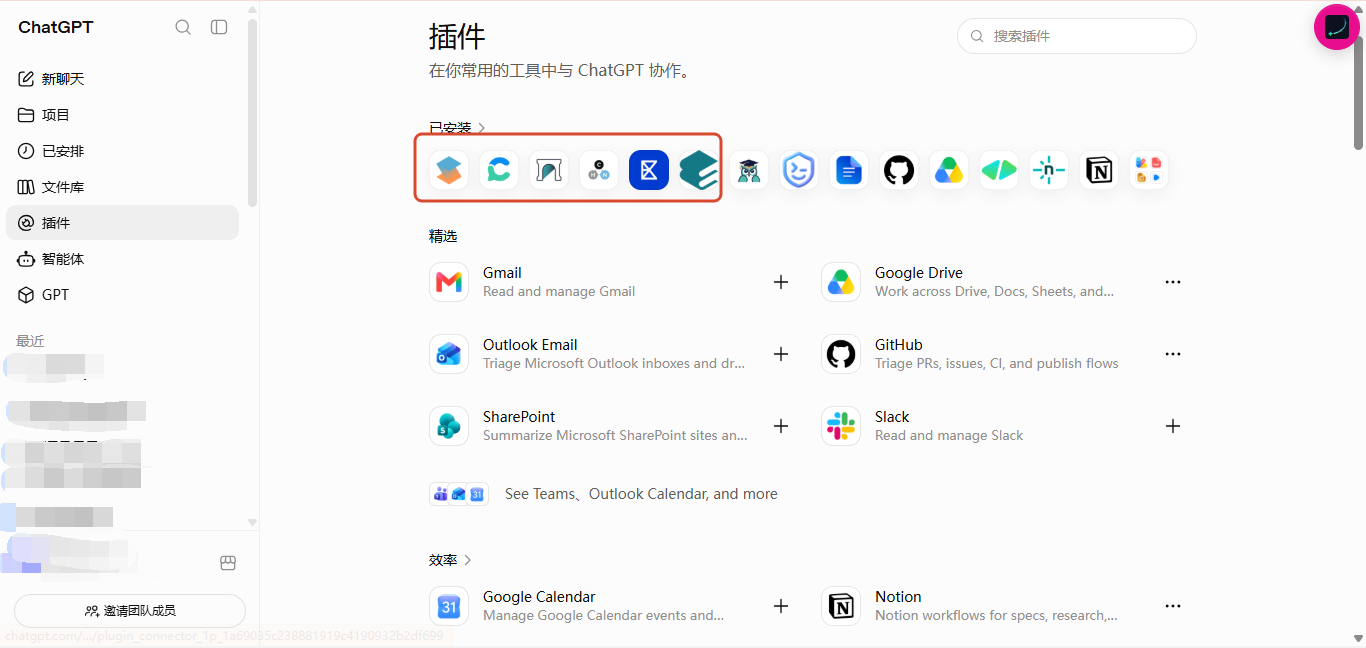
Therefore, you can use natural language to describe to the AI the literature topics, keywords, etc. you want to find.
At this time, there is no need to deliberately learn the advanced search and professional search terms mentioned above, because the LLM large model will automatically disassemble your document search goals and requirements after understanding your semantics, and then call these external AI search tools, and bring the advanced search syntax when sending the request. Then, the results returned by the plug-in will be related documents that have been filtered and matched with high accuracy.
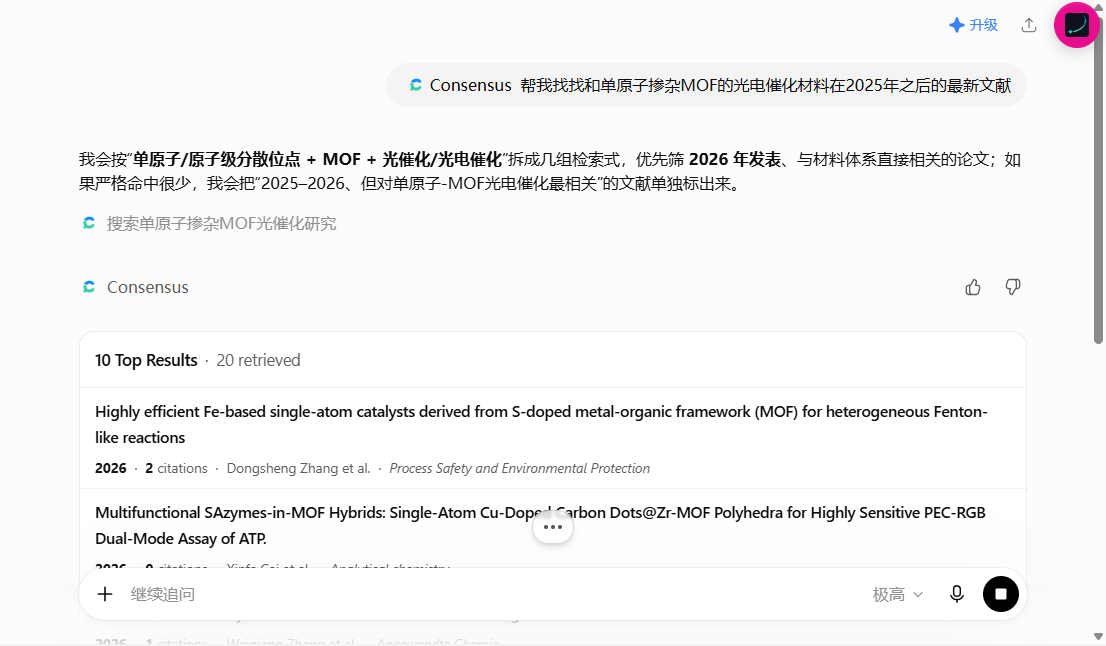
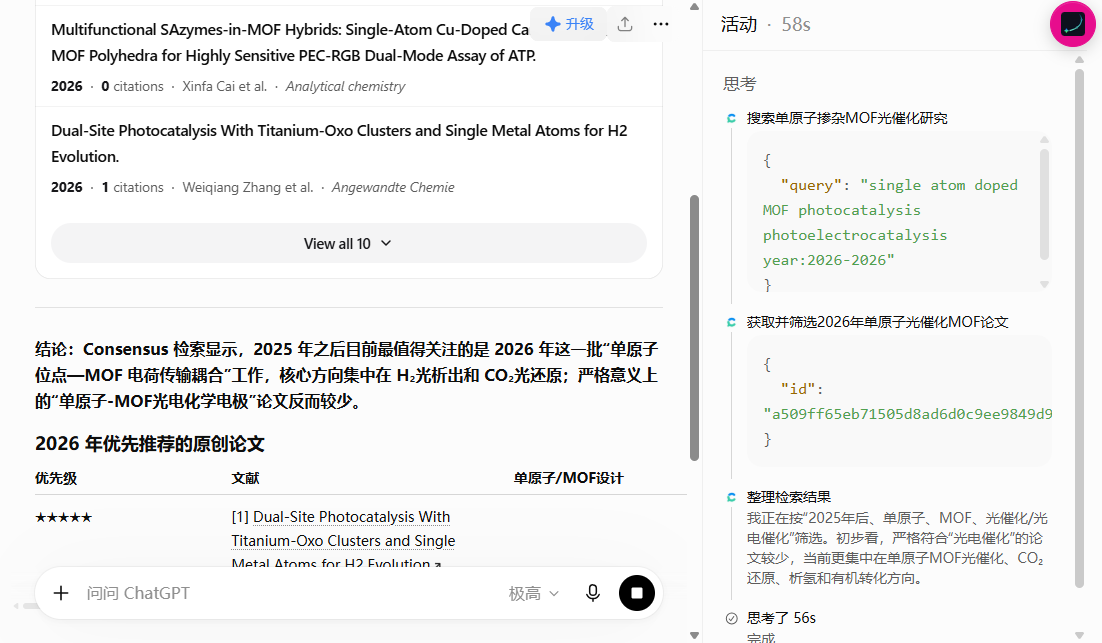
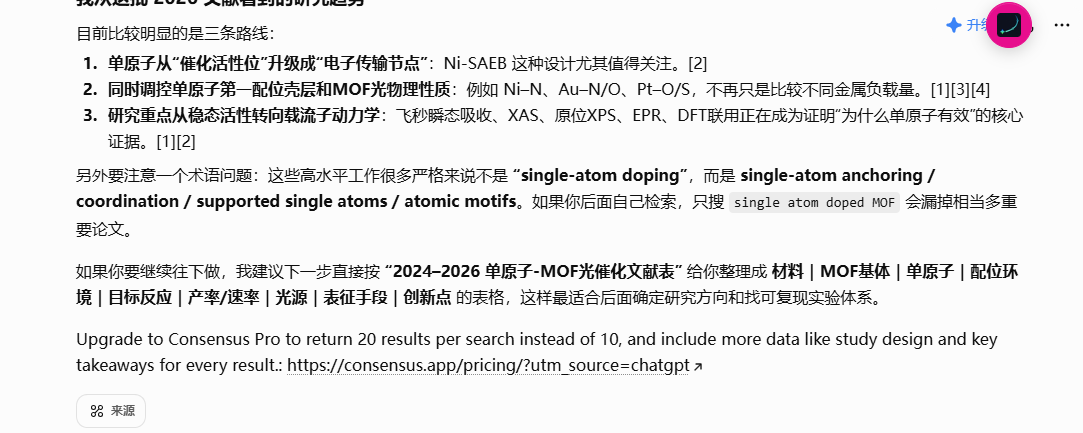
will even correct me based on the results
In China, the relatively easy-to-use AI search platforms include MiTa Academic and Bohr Academic
There seems to be points that can be obtained for free if you are certified as a student.
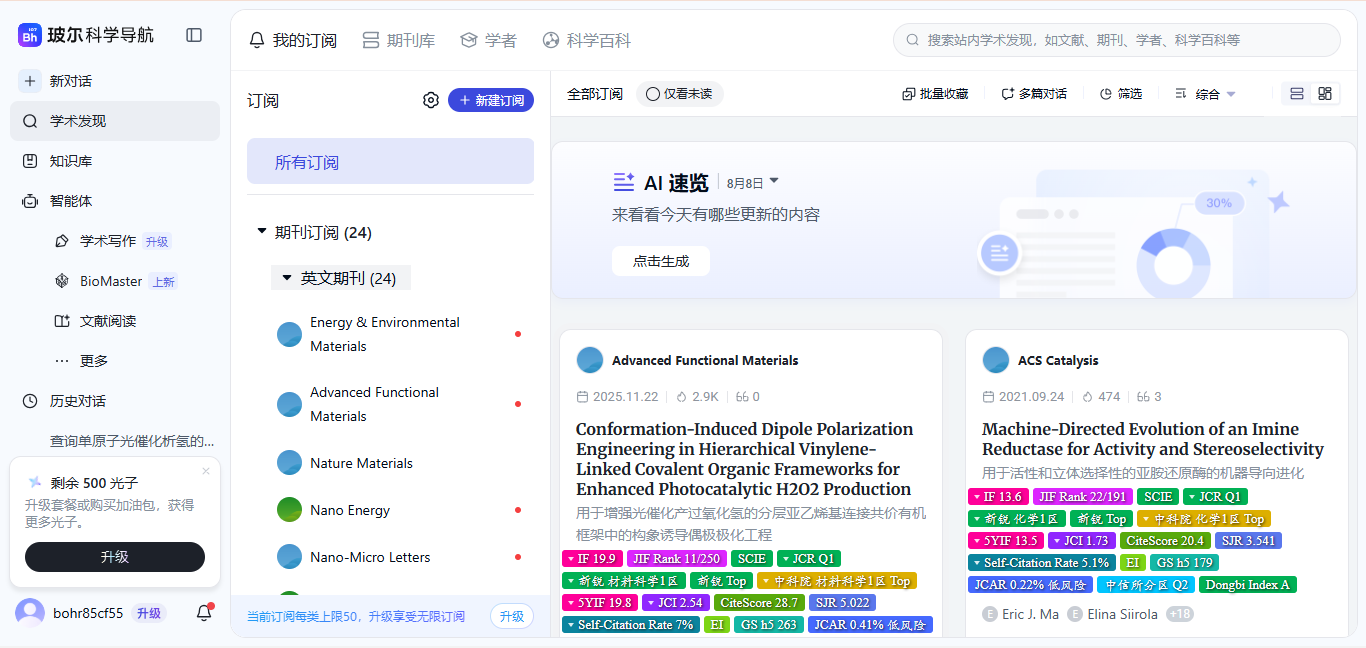
The operation is also very simple. I will not introduce in detail how to use these AI search platforms here.
Document download
There are many software for downloading and managing documents, but just find the one that suits you.
If it is in the Chinese social field, most of them use NoteExpress and CAJ
If you often read foreign literature (natural subjects, basic subject areas), you generally use Zotero to read the literature, and EndNote to process the literature citations.
If you need to take notes frequently, it will be more convenient to use Obsidian, which can clearly display the literature map.
If you don’t know what to choose, just choose zotero, which has comprehensive functions and rich plug-ins.
Basically covers everything you may encounter such as document downloading, document reading, document citation, annotation notes, etc.
Here is a brief introduction to how to use Zotoro
How to use Zotero
Visit the official website to download the latest version of Zotoro
and install the zotero browser plug-in (a necessary prerequisite for document downloading)
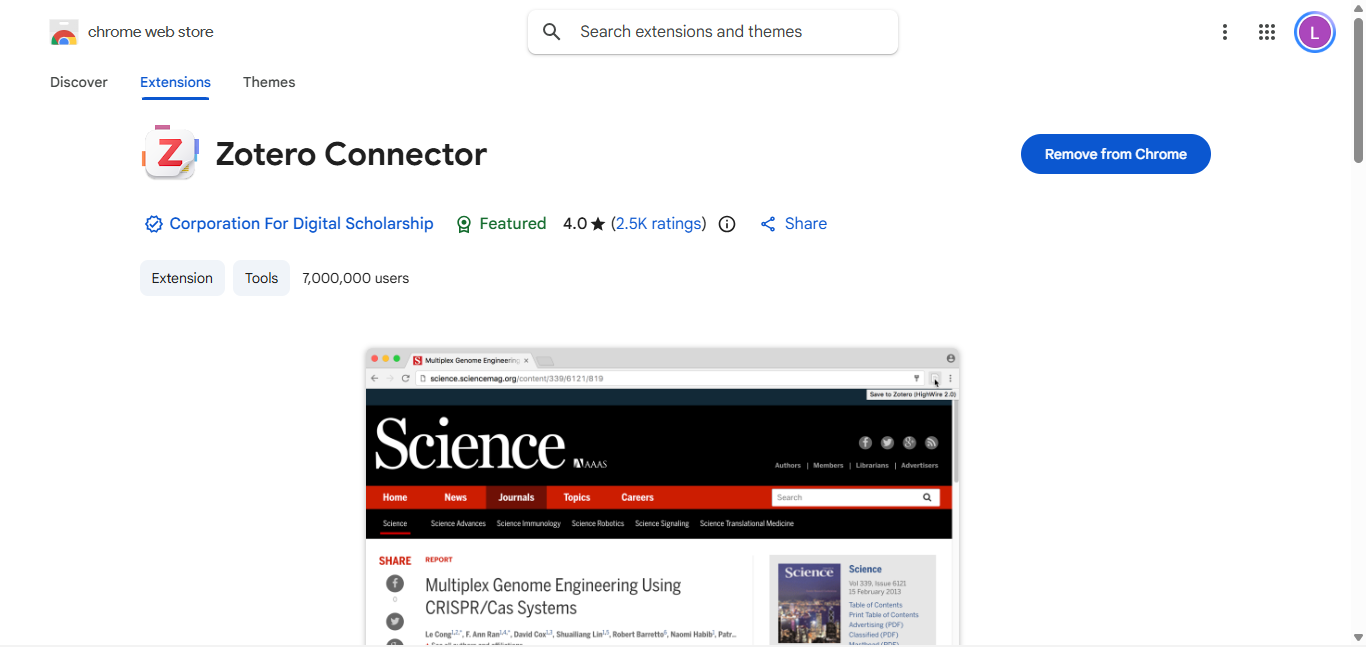
On the corresponding literature page, click on the zotero connector plug-in just installed
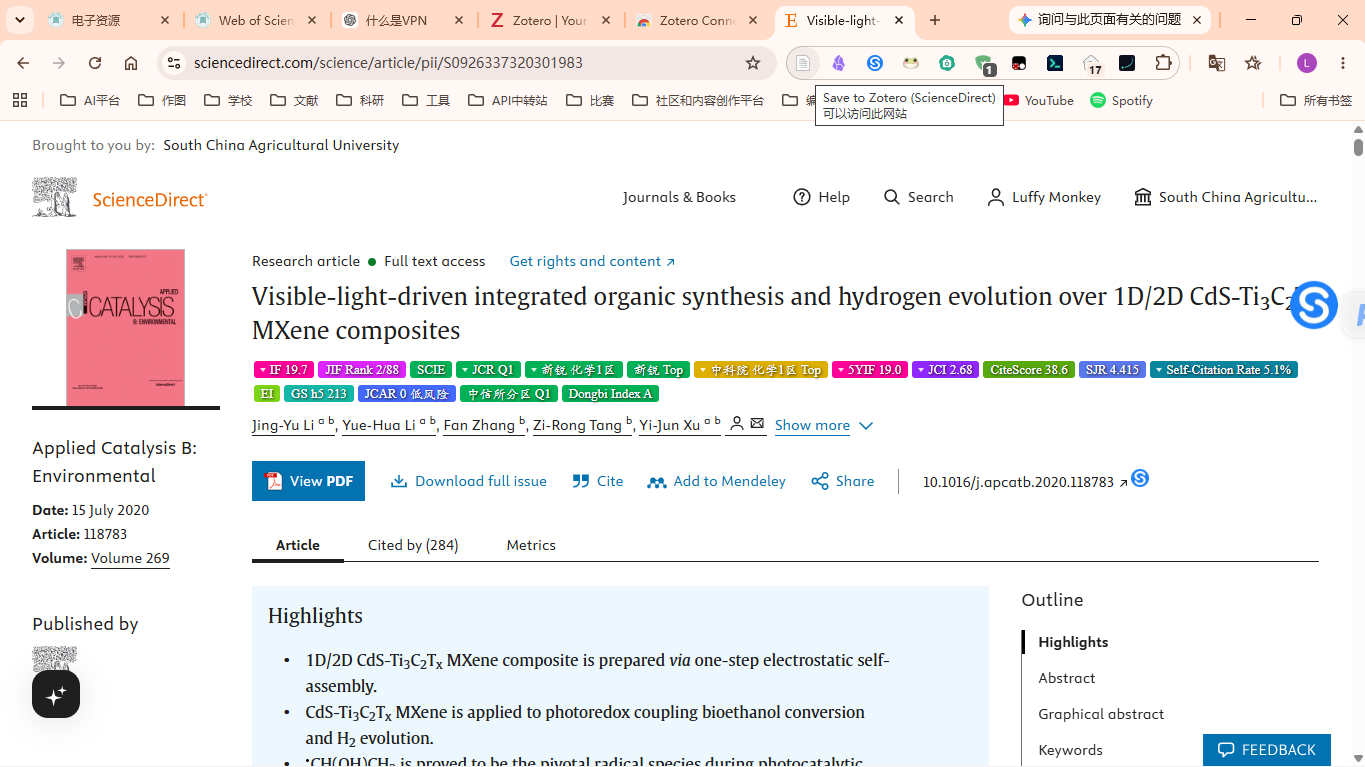
Wait for a while and the document download will be automatically triggered.
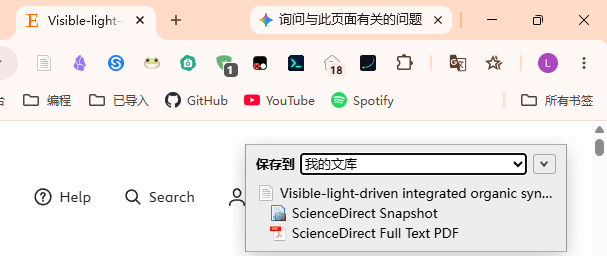
It is normal for Elsevier to sometimes trigger Cloudflare robot verification. It may be an IP quality issue (a proxy is enabled)
Then when zotero is running, the literature will be downloaded to the zotero library
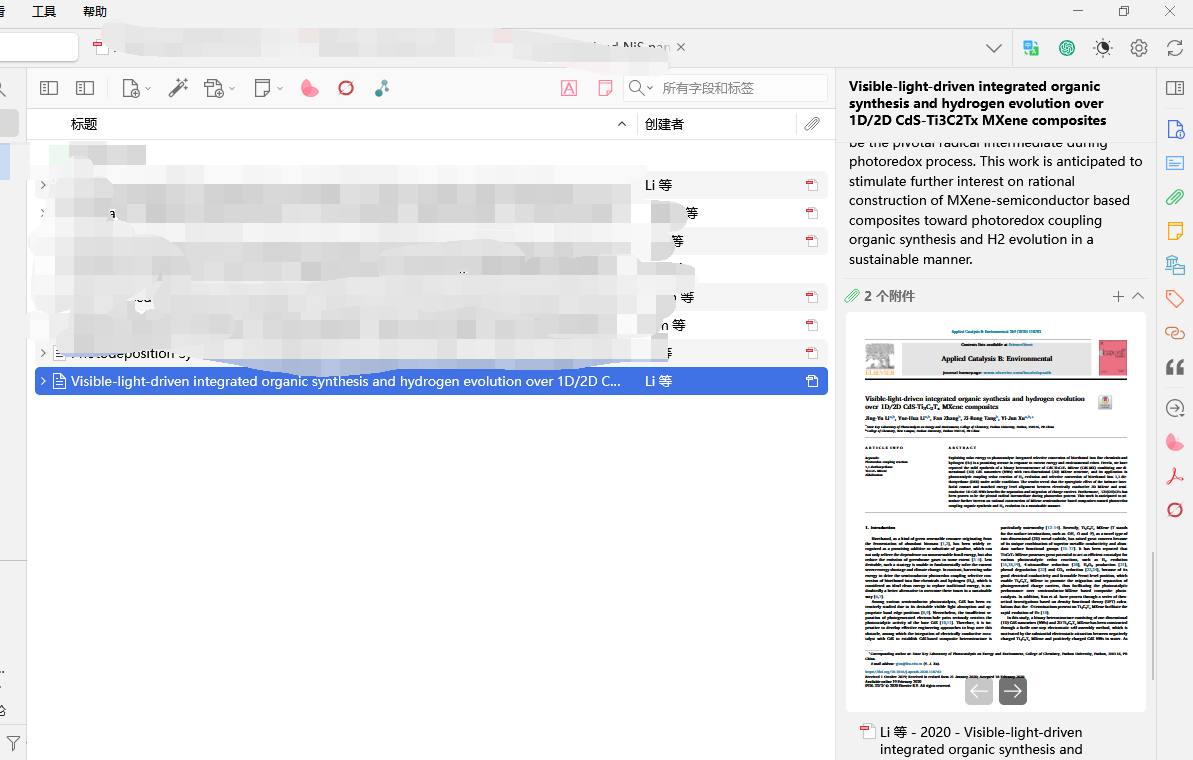
Covers title, author, journal information, year, DOI, abstract, URL, PDF attachment, etc.
Attachments can also be previewed for annotation and word translation.
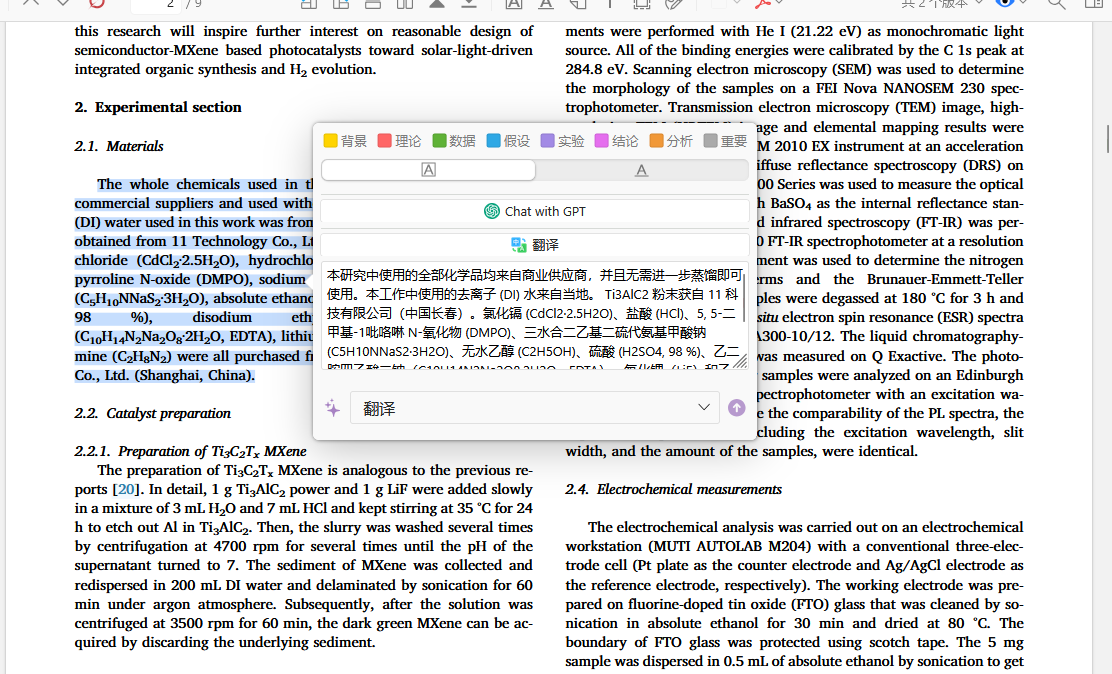
At the same time, Zotoro also has a lot of rich plug-ins.
You can install it with one click in the plug-in market
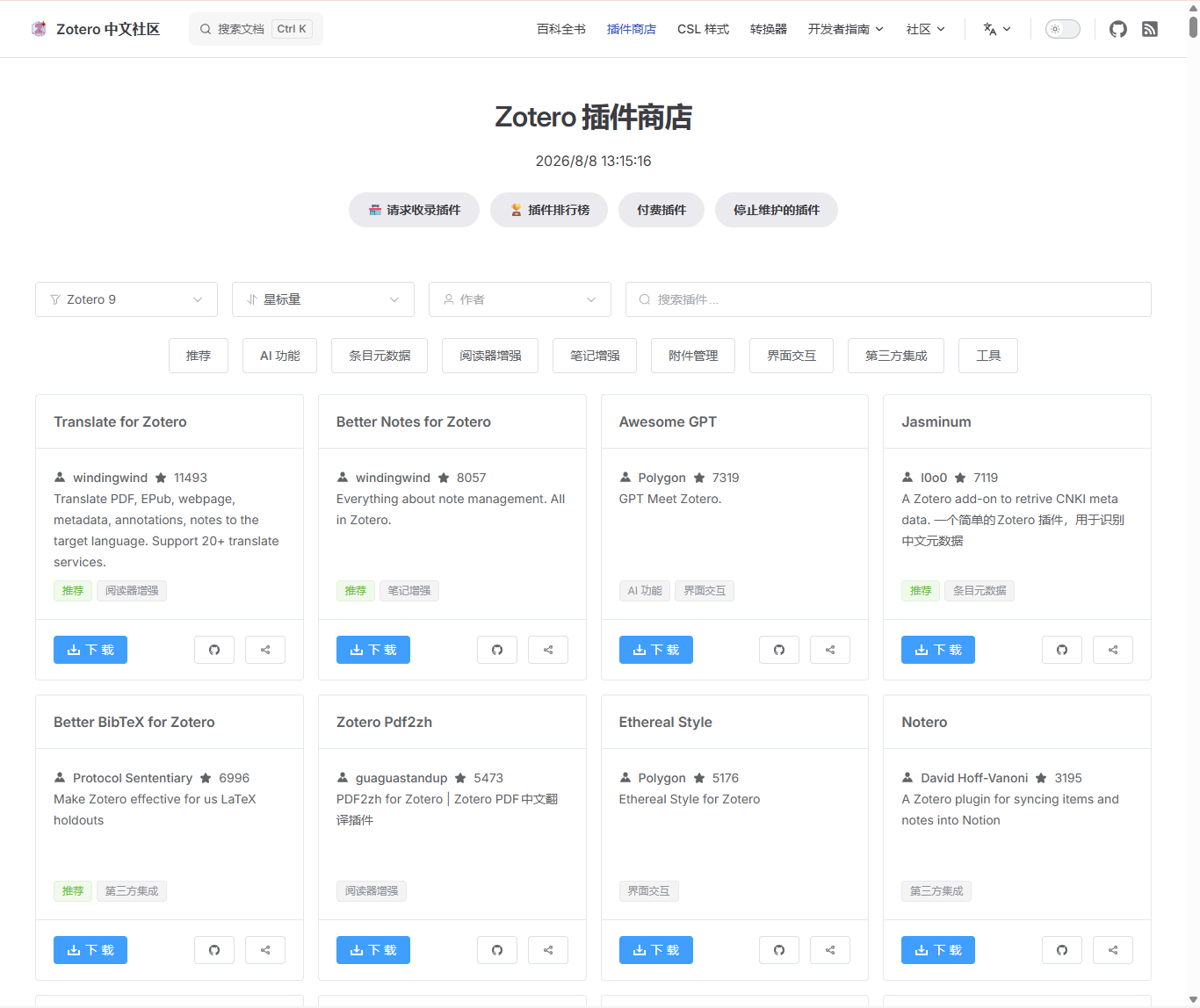
Newbies are advised not to install too many at one time. Installing the first 5 can meet daily advanced needs.
The so-called simplicity is the most important thing. Too many installations can easily lead to memory leaks and affect use due to plug-in conflicts and bugs.
Document translation
Document translation is divided into two categories:
1. Web page translation
Web page translation can be done using a browser plug-in.
There are two useful browser translation plug-ins, one is Immersive Translation (more expensive), and the other is Reading Frog (an open source alternative to Immersive Translation)
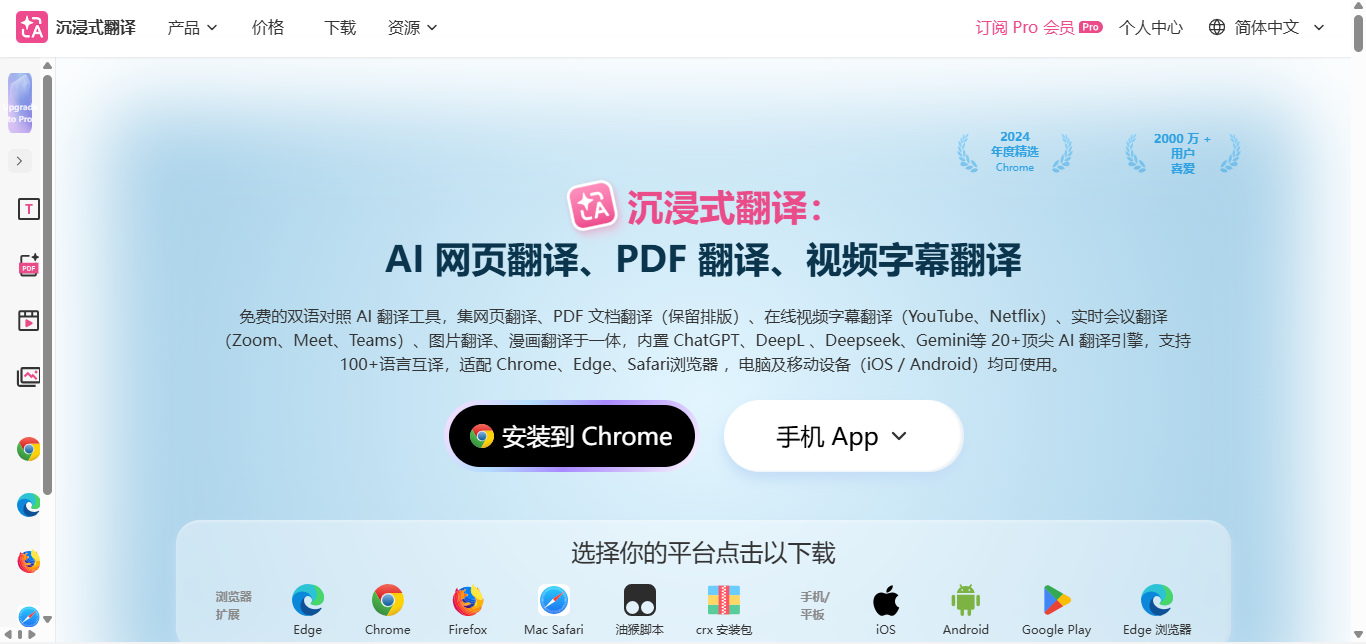
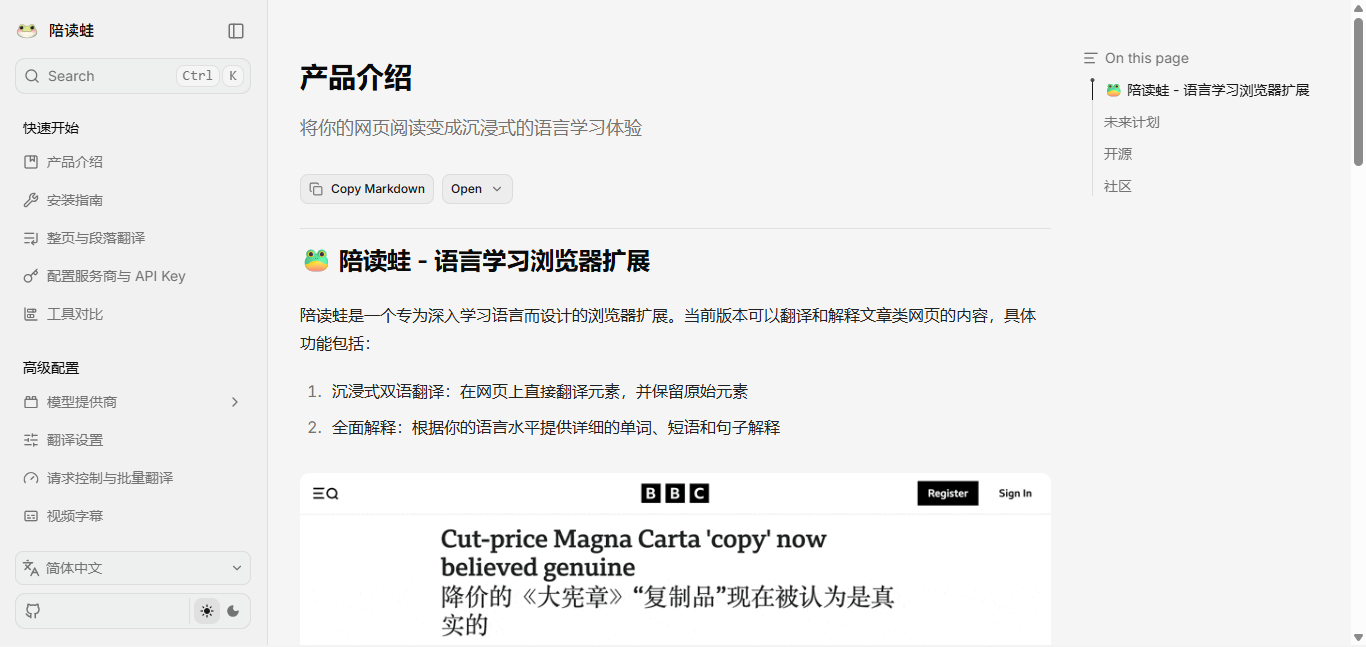
The specific use of official documents also provides detailed tutorials, which will not be highlighted here.
Use Frog to access cheap models, such as DeepSeek for translation (the price will increase later)
Immersive Translation is a subscription system, but you can buy points or daily memberships through channels such as Moubao and Mouyu.
2. Document translation
Zhiyun document translation and immersive translation can solve the problem
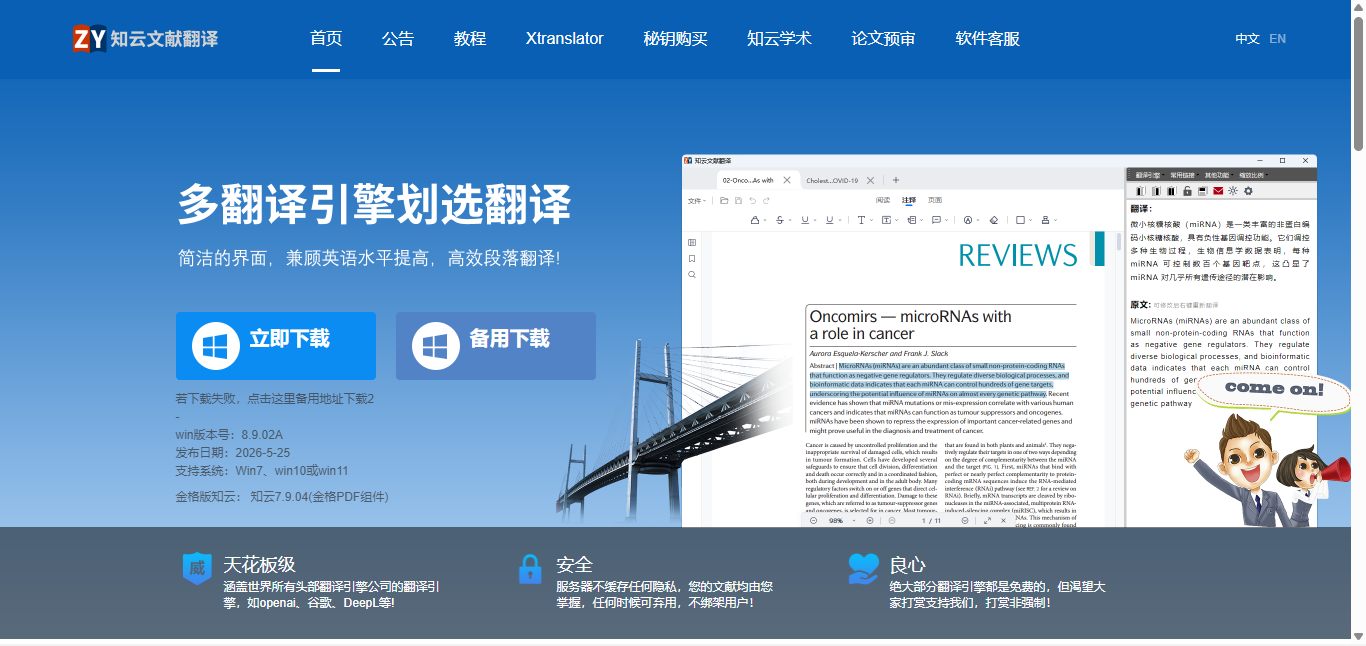
However, Zhiyun Document Translation requires downloading a separate software. There are free credits but it is too bloated and the translation quality is not good. It does not have the high-quality translation and typesetting consistency of Immersive Translation.
In addition, some plug-ins of zotero also provide PDF translation functions, such as pdf2zh, and super literature
My previous articles have introduced how to configure and use it. If you are interested, you can read it. I won’t go into details here.
Scientific research drawing
The choice of scientific research drawing tools varies from person to person. Matplotlib, Origin and Python's Seaborn each have their own advantages and disadvantages. Newbies are advised to start with Origin, which has many academic chart templates and intuitive operations.
For materials and chemistry, Origin is a universal and powerful data analysis and processing software.
You can install the Chinese version on Youbao, and there are many tutorials on Bilibili. Of course, there are also official document tutorials. Even those who don’t know how to do it can take screenshots and ask the AI how to operate it. What’s more, you can also use Codex to let AI control the computer to help you solve Origin drawing. If you have developer experience, you can use the Origin MCP tool. A blogger on Bilibili developed such a tool.
If you don’t want to learn Origin, you can learn AI drawing
For data analysis, especially using Python for drawing, there are more AI trainings
Combined with Nature-SKILL, we know that it is not difficult to draw top issue pictures with AI.
Maybe the newcomer here has never been exposed to AI and does not know what SKILL is. I will briefly explain it in the picture below.
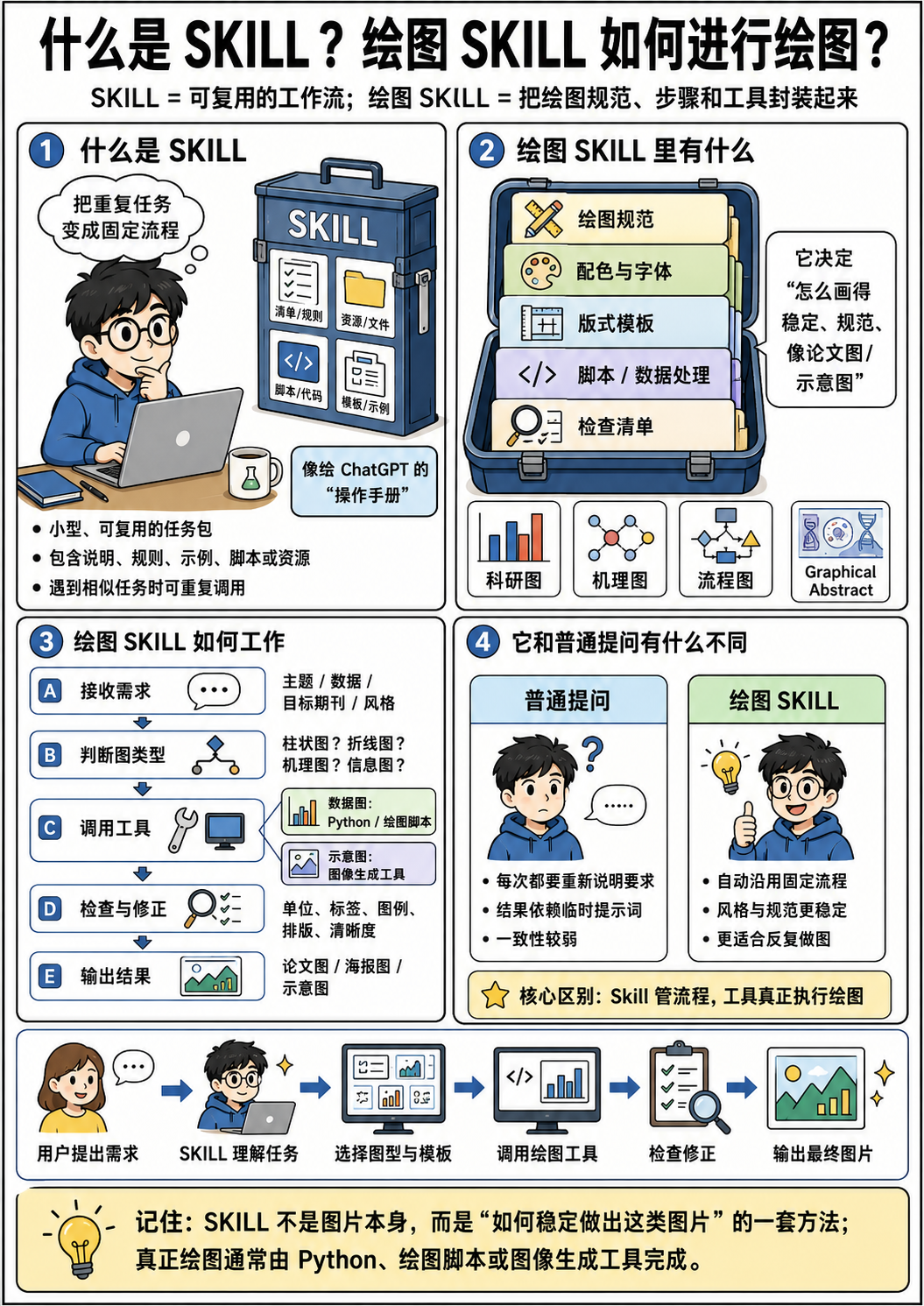
In other words, you do not need to master a programming language (such as Python). You are only responsible for writing prompt words and SKILL, and then letting AI help you generate codes to draw pictures. There are already many SKILLs dedicated to scientific research drawings.
You can directly apply other people’s work with one click, and subsequent fine-tuning can also reach the level of nature journals.
Of course, for the schematic diagram of experimental material synthesis, which involves a large number of pictures with microscopic complex structures, this cannot be achieved by writing code. It is more necessary to manually select picture materials and draw editable pictures in PPT.
At this time, we can first let AI generate a reference picture for us, and then draw
As for scientific research picture materials, you can buy them for a few dollars, or let AI batch generate single pictures, then keep the white transparent background, use PS to deduct the edges, make each individual material clean, and then edit it in PPT
Of course, for simple pictures, you can use the ready-made PNG to vector tool and put it in an editable form in PPT or Adole illustrator.
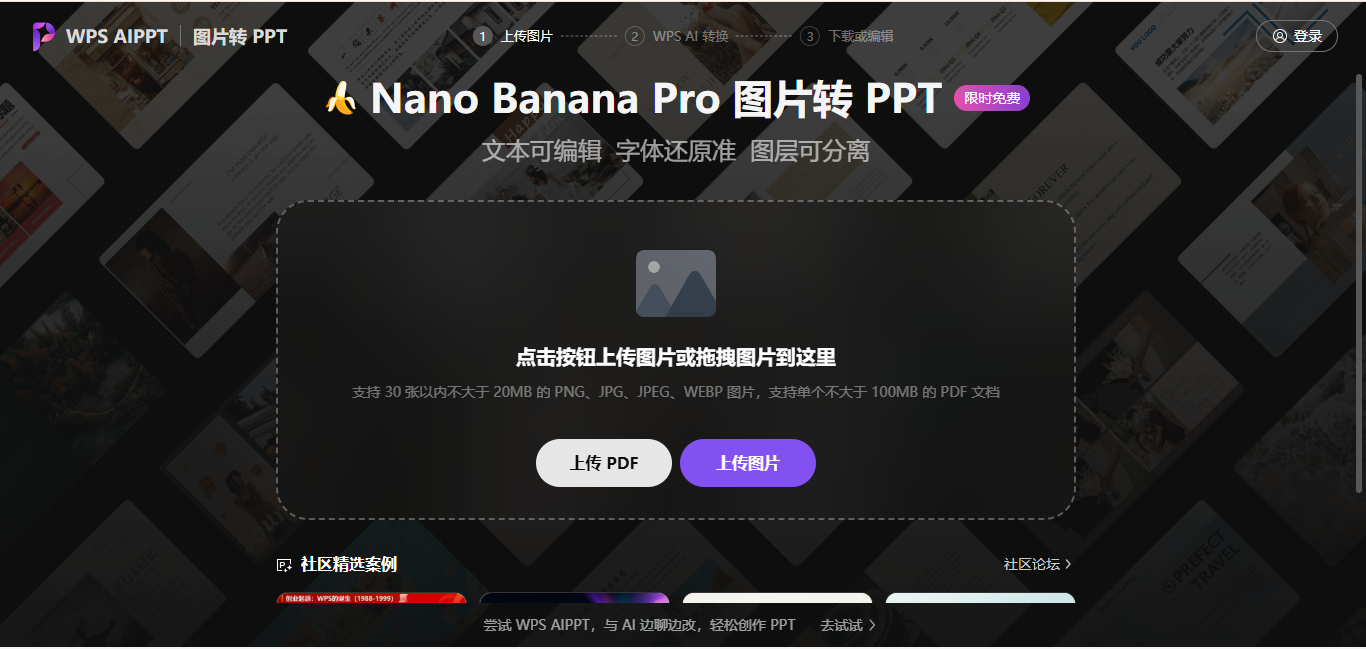
There are many similar websites, so I won’t list them all here.
Of course, you can also directly trace the PS image and AI vectorize it, but the effect of complex images is really not possible.
Follow-up
In fact, I originally wanted to write a large and comprehensive guide article covering the process of scientific research websites, especially when I am preparing to start school. I just want to share some experience with all the students.
However, I have not fully experienced the process myself. I have more experience in document retrieval and mapping, document management and sorting, so I will continue it as a sequel. I will continue it when I have time that day and accumulate more experience.
The last thing I want to say is that scientific research tools are ultimately auxiliary. The real core lies in your awareness of the problem and the patience to persist in exploration. I hope this guide can help you avoid detours in the entry-level stage.
I will continue to update if there are new experiences in the future, and everyone is welcome to discuss it in the comment area.
One more thing I want to say: The path to scientific research is all about accumulation, and tools can be learned quickly, but understanding the logic behind the literature and cultivating the aesthetics of drawing require time.
So, the above is all the content I want to share. I am Sanmu who loves learning. I look forward to your next visit!
- Author:Sanmu
- URL:https://luffysite.top/article/scau-academic11
- Copyright:All articles in this blog, except for special statements, adopt BY-NC-SA agreement. Please indicate the source!
Relate Posts