
I believe everyone must be fed up with the expensive subscription price of immersive translation
Not only immersive translation, the following solutions are cheaper than the monthly subscription of immersive translation, and the cost and usage are more flexible, but they still have many shortcomings:
Tools | Disadvantages |
Zhiyun Document Translation | Unable to retain layout, troublesome to obtain free points |
doc2x | The process is cumbersome, the formatting is poor, and the points are equally expensive. |
supper super literature translation | Does not support custom models, and points still cost money. |
What really widens the gap in paper reading efficiency is not the translation tool itself, but "whether the information structure can be completely preserved."
So today I would like to recommend to you a free open source, more accurate alternative - PDFMathTranslate, which can perfectly retain the original text layout and is especially suitable for the translation of academic papers and professional documents. You no longer have to worry about the monthly subscription fee of dozens of dollars.
How to use
Official website download
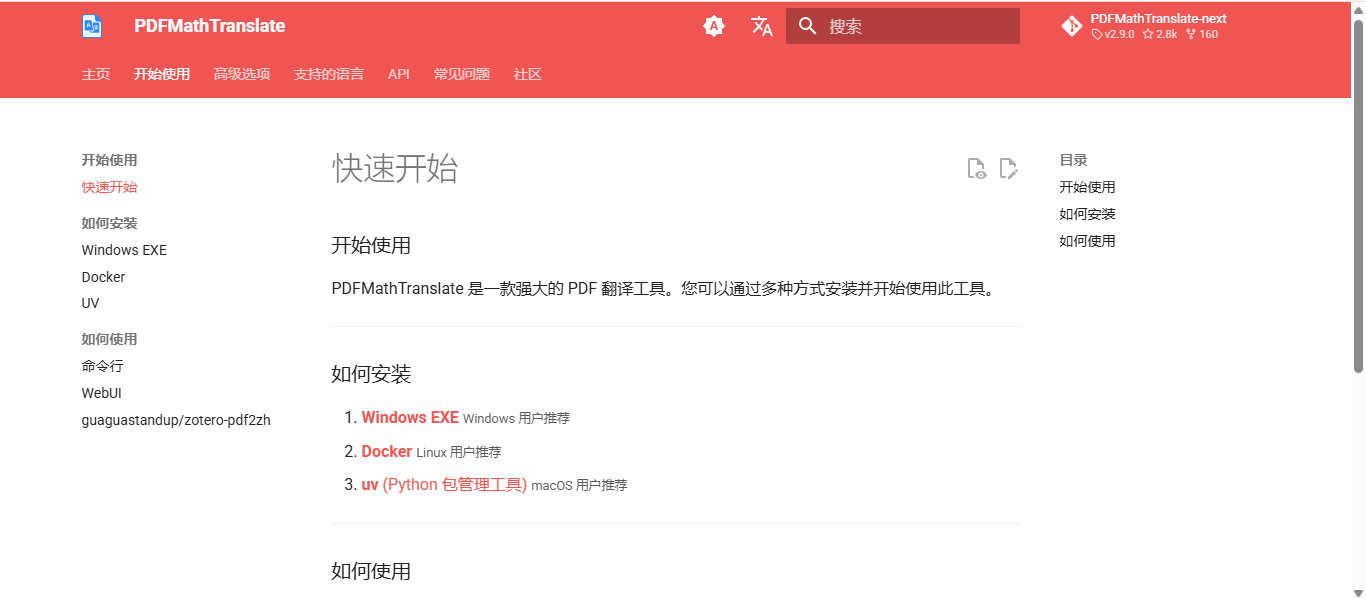
Choose the appropriate method according to your computer system
If it is a Windows system:
Go to the GitHub source code installation package address:
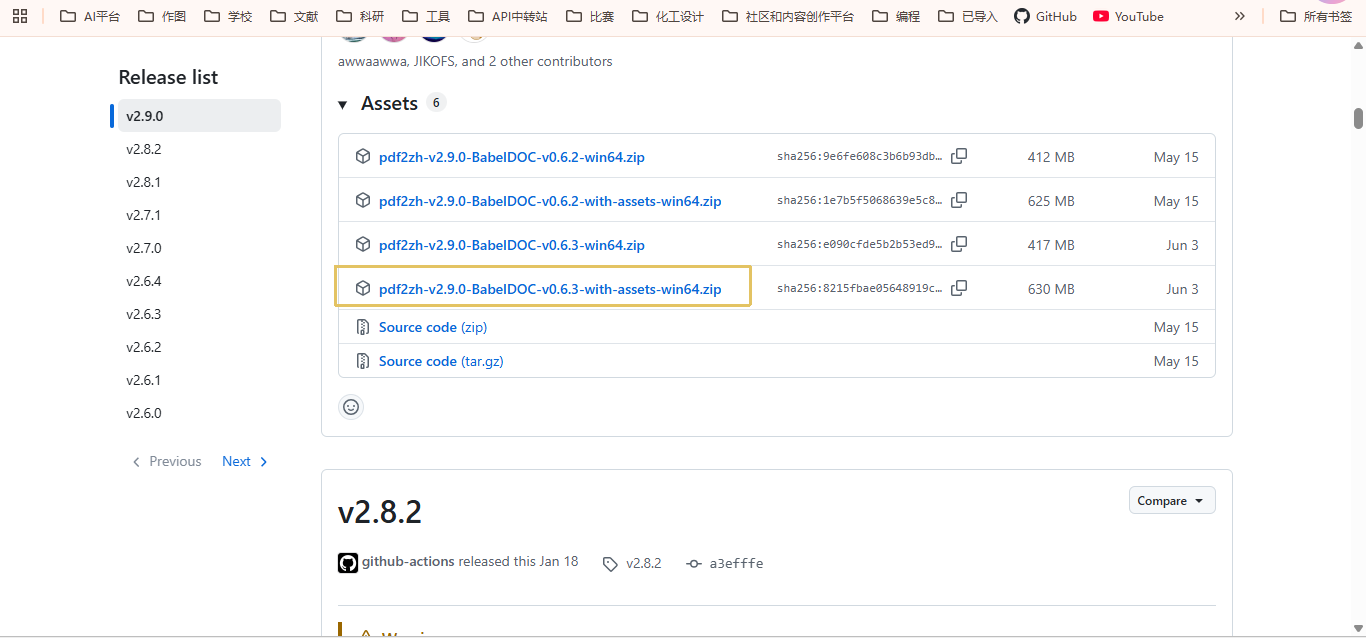
If GitHub cannot be accessed, you can download it from my Baidu network disk link:
Save to a clean non-C drive directory, and it is best not to have a Chinese path
Decompression may take some time
After decompression, open the exe executable file
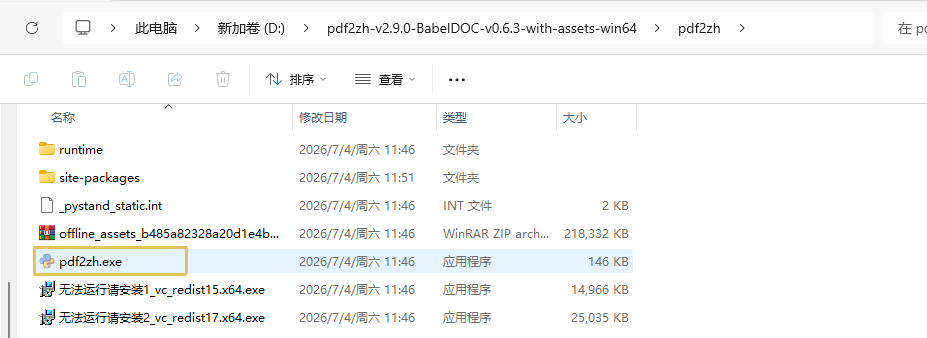
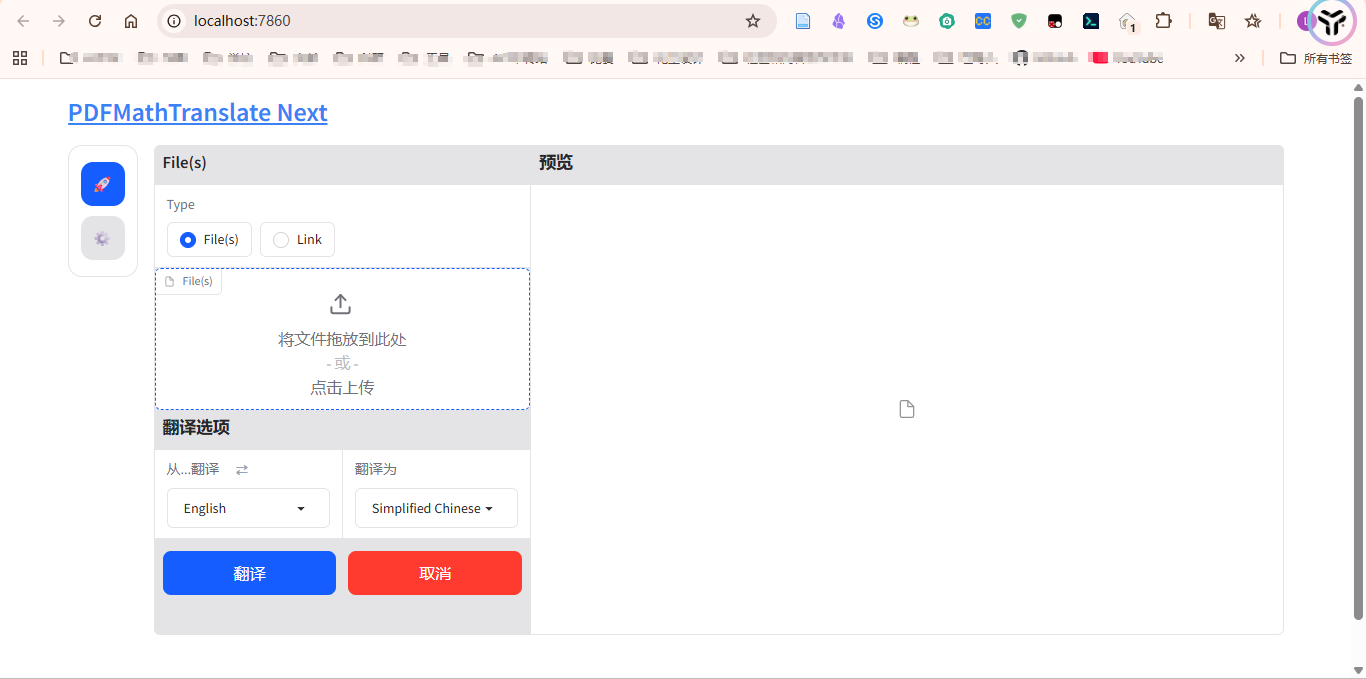
Wait for a while and the webUI interface (browser window) will automatically open.
If it is a Mac system, use uv to install
uv is a lightning-fast Python package and project management tool written in Rust.
Only with this can high-quality translation of documents be carried out
Prerequisites:
- Python has been installed (the version needs to be 3.10-3.12, you can use conda for version management if possible)
- Install the cmd command line to install the Python management package of uv:
After the installation is complete, you can Command line or WebUI Start document translation.
For detailed problems, you can check the official website documentation, or ask Codex/Codebuddy to help install and solve it.
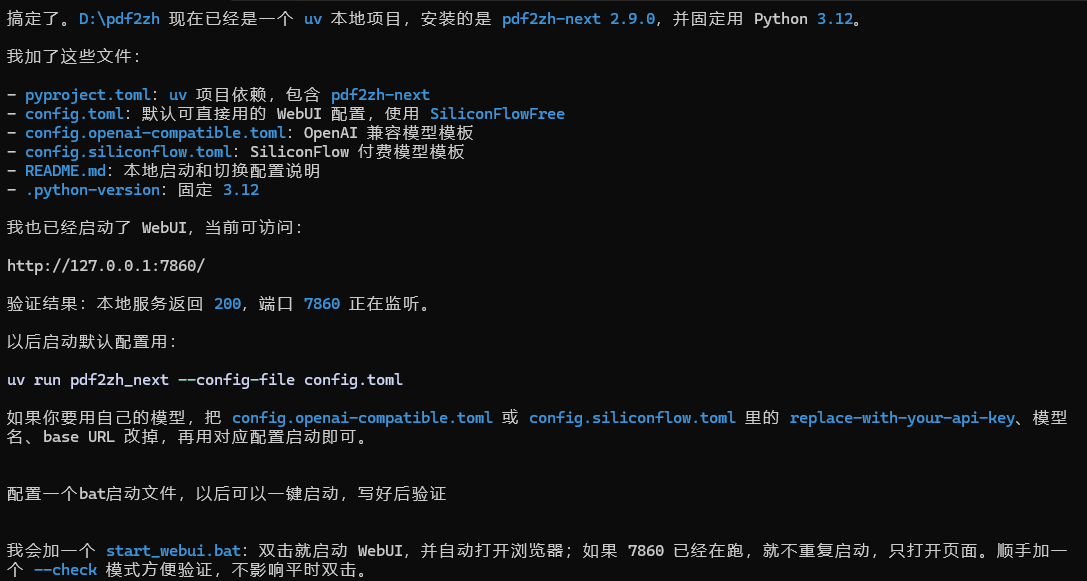
If it is installed using uv, it may not have a graphics window like the exe. In this case, you can ask Codex to help solve this problem.
For example, I use Codex to help me install and configure the bat one-click startup script. Then click on the start.bat file to jump to the webUI for document parsing, saying goodbye to the complicated cmd command line learning cost.
Configure translation service
The new version of PDFMathTranslate here provides a convenient translation service UI interface
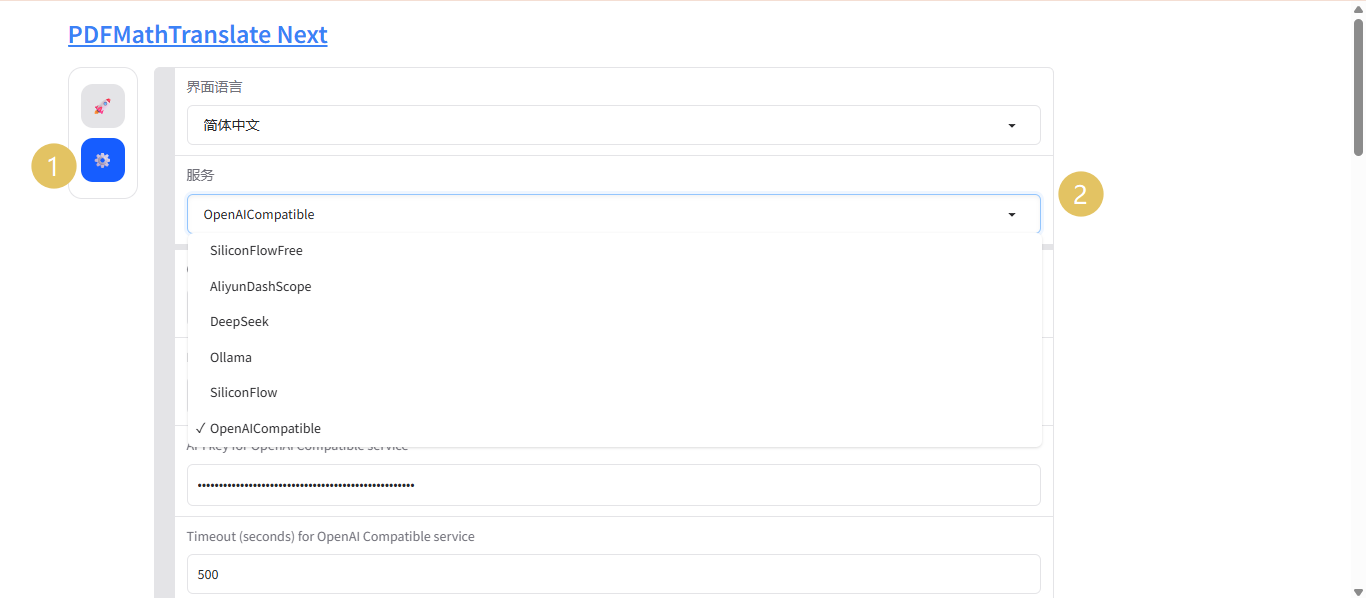
Choose a model provider. Here I will use DeepSeek as an example to explain:
First go to the open platform to make a small deposit and create an API key:
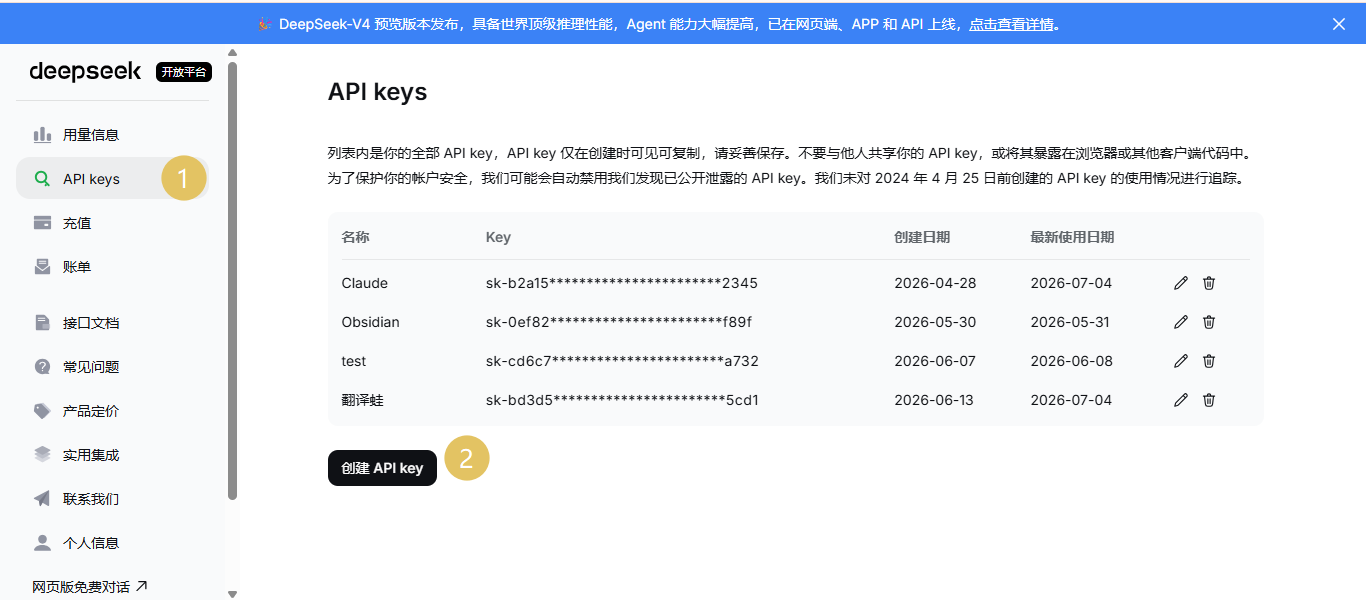
Then copy the created API key (note to save it elsewhere, it will not be viewable and copied next time⚠️)
Then return to the PDFMathTranslate configuration page
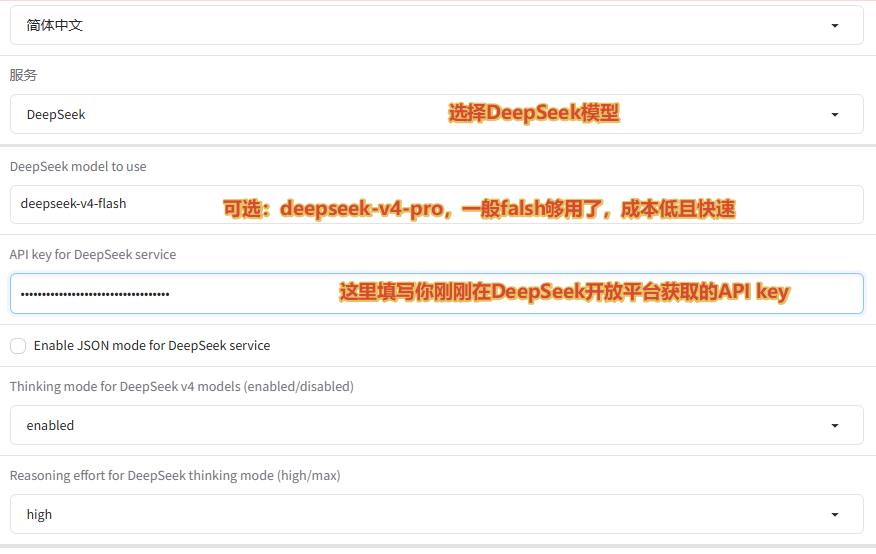
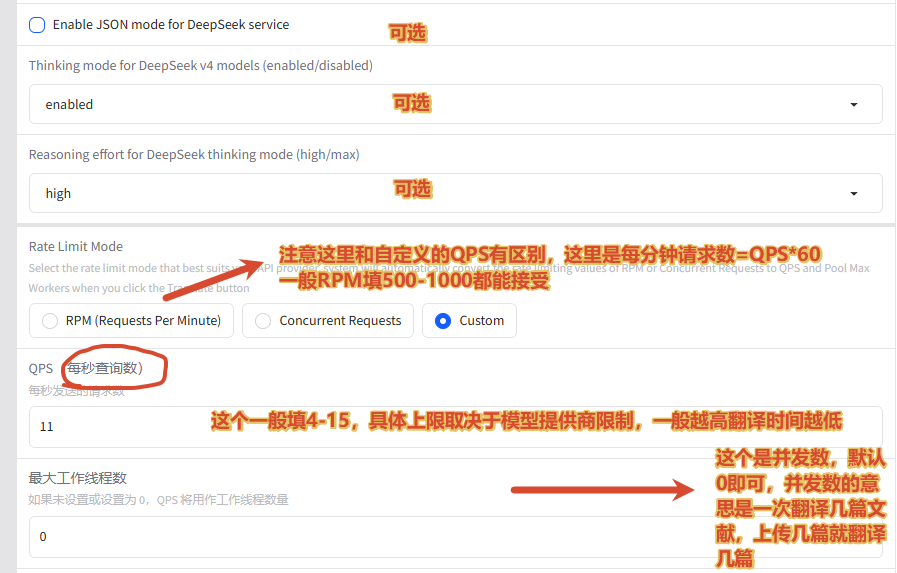
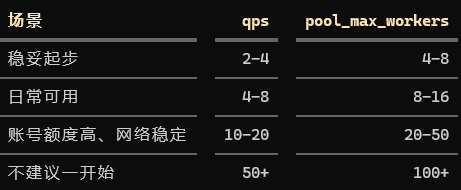
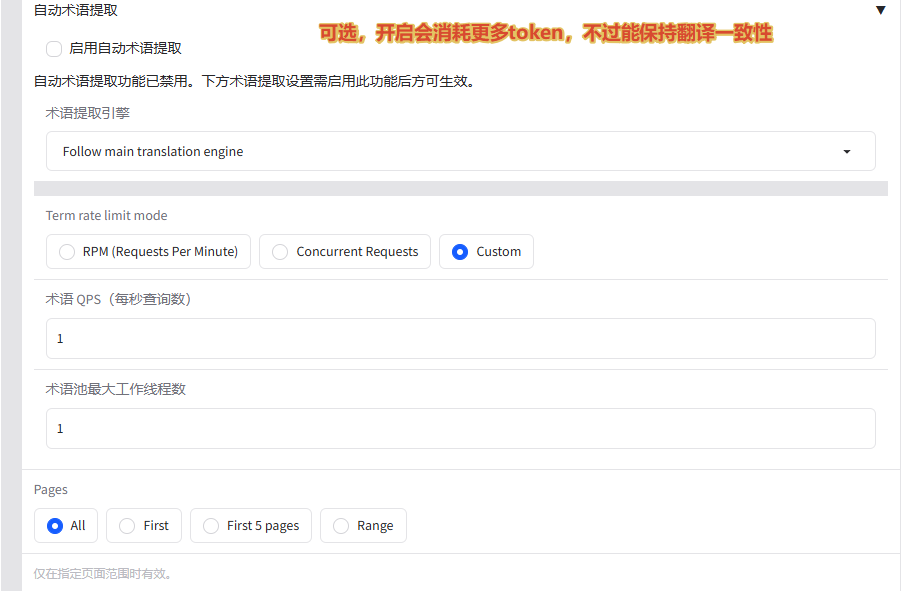
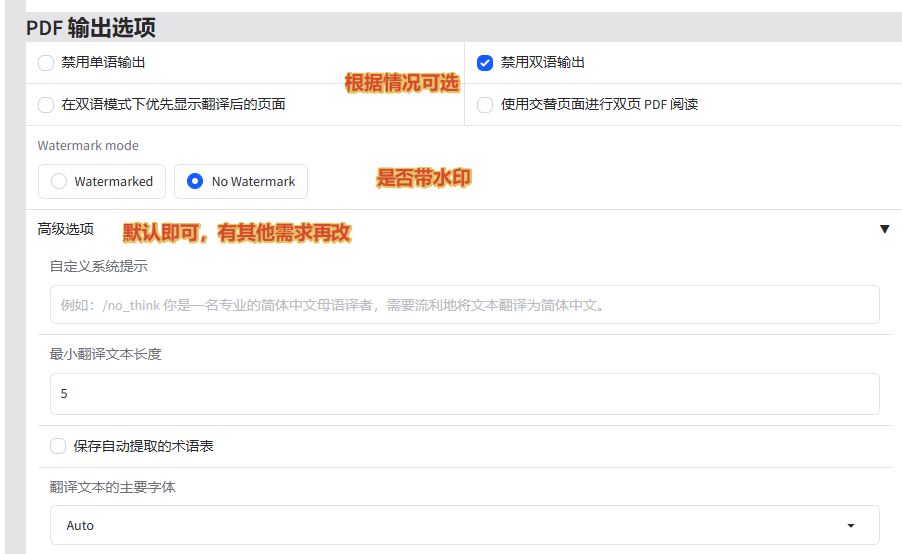
Remember to click "Save configuration button
Finished all the work here
Upload translation
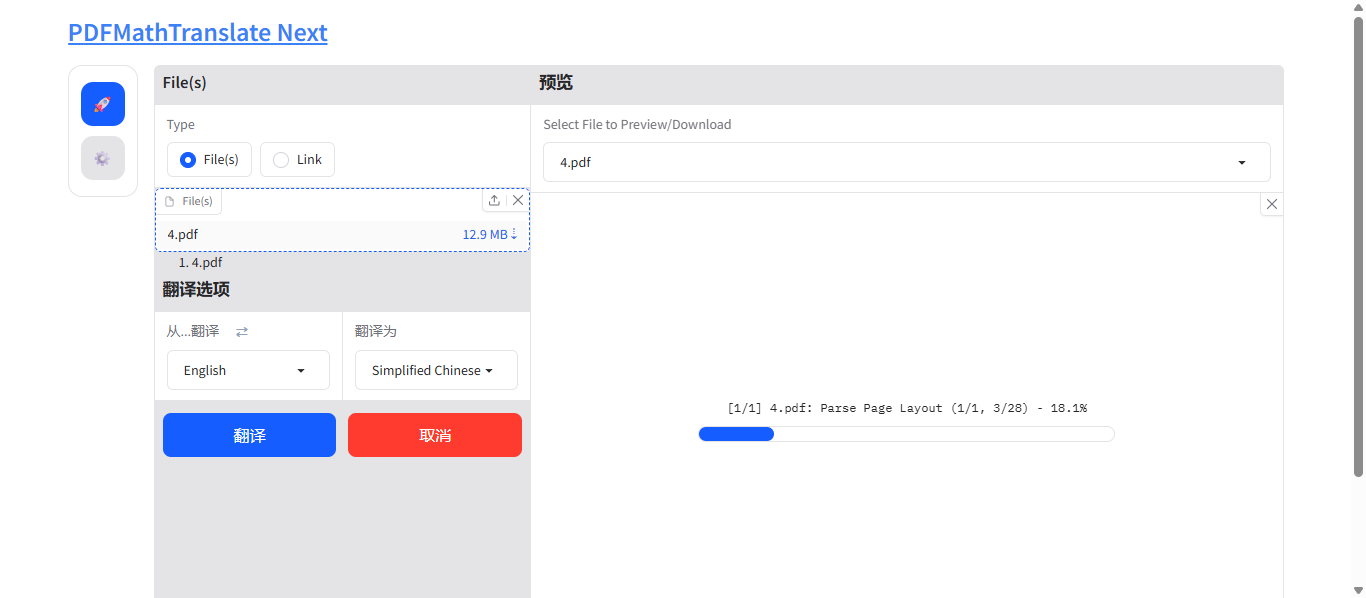
Just wait, it will be translated in about 3 or 4 minutes👇
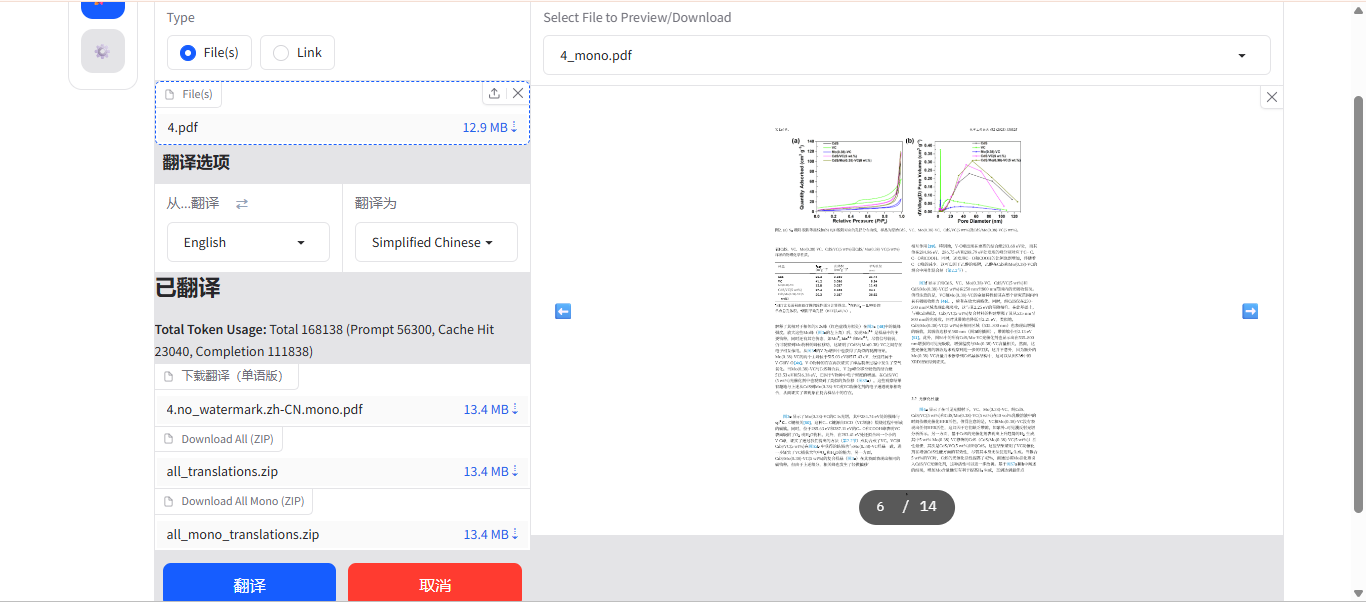
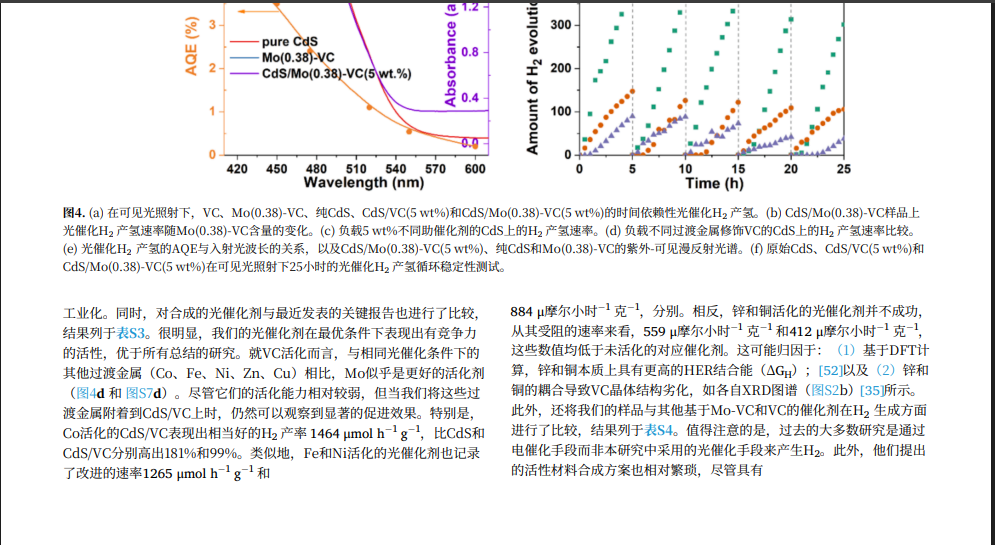
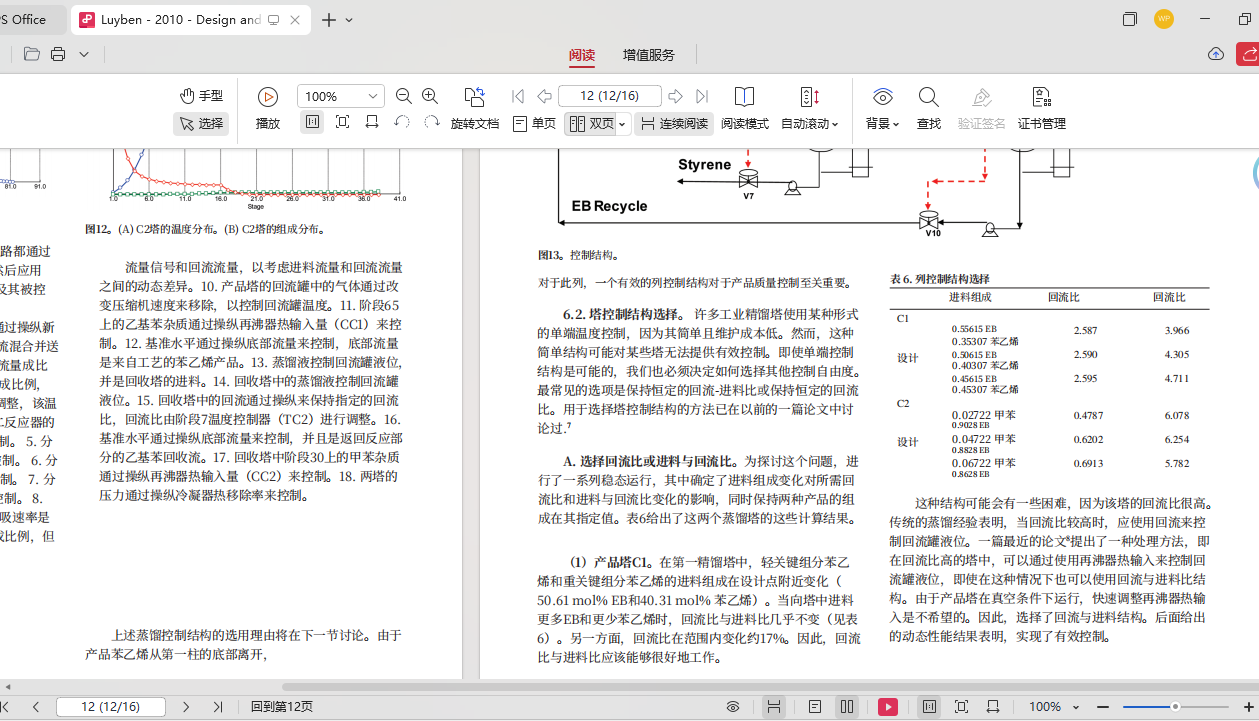
The layout, formulas, and tables are all neat and tidy, and the translation quality is extremely high!
If you have the ability, you can access the openai-compatible model of a third-party transfer station. The translation quality is higher and the cost is cheaper than DeepSeek.
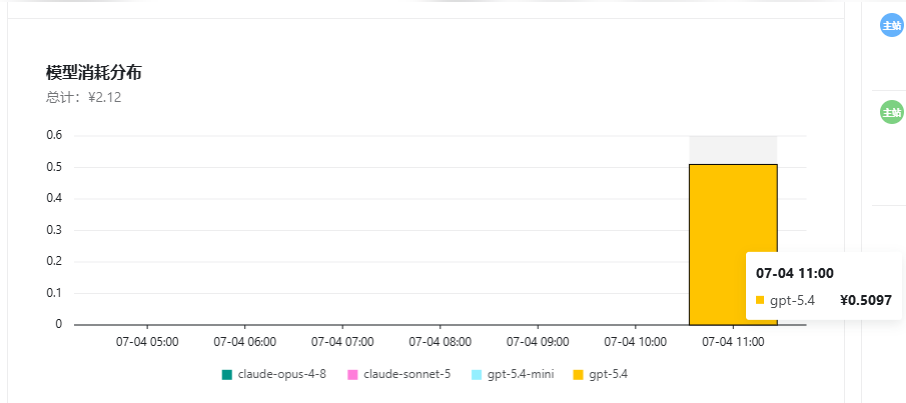
This is the cost I spent using the GPT-5.4 model to translate 7 documents (76 pages in total)
If this is immersive translation and super super document translation, the points will be used up quickly, and you can’t connect to the cheap model yourself.
Close the translation background
After translation
You need to close the browser UI interface and return to the command line window. Press ctrl+c twice to automatically stop running scripts in the background to prevent system memory resources from being occupied.
Linked with zotero
This part is even simpler, just install the zotero plug-in and you’re done.
The configuration here is more convenient and simple, and the relevant knowledge involved is all comprehensive. If you can deploy PDFMathTranslate
Congratulations, you can skip it directly on zotero.
Plug-in download address:
https://github.com/guaguastandup/zotero-pdf2zh/releases
If you cannot access it in China, you can download the xpi file from the mirror source in the zotero Chinese plug-in market.
https://zotero-chinese.com/plugins/
Or my Baidu network disk address:
Of course, in order to take care of everyone, I will explain it in detail:
Environment configuration
- Python : It is recommended to install version 3.12
The subsequent steps are all executed in the command line except for manual operations.
Open the command line tool:
- Windows : Press
Win + R→ inputcmd→ Enter (it is recommended to Run as administrator )
- macOS : Press
Cmd + space→ Enter "terminal" → Enter
- Linux :
Ctrl + Alt + T
Select an environment management tool. If you are not sure which one to choose, uv is recommended.
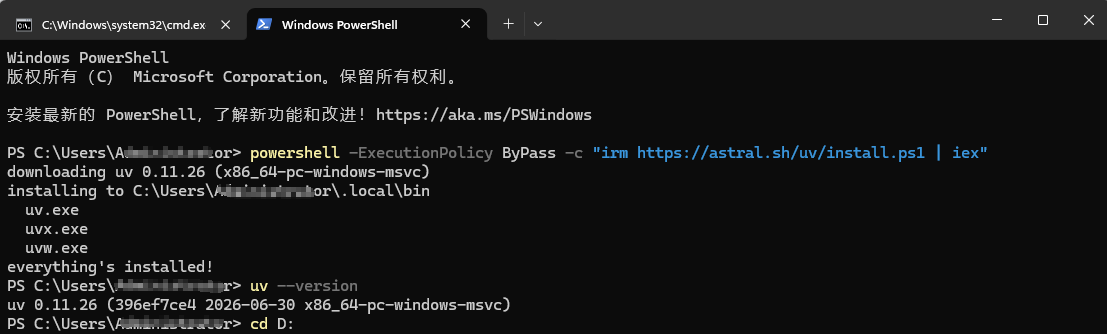
uv installation (recommended)
Execute after installation
uv --version , if you can see the version number, it is successful.If you are prompted that the command cannot be found, you need to add the uv path to the environment variable and restart the terminal:
conda installation
Reference Miniconda Installation Guide Install and execute after installation
conda --version Verification.Note
Attention Windows users : Do not create the project folder under the C drive (system drive). It is recommended to operate on the D drive or other non-system drive. For example: execute first
D: Switch to drive D and execute subsequent commands.Install dependent script files:
The decompressed folder should have a structure similar to the following:
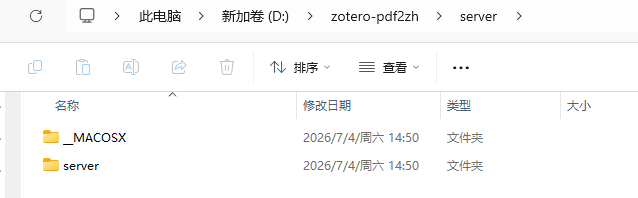
The above one is for Mac system. For Windows system, choose the one below (just keep one)
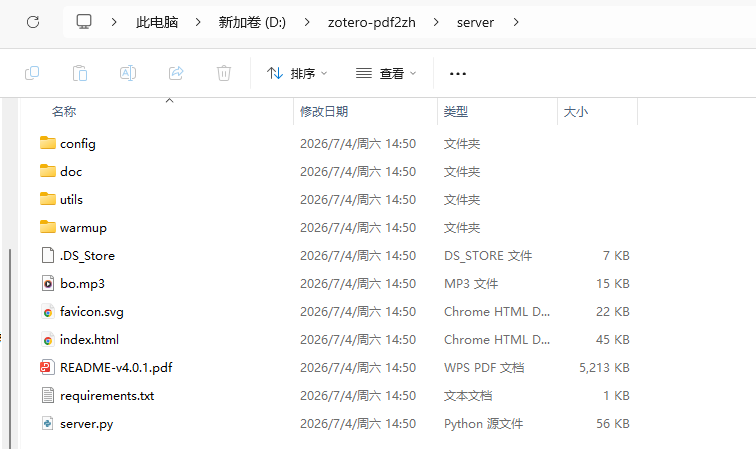
If you see
server/server/ Such a nested structure (two-layer server) indicates that there is a nesting problem in decompressionYou can directly cut the inner server folder, then go back to the outer server and paste it to overwrite the solution.
Then please enter in the top input box here
cmd, then enter Press Enter to enter the cmd command line window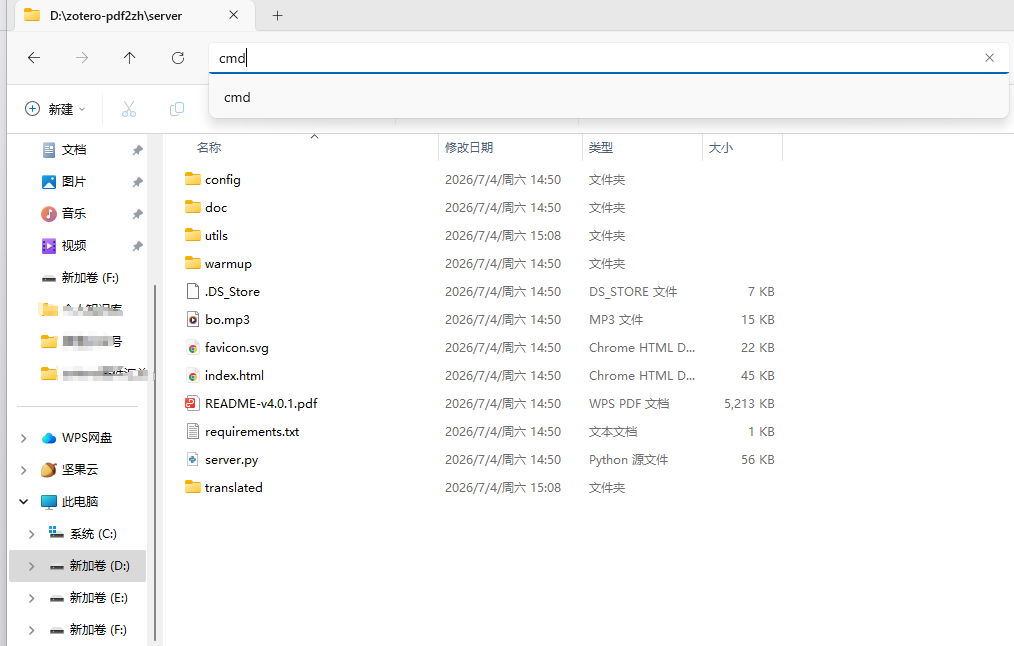
Start the service:
uv user (recommended)
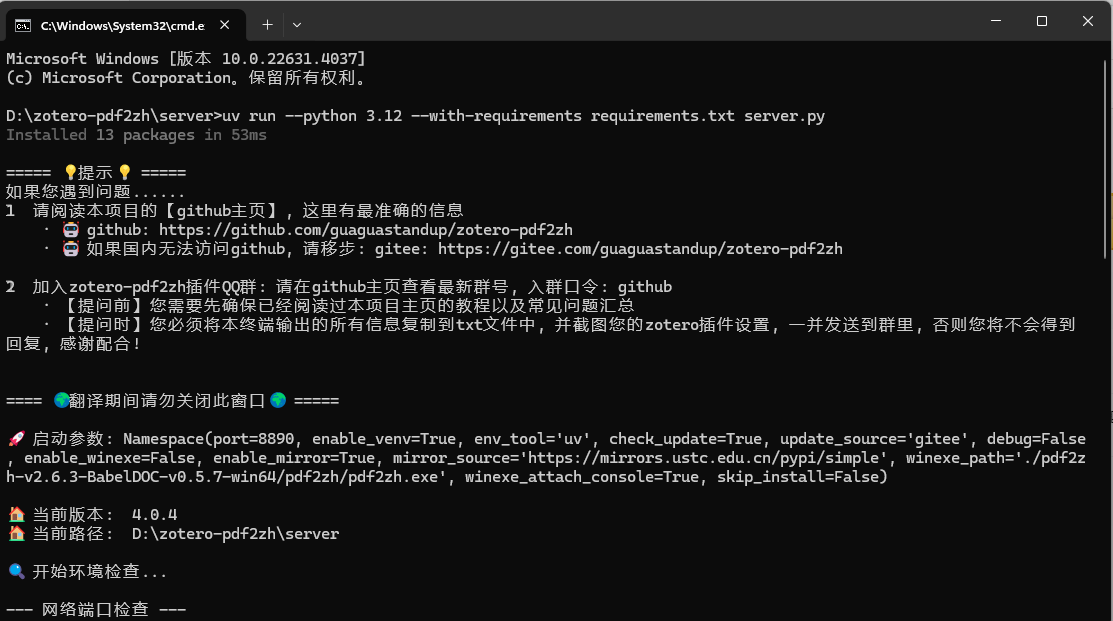
conda user
Note
The translation function relies on this script to run. When using translation Do not close this terminal window
Common parameters
Just append parameters after the startup command, for example
... server.py --port=9999 : Parameters | Description | Default value |
--port | Service port number | 8890 |
--check_update | Check for updates on startup | True |
--update_source | Update source github gitee | gitee |
--enable_mirror | Enable pip image acceleration | True |
--mirror_source | Custom mirror source URL | https://mirrors.ustc.edu.cn/pypi/simple |
--enable_winexe | Use Windows exe mode (requires cooperation --winexe_path ) | False |
Notes
- uv user : Please do not move or rename after installation
serverfolder (affects the environment path).
- conda user : The environment is stored in conda's envs directory and can be safely moved
serverfolder.
Download and install the plug-in (see above for the address)
- Installation method: Open "Tools-Plug-ins" in zotero, drag the xpi file into it, and install it. (If the function does not take effect after dragging in, please restart Zotero)
- How to update: You can check for updates in zotero, or select automatic updates to get the latest version of the plug-in.
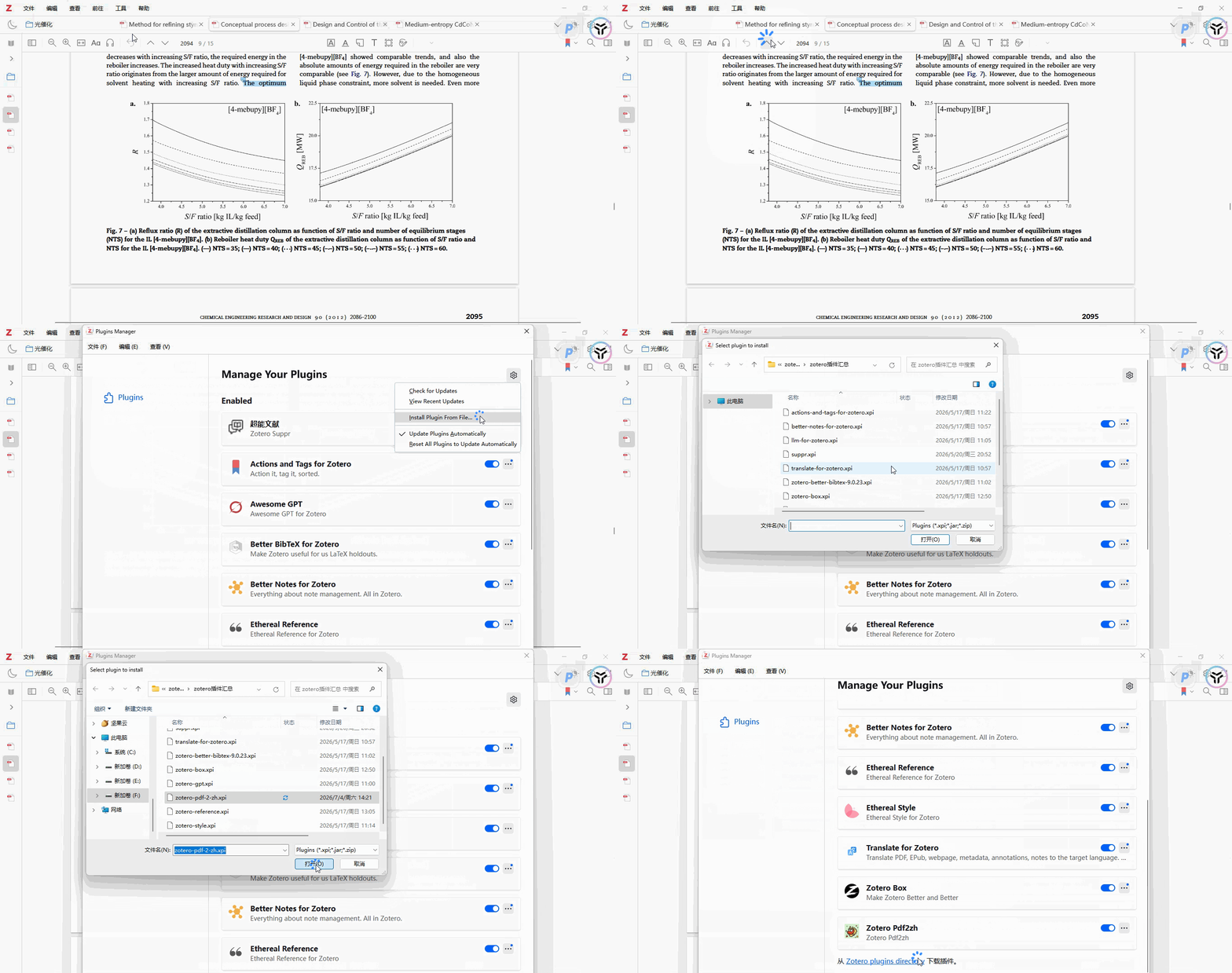
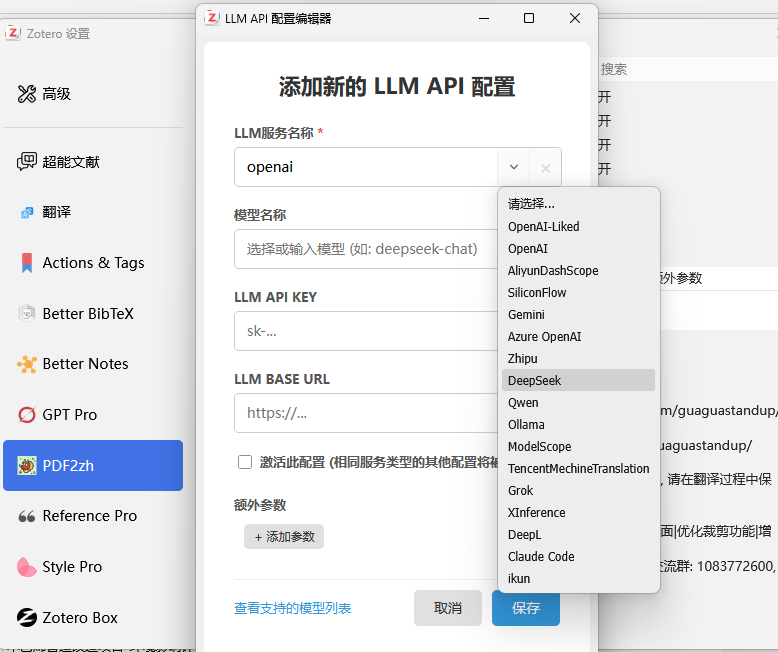
Zotero plug-in settings
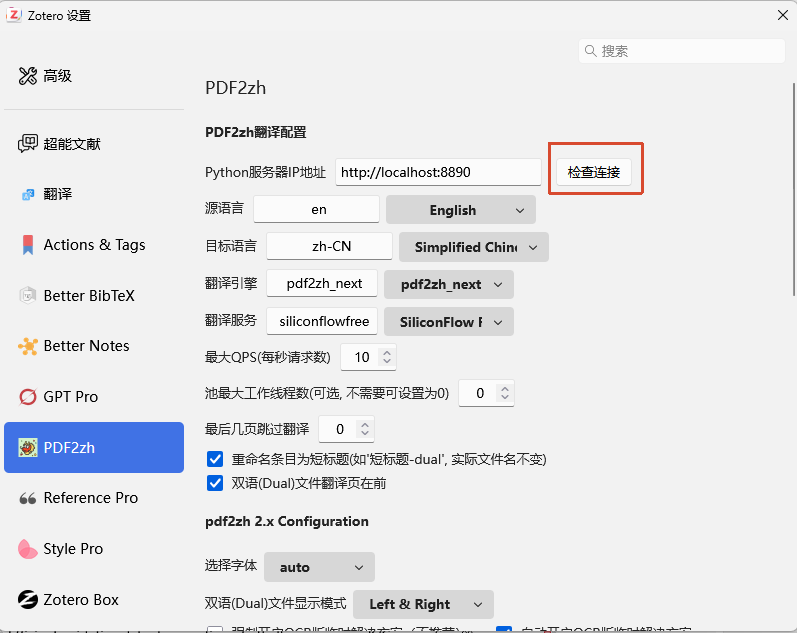
Just check that there is no problem, but it is best to restart zotero
The following steps are the same as before, configuring the large model, QPS, etc.
Next, right-click to select any document for translation
The related packages will be automatically installed for the first time, which will take some time.
Then wait quietly. The speed is sometimes related to the network.
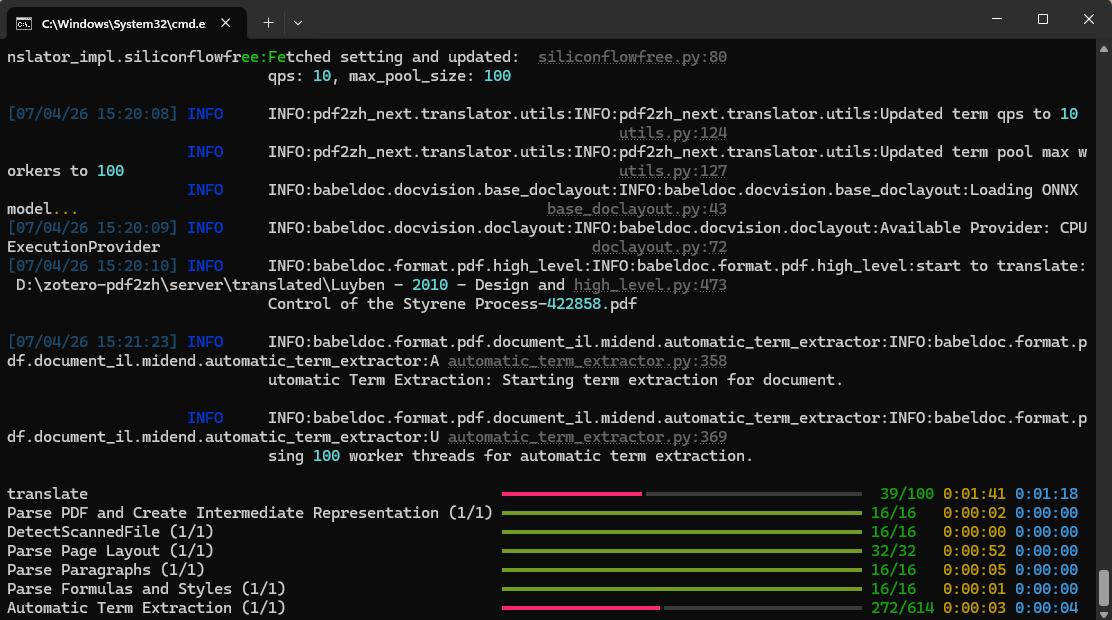
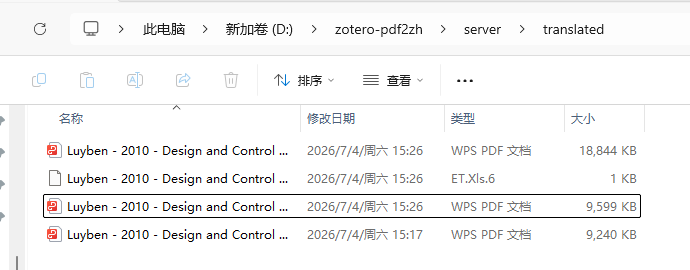
Then you're done! ! !
The translated file address is here:
If I have to start that script every time, I can ask AI to help me generate a bat startup script, save it to the desktop and click to use it (as mentioned earlier)
Effect display
written at the end
Actually, in order to publish this tutorial, I reinstalled it specifically. Then I used the Windows system. I have not experienced it on the Mac system, so if the official installation command has not been updated in time, you may need to let AI troubleshoot.
Then the installed dependent script may have a slow domestic network, so you can use the Tsinghua mirror source
emm~
This deployment is actually relatively difficult for most novices, but this is Cheapest、Highest translation quality、The most organized layout、Highest flexibility、The most controllable plan
The only drawback is that the technology is cumbersome.
However, if you have any need for scientific research,
How can we not pursue translation quality and typesetting?
So I will give you a complete demonstration of the installation process today.
Of course, I know that it will be better if there is a video tutorial. I will also consider posting it to the video account and station B in the future as much as possible. I hope everyone will patronize it.
My name is Sanmu. Thank you for your company and support. See you next time.

- Author:Sanmu
- URL:https://luffysite.top/article/pdfmathtranslate-pdf2zh-guide
- Copyright:All articles in this blog, except for special statements, adopt BY-NC-SA agreement. Please indicate the source!
Relate Posts